

11 best revenue intelligence platforms for buying group visibility

For years, sales leaders have been promised better forecasts, cleaner pipeline data, and AI that warns them about deal risks before they cost them the close.
Yet, only 7% of sales organizations hit 90% forecast accuracy, according to Gartner. That number has barely moved despite years of investment in revenue intelligence tools.
The category is crowded, vendor decks all sound the same, and most “best of” roundups read like rewrites of product pages.
This guide takes a different approach. We ranked the top revenue intelligence platforms for 2026 based on direct feedback from buyers and operators on G2, Reddit, and peer-review threads.
You’ll see what each platform does well, where it falls short for users, and which kind of revenue team it fits best.
Key features to look for in revenue intelligence software
Revenue intelligence platforms vary more in execution than in feature lists. Two tools can both claim forecasting, conversation intelligence, and activity capture, and then feel completely different once your team tries to run a forecast call inside them.
Here’s what to pay attention to:
- Predictive forecasting: Forecast models should weigh CRM stage alongside engagement frequency, deal velocity, and historical close rates by rep and segment. Check how the platform explains each score, since reps and managers need to challenge the number during forecast calls. Black-box outputs lose trust fast and get worked around with side spreadsheets.
- Buying group visibility: Most B2B deals involve six to ten stakeholders, and CRMs typically capture two or three. Strong revenue platforms map the full committee through email threads, calendar invites, and engagement data, then notify reps when a champion goes quiet or a new decision-maker shows up late in the cycle. The value scales with deal size and consensus complexity.
- Conversation intelligence: Transcription alone won’t move the needle. Look for sentiment analysis, competitor mention tracking, objection detection, and theme identification across hundreds of calls. Test how quickly a manager can jump to a specific moment in a long call, and how the tool handles non-English conversations if your team sells globally.
- Automated activity capture: The platform should pull calls, emails, calendar events, and meeting attendees into the CRM automatically, with each interaction tied to the right account and opportunity. Misattributed meetings, missed attendees, and duplicate contact records are common failure points once a tool connects to a live environment.
- Account-level intent and engagement: Pipeline data is backward-looking. Account-level signals like research spikes, multiple contacts engaging in a short window, and repeat visits to pricing pages point to what’s coming next. Look for platforms that combine first-party engagement data with third-party intent, then route those signals to reps inside the tools they already use.
- In-line coaching workflows: Coaching is more useful when it happens inside the call review than in a separate tool that managers have to open. Useful features include timestamped manager comments, skill-based tagging (discovery, objections, pricing, multi-threading), searchable clip libraries, and same-day feedback to reps.
- Bidirectional CRM sync: Confirm native support for your stack (Salesforce, HubSpot, Microsoft Dynamics), check how custom fields sync, ask what happens during schema changes, and pin down how the tool handles conflicts and overwrites. Two-way sync without governance rules tends to create more data problems than it solves.
11 best revenue intelligence platforms on the market right now
For a quick scan before the full write-ups, here’s how the eleven platforms compare on best-fit team, key differentiator, and pricing:
| Platform | Best for | Key differentiator | Pricing |
|---|---|---|---|
| Demandbase | Enterprise teams that want to replace four or five point solutions with one revenue stack | Runs ABM, intent, buying group mapping, B2B advertising, and forecasting on a single dataset | Custom |
| Salesforce Revenue Intelligence | Salesforce-native shops that prefer forecasting where their reps already work | No connector or sync to maintain since it runs on the Salesforce data model | Custom |
| Gong | Sales motions where call quality drives the win rate | Conversation analysis built on a corpus of billions of past customer calls | Custom |
| Clari (with Salesloft) | RevOps leaders who want forecasting, pipeline review, and engagement under one roof | Forecast depth backed by the Salesloft engagement module added in the late-2025 merger | Custom |
| 6sense | Teams whose ABM strategy hinges on catching accounts at the right moment | Signalverse intent feed plus a predicted buying-stage score for every account | Custom |
| HubSpot Operations Hub + Breeze Intelligence | HubSpot CRM users who want enrichment and cleaner data without buying another tool | Two-way sync, automated data quality rules, and Breeze intent signals inside the existing HubSpot UI | Starter $20/mo, Pro $720/mo, Enterprise $2,000/mo |
| ZoomInfo | Teams looking for one vendor across contacts, intent, and call intelligence | Deep B2B contact database paired with the native Chorus conversation product | Custom |
| Revenue Grid | Enterprise Salesforce environments with strict compliance and retention rules | Ships as a managed package inside Salesforce, with no 24-month data retention cutoff | Activity Capture 360 $30/user/mo, Knowledge Capture $49/user/mo, Ultimate $149/user/mo |
| People.ai (Backstory) | Enterprise revenue teams where activity capture is at the center of the GTM stack | Nearly a decade of activity capture work, plus MCP access for Claude, Copilot, and ChatGPT | Custom |
| Oliv AI | Smaller, lighter teams that want agentic AI without a six-month rollout | Nine purpose-built AI agents, five-minute setup, and per-agent pricing instead of one big license | Notetaker $19/user/mo, Meeting Insights $29/user/mo, Deal Insights $29/user/mo |
| Aviso | Revenue leaders who care about forecast explainability and historical accuracy tracking | ML forecasting models refined since 2012, with WinScore reasoning behind each deal | Custom |
1. Demandbase
Demandbase is the original B2B GTM platform, rebuilt over the last few years around an AI-driven pipeline engine. The current version brings account intelligence, intent data, buying groups, B2B advertising, sales playbooks, and revenue analytics into one stack.
Compared to most platforms in this guide, Demandbase plays a wider game. Other tools focus on the deals already inside your CRM, while Demandbase identifies in-market accounts before they fill out a form, maps the buying committee, and orchestrates sales and marketing programs against them through close.
It’s also the only vendor named a Leader in both the Forrester Wave for Marketing and Sales Data Providers and the Forrester Wave for Revenue Marketing Platforms in Q1 2026, which is a fair proxy for how broadly the platform runs.
Key features
- Account Intelligence and Pipeline Predictive Score: Demandbase scores every account on ICP fit (Qualification Score) and likelihood to enter the pipeline (Pipeline Predictive Score) using a mix of first-party engagement, third-party intent, and firmographic data.
- Full buying group visibility: The platform pulls champions, influencers, blockers, and decision-makers into a mapped view for every opportunity. It draws on a database of 160M+ professionals at 104M+ companies.
- Demandbase AI Pipeline Engine: The new Demandbase AI uses Context Intelligence, a proprietary system that applies your company’s specific GTM context to incoming signals, to find priority accounts, activate coordinated plays, and continuously optimize based on pipeline outcomes.
- B2B-native demand-side platform (DSP): Demandbase runs the only DSP built specifically for B2B advertising. This means campaigns can target named accounts and buying groups directly instead of approximating with consumer-style audiences.
- MCP integration with major LLMs: The platform exposes accounts, buying group data, and signals to ChatGPT, Claude, Microsoft Copilot, and Gemini through Model Context Protocol.
Advantages of using Demandbase
Demandbase wins on reach. Most platforms in this guide help you manage the deals you already know about, while Demandbase identifies in-market accounts before they ever fill out a form, maps the full buying committee, and orchestrates programs across sales and marketing on a single dataset.
For revenue teams that don’t have a pipeline volume problem so much as a pipeline quality problem, that wider scope changes the conversation in forecast calls.
The AI scoring is one of the more cited daily-use strengths in reviews. One G2 user describes Demandbase as a single platform that lines up sales, customer success, marketing, and revenue operations on a shared view, with account scores reps can act on directly. The scores hold up because every team is feeding signals into the same model, instead of running parallel scoring schemes that disagree by the time a deal hits forecast. [Read Full G2 Review]
SAP Concur’s enterprise team is a clean example. They consolidated account data from Salesforce, Marketo, and Adobe Analytics into Demandbase, used intent signals to prioritize the list, and ran personalized ad campaigns against the prioritized cohort while sharing conversion alerts with sales in real time. After three to four months, the prioritized accounts delivered a 59% lift in pipeline, a 52% bump in closed-won revenue, and 57% higher average deal sizes. [Read Case Study]
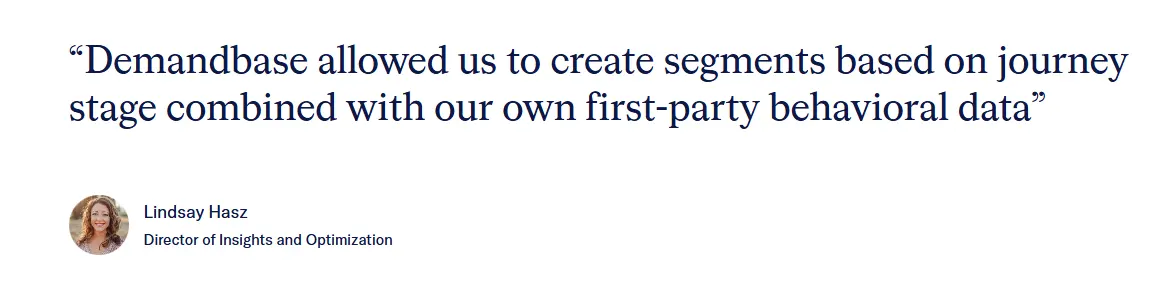 The integration breadth is what keeps that pipeline motion connected end to end. Users describe building target audiences inside Demandbase, finding the right contacts, and pushing them straight into ad channels, sales engagement tools, and the CRM without rebuilding lists in each system. Most other revenue intelligence tools fall back on flat exports or partial integrations once the audience leaves the platform, which is where the value usually leaks out. [Read Full G2 Review]
2. Salesforce Revenue Intelligence
Salesforce Revenue Intelligence is a native Sales Cloud add-on that brings Einstein AI forecasting, deal health scoring, and pipeline analytics into the same environment your reps already work in.
What sets it apart from most tools in this guide is that it runs on the same data model as your opportunities, accounts, and reports. This means there’s no API connector to maintain or sync to troubleshoot.
Key features
- Einstein opportunity scoring: Every open opportunity gets a 1-99 score based on engagement patterns, stage history, and outcomes from similar past deals. Managers can click into each score to see the contributing factors.
- Pipeline Inspection: Pipeline Inspection shows what changed in the pipeline week over week, including new deals, slipped deals, value changes, and stage movement. The view gives teams everything they need for a forecast call without exporting reports.
- Einstein Conversation Insights: Calls and meetings recorded through supported telephony tools get transcribed and analyzed for competitor mentions, pricing discussions, and key topics.
Pros
- Strong handling of complex revenue workflows: Once configured, the platform brings structure to pricing, quoting, and revenue processes across the org. Users report it removes a lot of the manual back-and-forth that usually slows finance and sales handoffs. [Read Full G2 Review]
- Tight integration across the Salesforce ecosystem: Customer data, sales workflow automation, and revenue operations stay in one environment. This means that reps and RevOps aren’t bouncing between tools to update records or pull reports. [Read Full G2 Review]
- Native compliance and subscription support: Teams running subscription or usage-based models call out the built-in ASC 606 and IFRS 15 alignment as a real time-saver. Reporting comes together cleaner too, since everything runs on the same Salesforce data model. [Read Full G2 Review]
Cons
- Steep configuration curve: Multiple reviewers mention that getting the platform to deliver full value takes serious configuration work, and most teams end up bringing in a specialist or implementation partner to handle it. [Read Full G2 Review]
- Dense UI and inconsistent support quality: The interface can feel cluttered once you’re working in the platform day to day. A few users also note that paying for Premium Support gets you faster responses without necessarily getting more expert help on the other end. [Read Full G2 Review]
- Fragile pricing and product rules: Small adjustments to pricing logic or product rules can ripple across the billing chain in unexpected ways. Most teams end up running rigorous testing on every change before pushing it into production. [Read Full G2 Review]
Pricing
Salesforce Revenue Intelligence is sold as a paid add-on rather than a standalone product, and Salesforce doesn’t publish list pricing on its website.
Third-party reporting puts it in the $220 to $308 per user per month range (often cited at $220), billed annually.
For a 50-person sales team, that’s roughly $230,000 per year in licensing alone, before implementation, training, or a partner engagement.
3. Gong
Gong is a conversation-first revenue intelligence platform that captures customer-facing interactions across channels, applies AI analysis to every one of them, and feeds the results into forecasting and deal reviews.
Most platforms in this category start from CRM data and work toward conversations, while Gong starts from the conversation itself and works toward the CRM. This gives it an edge when rep logging is inconsistent or incomplete.
Key features
- Gong Forecast: Gong’s forecasting model uses 300+ signals pulled from actual customer conversations, alongside CRM data, to project deal outcomes and predict where the quarter is heading.
- Deal Intelligence: Each opportunity gets a real-time view of deal health, risk flags, buying committee engagement, and recommended next steps.
- Conversation intelligence: Gong captures around 99% of customer interactions across calls, emails, and meetings, and then runs them through domain-specific AI models trained on billions of sales conversations.
Pros
- Tight Salesforce integration: Gong syncs cleanly with Salesforce, which means call insights and deal intelligence connect directly to inbound and outbound lead records. You don’t have to bounce between systems to tie a conversation back to the right opportunity. [Read Full G2 Review]
- Reliable call recording for technical and detailed deals: Users running technical or specification-heavy sales cycles call out Gong as the place they go back to when they need to revisit specific requirements, design constraints, or customer commitments. [Read Full G2 Review]
- Searchable transcripts and topic tracking: Transcripts are fully searchable, and trackers let teams pinpoint when competitors, pricing objections, or specific topics came up across hundreds of calls. [Read Full G2 Review]
Cons
- Limited Outlook integration: Gong’s email templates and engagement workflows aren’t embedded inside Outlook, so reps that prefer the Outlook interface end up switching back and forth between tools. [Read Full G2 Review]
- AI-powered insights still need human interpretation: The AI points out useful patterns, but users running complex enterprise deals report that the output isn’t always plug-and-play. [Read Full G2 Review]
- Inconsistent UI for historical activity: Teams mention the UI as the weakest part of the platform. Pulling up older calls, activity history, or past recordings can feel clunky, and a few users mention that searches for historical content don’t work reliably. [Read Full G2 Review]
Pricing
Gong doesn’t publish list pricing, so exact numbers come from third-party reporting and buyer accounts.
Most teams pay an annual platform fee around $5,000, plus roughly $1,600 per user per year, which puts a 10-person team at about $21,000 per year and a 50-person team well into six figures.
Learn more → Maximize Sales Efficiency with Demandbase and Gong’s Powerful Integration
4. Clari (with Salesloft)
Clari is a revenue orchestration platform built around forecasting, pipeline inspection, deal management, and conversation intelligence through Clari Copilot.
After the December 2025 merger with Salesloft, it now includes a sales engagement module alongside the original revenue intelligence stack.
Compared to the rest of the platforms in this guide, Clari + Salesloft is the only one that covers forecasting, conversation intelligence, and sales engagement at category-leading depth on a single dataset.
Key features
- Forecasting and pipeline inspection: Clari is widely regarded as the leader in forecast and pipeline analytics, with AI-driven projections that combine CRM data, deal activity, and engagement signals into a single rolling forecast.
- Deal inspection and risk signals: Clari Inspect gives managers a deal-by-deal view of pipeline health, including stage movement, missing stakeholders, gaps in engagement, and slipped close dates.
- MCP Server for external AI integration: Clari + Salesloft’s Model Context Protocol server opens up live revenue data (pipeline signals, call data, deal activity) to external LLMs like Claude and Gemini.
Pros
- Modern forecasting and predictive analytics: Forecasting depth comes up repeatedly in reviews. Clari analyzes pipeline activity, deal patterns, and historical outcomes to project where the quarter is heading. [Read Full G2 Review]
- Clean UI built for sales leaders: UI is one of the cleanest in the category, especially for managers and CROs running multiple forecast calls a week. Moving from a high-level number into deal-level details is fast, and there’s no menu maze between the two. [Read Full G2 Review]
- AI call summaries that pull out specifics: Clari Copilot’s AI summaries come up often as a daily-use favorite. Users say it makes it easy to extract specific details from past conversations, including how a prospect found the company, what’s wrong with their current setup, and who else they’re considering. [Read Full G2 Review]
Cons
- Call search and filters lag behind the AI summaries: The AI summaries are sharp, but the search experience hasn’t kept up. Users mention having to narrow down calls through conditional logic to find specific moments. [Read Full G2 Review]
- Dependent on clean CRM data: Clari’s insights only get as accurate as the CRM data underneath them. Teams running on messy or inconsistently updated Salesforce instances tend to see weaker forecasting and pipeline signals. [Read Full G2 Review]
- Copilot sharing and configuration limits: Teams note that Clari Copilot doesn’t auto-share calls with customers, and bulk sharing isn’t supported either. [Read Full G2 Review]
Pricing
Clari doesn’t publish list pricing. To get a firm quote for your team size and module mix, you’ll need to talk to a Clari sales rep directly.
5. 6sense
6sense is a B2B revenue AI platform that captures buyer intent signals across the open web, identifies in-market accounts before they fill out a form, and orchestrates outreach across channels.
Its differentiator is timing. The platform identifies in-market accounts through anonymous web signals weeks or months before they engage directly. This way, sales teams get a head start on the deals competitors don’t even know are happening yet.
Key features
- Signalverse intent data: 6sense’s Signalverse collects over a trillion buyer signals daily, tracking which accounts are researching specific keywords, comparing competitors, and engaging with industry content across the web.
- Account scoring and buying-stage prediction: 6AI assigns each account a fit score, an intent score, and a predicted buying stage (target, awareness, consideration, decision, purchase) based on first-party engagement and third-party intent.
- AI-orchestrated multichannel campaigns: Intelligent Workflows let teams automate omnichannel plays across ads, email, web personalization, and sales outreach from a single drag-and-drop canvas.
Pros
- Bridges the marketing and sales gap with intent data: Managers describe 6sense as the platform that finally gets marketing and sales speaking the same language, mostly because both teams work off the same intent and predictive scoring. [Read Full G2 Review]
- Strong integration coverage across the GTM stack: Segments push cleanly from 6sense into the CRM, marketing automation platform, sales engagement tools, and advertising channels, which means the same audience can be activated without rebuilding lists in each tool. [Read Full G2 Review]
- Powerful segmentation and filtering: Segments come up repeatedly in reviews as the most loved function. The filtering options let marketers build precise programs across multiple product lines, then target accounts with messaging tailored to where each one sits in the buying journey. [Read Full G2 Review]
Cons
- Limited reporting and export options: A common complaint is the depth of data available in reports. Users say more fields and richer breakdowns are needed in downloads and exports, especially for teams pulling 6sense data into their own BI tools or executive dashboards. [Read Full G2 Review]
- False positive intent signals and a complex UI: Some users report intent alerts that don’t pan out once a rep makes contact, which leads to wasted outreach cycles. [Read Full G2 Review]
- Expensive, especially for smaller teams: Pricing comes up consistently as a barrier for smaller organizations and teams with tight budgets. The platform’s depth is real, but the cost can be hard to justify outside of mid-market and enterprise revenue teams with serious ABM programs already in motion. [Read Full G2 Review]
Pricing
Reported numbers from third-party sources put Enterprise deals at $60,000 to $100,000+ per year. The final figure depends heavily on team size, intent data volume, and which modules you bundle in.
Learn more → 15 Best 6sense Competitors & Alternatives Right Now
6. HubSpot Operations Hub (+Breeze Intelligence)
HubSpot Operations Hub handles the data side of HubSpot’s CRM, including two-way sync, data quality automation, and programmable workflows.
Breeze Intelligence stacks buyer intent and firmographic enrichment on top, and draws from a database of 200 million+ company and contact profiles.
Together, they give revenue teams the cleaner data foundation and account-level buying signals needed to score, prioritize, and route the right opportunities to the right reps.
Key features
- Data sync and quality automation: Operations Hub keeps customer data clean across HubSpot and connected tools through two-way sync, de-duplication, and automated formatting rules.
- Breeze Intelligence data enrichment: Breeze Intelligence auto-fills CRM records with company revenue, industry, employee count, location, technographic data, and key contact details.
- Smart Properties and AI-driven segments Smart Properties classify contacts automatically based on behavior and profile data, so segments like “likely repeat buyers” or “trending upward this week” stay current without manual list rules.
Pros
- Unified view of customer and sales data: Centralized account history is one of the most cited advantages in user reviews. Reps can see every email, call, and deal interaction tied to a customer in one record, which cuts down on the prep work that usually goes into a renewal conversation. [Read Full G2 Review]
- Real-time sync across teams: Marketing, sales, and customer success all work off the same updated information, which removes the version-control problem that usually creeps in when each team relies on its own data snapshot. [Read Full G2 Review]
- Easy workflow builder: Building automation in Operations Hub is approachable enough for non-technical users. Reviewers describe the interface as straightforward to navigate, with each workflow guided start to finish, which makes lead routing and deal triage faster to set up than in most enterprise platforms. [Read Full G2 Review]
Cons
- Learning curve on initial integrations: Initial integration setup takes more time than expected, especially when CRM data structure hasn’t been cleaned up beforehand. Teams without a clear data model in place often need a few weeks to organize contacts, companies, and deals properly before integrations work as expected. [Read Full G2 Review]
- Costs scale with data volume: Costs are reasonable at smaller scale, but contact volume, sync usage, and credit consumption can drive the total up quickly as the team and CRM database grow. [Read Full G2 Review]
- Inconsistent ticket search: Ticket search is a weaker part of the platform. Users report that older tickets can be hard to find, and the search occasionally fails to surface relevant results even when the right keywords are used. [Read Full G2 Review]
Pricing
HubSpot publishes its pricing on the website, so this is one of the few platforms in this guide where the numbers are easy to find.
Operations Hub (rebranded as Data Hub in 2024, though most users still call it Operations Hub) starts at $20 per month for the Starter tier, $720 per month for Professional billed annually ($800 monthly), and $2,000 per month for Enterprise.
Breeze Intelligence runs on the HubSpot Credits system, with included credits bundled into every paid HubSpot subscription. Standard data enrichment (company revenue, industry, employee count, location) is free for Starter, Professional, and Enterprise customers, while buyer intent signals and smart properties consume credits.
Additional credit packs start at $10 per 1,000 credits (10 credits = 1 enrichment). Operations Hub doesn’t carry a mandatory onboarding fee, which puts it among the more accessible HubSpot Hubs to get up and running.
Related read → How to Use Demandbase and HubSpot to Unify and Scale Your ABM Efforts
7. ZoomInfo
ZoomInfo is a B2B go-to-market intelligence platform that combines a 320M+ contact database with buyer intent signals, conversation intelligence (Chorus), and AI-driven sales workflows.
ZoomInfo trades depth in any single area for breadth across the GTM motion. Reps get contact data, intent signals, conversation intelligence, and engagement tools in one platform, even if each piece isn’t always the best in its category.
Key features
- B2B contact and company database: ZoomInfo claims the largest North American B2B dataset in the category, with 320 million+ contact profiles and detailed firmographic and technographic filters.
- Chorus conversation intelligence: Chorus, ZoomInfo’s native conversation intelligence product, records and analyzes calls, meetings, and emails for deal risk, competitor mentions, and sales coaching moments.
- CRM enrichment and bidirectional sync: ZoomInfo syncs natively with Salesforce, HubSpot, and Microsoft Dynamics, automatically updating contact and company records with verified data.
Pros
- Advanced search and decision-maker targeting: Reps can quickly narrow down to the right decision-makers using granular filters, and the CRM integration pushes that data straight into Salesforce or HubSpot for outreach. [Read Full G2 Review]
- Useful intent data and company context: Teams describe the intent data as one of the more useful pieces of the platform once it’s tuned to the right ICP. The signals help reps figure out which accounts are worth a personalized first touch and which ones can wait, which makes outbound time more productive. [Read Full G2 Review]
- Smooth implementation and CRM integration: Implementation tends to be smoother than users expected going in. CRM integrations slot in cleanly, the data flow is reliable, and most teams skip the long configuration cycles that come with bigger enterprise platforms in this category. [Read Full G2 Review]
Cons
- Inconsistent contact accuracy for niche roles: Contact records for niche roles or smaller companies sometimes come back outdated or missing direct phone numbers, which means reps have to verify before sending anything important. [Read Full G2 Review]
- Records shown without usable contact info: The platform sometimes finds contact records that don’t have a working email address or direct phone number attached. For high-volume outbound teams, those records add noise to search results without giving reps anything actionable to work with. [Read Full G2 Review]
- Limited job title precision: Job title filtering hits a ceiling on niche searches. A query for something like “maintenance manager” returns mostly that exact title, with limited ability to narrow into related specializations or sub-roles. This makes building lists for vertical segments harder than it should be. [Read Full G2 Review]
Pricing
ZoomInfo doesn’t publish pricing, and every contract is custom-built through sales. Costs scale with seats, credits, modules, and feature depth, all under mandatory annual or multi-year contracts.
Learn more → 16 Best ZoomInfo Alternatives & Competitors Right Now
8. Revenue Grid
Revenue Grid is a Salesforce-native revenue intelligence and engagement platform built around automated activity capture, pipeline inspection, deal guidance, and email/calendar integration.
It’s a solid fit for enterprise teams that take Salesforce compliance and governance seriously. The platform runs as a managed package inside Salesforce itself, with extended objects, customizable capture rules, and no 24-month data retention cap that limits competing tools.
Key features
- Activity Capture 360: Revenue Grid auto-syncs emails, meetings, calendar events, contacts, attachments, and tasks from Outlook or Gmail to Salesforce, including matching to the right account and opportunity.
- Pipeline Inspection: Managers get a real-time view of pipeline health, deal-level risk signals, slipped deals, and stage movement directly inside Salesforce.
- Revenue Signals: Revenue Signals are customizable AI-driven alerts that prompt reps with the next best action based on pipeline activity, engagement, and deal-stage thresholds.
Pros
- Salesforce data entry on autopilot: Sales activity moves from inbox and calendar into Salesforce on its own, which keeps the CRM accurate without rep effort and removes the friction that usually leads to sloppy or missing logs. [Read Full G2 Review]
- Strong, responsive customer support: Users describe the team as fast to reply, willing to act on issues immediately, and consistent across time zones, which is rare in the category. [Read Full G2 Review]
- AI chat for account research and list building: Some teams mention pulling full account histories, revenue growth signals, and interaction summaries through a single query, then having the AI build pivot-style tables and even auto-generate recipient lists for sequences based on plain-language requests. [Read Full G2 Review]
Cons
- Configuration takes work during rollout: Configuration choices around capture rules, sync logic, and routing usually take coordination with Revenue Grid Support during the pilot phase. This extends the timeline before the platform starts paying off. [Read Full G2 Review]
- Limited search options inside Outlook: Attaching an email to the right Salesforce lead can take more clicks than expected, especially when there are multiple records with similar names or when the matching logic doesn’t point to the right option first. [Read Full G2 Review]
- Updates occasionally reset settings: Users note that platform updates sometimes change configuration settings, which can disrupt established workflows. A few users recommend documenting custom configurations before each release window so changes can be reverted quickly if something gets overwritten. [Read Full G2 Review]
Pricing
Three tiers are available:
- Activity Capture 360 ($30 per user per month): Automated activity capture, Salesforce sync, and inbox sidebar.
- Knowledge Capture ($49 per user per month): Everything in Activity Capture 360, plus AI chat and search across sales performance data.
- Revenue Grid Ultimate ($149 per user per month): The full platform, including True Pipeline, sales forecasting, sales enablement sequences, deal guidance, and the RG Mentor and Assistant tools.
Implementation, advanced customization, and success engineering are sold separately as professional services. Founder pricing is also available for early access to AI capabilities through a custom quote.
9. People.ai (now Backstory)
People.ai is an AI-powered revenue intelligence platform built on automated activity capture and a proprietary dataset of 160M+ contacts and trillions of dollars in tracked deals.
The company officially changed its name to Backstory in April 2026. Under the new brand, the product gives revenue leaders direct answers about what’s happening in their deals.
The platform has spent close to a decade perfecting activity capture, and the recent MCP integration means revenue teams can run forecasting and deal questions through Claude or Copilot without manual data entry.
Key features
- Automated GTM activity capture: People.ai pulls every email, meeting, call, chat, and LinkedIn interaction into the platform automatically. Then, it matches each interaction to the correct account, opportunity, and contact in the CRM.
- MCP integration with external AI agents Through the Model Context Protocol integration launched in early 2026, revenue teams can connect People.ai’s data module directly to Claude, Copilot, ChatGPT, or custom AI agents.
- PeopleGlass for CRM hygiene: PeopleGlass is a spreadsheet-style web and Chrome experience that lets reps update Salesforce records in bulk without working inside native Salesforce screens.
Pros
- Actionable insights for coaching and pipeline reviews: The org and relationship views also help reps and managers navigate complex enterprise accounts faster, especially on deals with deep buying committees or multiple internal stakeholders to track. [Read Full G2 Review]
- Eliminates manual Salesforce data entry: Calls, emails, and meetings flow into Salesforce without rep input, which removes the manual logging work that usually slows down end-of-quarter pipeline cleanup and optimzies the overall accuracy of CRM data. [Read Full G2 Review]
- Intuitive interface with thoughtful design details: Filter building is straightforward, update timestamps are clear, and the platform feels polished in ways that make it easier to adopt across larger sales teams. [Read Full G2 Review]
Cons
- Occasional page timeouts and buffering: Some users report intermittent page timeouts that interrupt active work. The issue isn’t constant, but it shows up often enough to be a recurring complaint. [Read Full G2 Review]
- Inconsistent meeting sync without notifications: Not every meeting gets captured automatically, and reps occasionally have to validate which ones synced and which ones got missed. [Read Full G2 Review]
- Limited enrichment push to Salesforce: The platform doesn’t push as much of its enrichment data back into Salesforce as it could. For teams that already trust Salesforce as the system of record, that gap means valuable account and contact intelligence sometimes stays inside People.ai when it could be feeding the broader CRM-driven workflow. [Read Full G2 Review]
Pricing
Pricing is custom-quoted, annual-only, and scales with seat count, modules (SalesAI, Forensics, Account Execution, AI-native Forecasting), and data volume.
10. Oliv AI
Oliv AI is an agentic revenue execution platform built around nine specialized AI agents that handle pipeline briefs, forecasting, coaching, CRM hygiene, and real-time call assistance autonomously.
Oliv is one of the few platforms in this guide structured around autonomous AI agents that handle work directly. The deployment model also leans lighter, with five-minute setup and per-agent pricing that lets teams scale usage gradually.
Key features
- Automated CRM hygiene: The CRM Manager agent populates core, custom, and qualification fields in Salesforce or HubSpot using signals captured during sales process conversations.
- Daily Morning Briefs and Sunset Summaries: Oliv pushes a Morning Brief to each manager outlining which deals need attention that day, plus a Sunset Summary at the end of the day with a prioritized list of at-risk opportunities.
- AI-driven forecasting: The Forecaster agent builds quarterly forecasts based on actual deal movement and engagement signals, and then identifies which specific deals to pull in to hit the target.
Pros & cons
Oliv AI is a relatively new entrant in the category, and at the time of writing, there are no verified user reviews available on G2 or active discussions on Reddit. A few possible reasons this might be the case:
- The platform is still building its install base, with most current customers in early adoption phases.
- Existing users are managed through direct relationships and pilot programs, which keeps feedback inside the vendor’s own channels.
- The company hasn’t pushed for review collection on G2 the way more established competitors have, especially during the early growth stage where product iteration takes priority over public proof points.
None of those are red flags on their own, but they do mean buyers can’t pressure-test the platform against the same volume of independent feedback available for other tools on this list.
Based on what’s publicly known about Oliv’s architecture and target market, the most likely advantage is how easy it is to start using. The five-minute setup, per-agent pricing, and managers-only rollout option make it one of the lower-friction platforms in this guide to evaluate, which is a major practical edge for sales leaders without the budget or runway for a multi-month enterprise rollout.
The trade-off is the platform’s limited track record at enterprise scale. There’s less public evidence of how Oliv handles complex sales motions, large teams, or heavily regulated industries. Buyers running 100+ rep organizations will want to dig into CRM customization depth, security controls, and the maturity of the autonomous AI agents before committing to a full rollout.
Pricing
Pricing is modular, so teams pay only for what they use, with three core building blocks:
- Oliv Notetaker ($19 per user per month): Unlimited meeting transcription, automated video recording, AI summary notes, multilingual support, and Ask AI for every meeting.
- Meeting Insights ($29 per user per month): Custom AI scorecards, revenue insights and metrics, smart playlists, talk-pattern analysis, real-time answer assistant, and custom topic and keyword trackers.
- Deal Insights ($29 per user per month) AI sales methodology tracking, win-loss analysis, deal health scoring, deal lifecycle tracking, roll-up forecasting, and two-way CRM integration.
A 14-day free trial is available, training, support, implementation, and integrations are all included in the license fee, and viewers and collaborators are always free.
11. Aviso
Aviso is a full-stack AI revenue platform that handles forecasting, pipeline management, deal acceleration, and conversation intelligence in one place.
The platform’s forecasting models are built on machine learning techniques refined since 2012, which is unusually deep tenure for an AI-native vendor in this category.
Key features
- AI-driven revenue forecasting: Aviso’s forecasting engine generates predictions across products, regions, and segments using historical data, pipeline activity, and engagement signals. There are also WinScore explanations that show why each deal got the score it did.
- Pipeline inspection and deal intelligence: Pipeline Inspection gives managers a real-time view of deal health, slipped deals, stage movement, and risk signals across every account in the funnel.
- MIKI Generative AI Chief of Staff: MIKI is Aviso’s generative AI agent built specifically for revenue intelligence. It can handle research, meeting summaries, deal updates, and workflow orchestration across GTM systems.
Pros
- Historical forecast tracking: Tracking forecast changes week over week gives sales leaders a clearer picture of how each quarter is trending, which is especially useful when defending the current call to finance or learning from forecasts that missed. [Read Full G2 Review]
- Accurate forecasts and pipeline in one place: Users describe the forecasting and pipeline experience as a meaningful upgrade over the spreadsheet-heavy workflows most teams ran before adoption. [Read Full G2 Review]
- GPS-like account visibility: Aviso pulls together emails, meetings, and engagement data into one record, then points out the stakeholders reps haven’t reached yet, which is where most enterprise deals quietly stall. [Read Full G2 Review]
Cons
- Learning curve on the interface: Users mention exploring the tool extensively before they figured out the most efficient ways to pull the information they needed, which adds friction during ramp for new team members. [Read Full G2 Review]
- Slower data refresh intervals: Data refresh timing is a common complaint, particularly from users who want near real-time updates for day-to-day decisions. The current intervals work for weekly forecast calls and pipeline reviews, but they fall short for managers trying to act on signals as they happen. [Read Full G2 Review]
- Occasional crashes on heavy interaction: Some teams report stability issues when clicking through the platform too quickly or working across multiple sections at once. Aviso has been known to crash under heavy interaction. [Read Full G2 Review]
Pricing
Aviso uses a sales-led pricing model, so there’s no public pricing page to reference.
Reported per-user costs are between $40 and $50 per month for smaller teams, with larger enterprise deployments (1,000+ seats) typically negotiated to the $30 to $40 per user per month range.
How to choose the right revenue intelligence platform for your organization
Pick the platform that fits the gap between where your revenue motion is today and where you want it to be in twelve months.
Some platforms are incredible for conversation intelligence, others for forecasting, and a few cover the full account lifecycle.
Here’s a fast read on which one fits which kind of team:
- For enterprise revenue teams that want pipeline generation and pipeline management on the same stack, Demandbase leads the field. The combination of account intelligence, intent data, buying group mapping, B2B advertising, and sales playbooks on a single data foundation is hard to match if you’re trying to coordinate marketing and sales against the same accounts.
- For Salesforce-heavy revenue orgs that don’t want to maintain a separate revenue intelligence tool, Salesforce Revenue Intelligence brings forecasting and pipeline analytics into the same environment as opportunities and reports. The setup curve is steep, so plan on a partner engagement during rollout.
- For teams that depend heavily on call quality and want every customer interaction captured and analyzed, Gong is the right pick. The conversation intelligence is the deepest in the category, with models trained on billions of sales conversations.
- For teams that need forecasting and pipeline inspection at category-leading depth, Clari (with Salesloft) and Aviso are the strongest picks. Clari brings the cleaner UI and the recent Salesloft engagement module, while Aviso brings the longest tenure in ML-driven forecasting and the strongest forecast explainability story.
- For revenue teams where intent-driven account prioritization is the foundation of the strategy, 6sense is a strong pick. The intent dataset is genuinely deep, though pricing and false positives are considerations worth weighing during evaluation.
- For teams running on HubSpot CRM that need cleaner data and account-level enrichment without adding a separate platform, this combo covers the bases. Larger teams that need full account-based advertising and buying group mapping usually outgrow this stack and look at Demandbase or 6sense later.
- For teams that want a single vendor handling contacts, intent, and conversation intelligence even if no module is best in class, ZoomInfo is the pragmatic pick. The breadth is there, but reps still need to verify records before high-stakes outbound.
- For enterprise sales orgs where automated activity capture is the foundation for everything else, Revenue Grid and People.ai (Backstory) are the two leaders. Pick Revenue Grid if Salesforce governance and managed-package architecture matter most, and pick People.ai if AI integration and a longer activity-capture track record carry more weight.
- For sales teams that want agentic AI without an enterprise contract or a multi-month rollout, Oliv AI is the pick. Just keep in mind that the platform is newer and doesn’t have the same depth of public reviews or enterprise references as the other tools on this list.
💡 Evaluation questions for vendors → A short list of questions worth bringing to every demo and RFP.
- How does the platform explain each forecast number or account score, and can a manager trace the inputs?
- Does the integration sync bi-directionally with our CRM, and how does it handle custom fields and schema changes?
- Where does the intent and engagement data come from, and how fresh is it by the time it reaches a rep?
- What percentage of customer interactions does the platform capture automatically?
- How does the tool identify the full buying committee, and how early in the cycle does it find in-market accounts?
- What’s in the base license, and which capabilities are behind separate modules or credits?
- What’s the standard contract length, and how flexible is the vendor on adding extra seats or modules mid-term?
- What’s the typical time to first value, and how much of that depends on a partner or specialist?
Demandbase — #1 Revenue intelligence platform
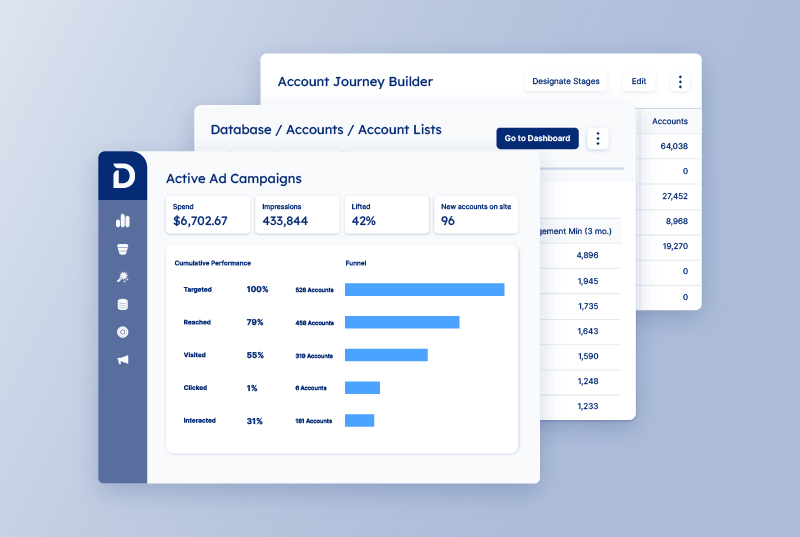
For enterprise B2B teams, Demandbase is the revenue intelligence platform that does the most upstream work. The platform tells you where next quarter’s pipeline is forming, which accounts are entering the buying cycle now, and where to focus sales and marketing effort to convert them.
What you get with Demandbase:
- Account scoring that combines ICP fit and pipeline likelihood into a single ranked list, so sales and marketing prioritize the same accounts for the same reasons.
- Full buying group visibility across 160M+ professionals at 104M+ companies, so reps see champions, influencers, blockers, and decision-makers in one place.
- First-party and third-party intent signals that tell you which accounts are entering the buying cycle right now.
- A demand-side platform built specifically for B2B advertising, with native targeting on named accounts and buying groups.
- Agentbase AI agents for prioritization, audience building, email personalization, and next-best-action recommendations, all coordinated against a single pipeline target.
- Direct access to Demandbase pipeline data from inside the major LLM assistants, with no copy-paste between tools.
- Two-way sync with Salesforce and HubSpot, plus 85+ pre-built integrations that cover marketing automation, sales engagement, advertising, and analytics.
If the rest of this list felt like more of the same, Demandbase is worth a closer look.
Book a meeting and see what an enterprise revenue intelligence stack looks like when account identification, intent, buying groups, and sales playbooks all run on the same data.
FAQs
What is the difference between revenue intelligence and conversation intelligence?
Conversation intelligence is the tool sales reps and managers use to review what was said on a call.
Revenue intelligence is the tool a CRO or RevOps team uses to forecast the quarter, prioritize accounts, and inspect deal health across the entire pipeline.
Most revenue intelligence platforms include conversation intelligence as one of several data sources, alongside CRM, intent, and engagement signals.
Does revenue intelligence software replace my CRM?
No. Revenue intelligence platforms connect to your CRM and pull from the same data.
Salesforce or HubSpot still holds your accounts, contacts, and opportunities. The revenue intelligence platform handles the AI scoring, forecasting, conversation intelligence, and pipeline analytics that a CRM was never built to do.
How does AI improve forecasting accuracy?
AI improves forecasting accuracy by weighing more signals than a sales manager could track manually.
Modern forecasting models pull in CRM stage, deal velocity, engagement frequency, historical close rates by rep and segment, and conversation data. Then, they learn from past wins and losses to predict where each deal is heading.
Is revenue intelligence only for enterprise-level sales teams?
No. Revenue intelligence platforms work for sales teams of most sizes, though the right pick changes with scale.
Smaller teams might start with lighter tools like Oliv AI or HubSpot’s stack, while mid-market and enterprise teams gravitate toward Demandbase, Clari, Gong, and 6sense for the depth and customization they need.
How do these platforms handle data privacy and GDPR compliance?
Most enterprise revenue intelligence platforms in this guide are SOC 2 Type II certified and GDPR compliant, with documented data processing agreements, EU data residency options, and standard contractual clauses for international transfers.
The handling of recorded sales calls, email content, and personal data varies by platform, so it’s worth pulling each vendor’s trust page and DPA before signing. Anything involving EU customer data should also go through your privacy team’s review.


We have updated our Privacy Notice. Please click here for details.