

Website visitor identification: A B2B how-to guide for 2026
Website visitor identification: How B2B teams identify anonymous accounts and buying groups

Your most engaged website visitors are often anonymous. An account can read your pricing page, compare you with two competitors, and return three times in a week without ever filling out a form.
Many buyers keep vendors at a distance early on. Gartner found that 67% of B2B buyers prefer a rep-free experience, which leaves sales less time to influence the decision. And as Natalie Jackson, Director of Demand Generation at CBIZ, explains, “85% of the sale is done before anyone ever reaches out.”
Website visitor identification connects those visits to the companies behind them, so your team can act while the evaluation is still open. This guide explains how identification works, walks through seven steps from site tag to buying group, and shows how to choose website visitor identification software.
What is website visitor identification?
Website visitor identification matches anonymous website traffic to the companies behind it and, where possible, to the individual people. It gives marketing and sales a way to act on research that never led to a form fill.
For B2B teams, the result is a list of accounts that show interest in your product, along with the pages they viewed and how often they returned. Sales can prioritize outreach to those accounts, and marketing can adjust ads and website content for companies in an active evaluation.
Three related terms appear in most vendor material. They overlap in places and describe different things:
- Anonymous website visitor identification is the process that resolves visits from people who have not yet shared their details through a form, an email click, or a login. On many B2B sites, this group accounts for a large share of total traffic.
- B2B website visitor identification resolves traffic to business accounts. It attaches firmographic data and buying signals that sales and marketing can act on, and it filters out consumer visits.
- Website visitor tracking, also called anonymous website visitor tracking, records what visitors do on your site, such as the pages they view, time on page, and traffic source. Analytics tools like Google Analytics report this behavior in aggregate. They do not name the company or person behind a visit.
Note → Vendors use these terms loosely. A product sold as visitor tracking may include basic company identification, and an identification tool may stop at the company name. Before you compare options, confirm whether a tool resolves visits to a company, a contact, or neither.
Many teams expect identification to name every person on the site. In most cases, it works at the account level, and contact-level data applies only to visitors who have already shared their details with you. The table below compares the two levels.
| Level | What it shows | How it is resolved | Best used for |
|---|---|---|---|
| Account level | The company behind a visit, the pages it viewed, and how often it returned | IP address, cookie, and device signals matched to a company record | Account prioritization, ABM ads, and website personalization |
| Contact level | A named person who visited, tied to an existing CRM or MAP record | Form fills, marketing email clicks, logins, and MAP tracking | Sales outreach to a specific contact |
Example → A director of IT at a 3,000-person logistics company reads your security and integrations pages twice in one week. Account-level identification shows the logistics company, the pages it viewed, and the repeat visit. If the same director clicked one of your webinar emails last quarter, your marketing automation platform can also tie those visits to her contact record.
Neither level shows the full buying group by itself. B2B purchases usually involve several people from the same account, and many of them never identify themselves on your site. Account activity, known contacts, and intent data together give a much fuller view of who is involved.
Can you see who visits your website?
Yes, for a large share of B2B traffic, you can see which companies visit your website. You can see individual people only when they have already identified themselves through a form, a marketing email click, or a login.
With an identification tool and your marketing automation tracking in place, you can typically see:
- The company behind a visit, with its industry, size, and location
- Which pages each account viewed, how often it returned, and when
- Visits from known contacts already in your CRM or marketing automation platform
Some traffic will not match at all. No identification method names every visitor. Consumer traffic, very small businesses, and people on shared or public networks often cannot be tied to a company with confidence. Remote employees bring another complication, since a home internet connection usually points to the internet provider.
Privacy note → Some tools advertise person-level identification of anonymous visitors. These usually rely on third-party identity data, match quality varies widely, and the privacy exposure is much higher, especially for visitors in the UK and EU.
How website visitor identification works
The accuracy of an identified account depends on the method used to produce it. Most tools combine reverse IP lookup, proprietary IP and cookie mapping, and known visitor data, each with its own strengths and limits.
The table below compares them side by side:
| Method | What it identifies | Accuracy | Main limitation |
|---|---|---|---|
| Reverse IP lookup | The organization that owns the IP address | Low to moderate | Often returns the ISP, and remote workers rarely match |
| Proprietary IP and cookie mapping | The company behind the visit | Higher, depends on the provider’s data | Quality varies with how the provider validates its data |
| Known visitor identification | A named contact | High for that contact | Applies only to people who have already identified themselves |
Reverse IP lookup
Every device that connects to the internet uses an IP address. Reverse IP lookup checks that address against public IP registries to find the organization that owns it, similar to a reverse phone lookup.
The weakness is ownership. Most companies lease their IP addresses from internet service providers, so the registry often lists the ISP as the owner, and the visiting company does not appear. Registry records are also incomplete or out of date in many cases, and remote employees on home connections resolve to their internet provider.
Proprietary IP and cookie mapping
More advanced providers build their own IP-to-company maps and validate them against first- and third-party data sources. They combine that IP data with cookie and device signals, so a visit can be tied to a company regardless of who technically owns the IP address. This combination is how account-level match rates climb past what a registry lookup can reach on its own.
Note → Third-party cookies are less dependable than they were a few years ago. Safari and Firefox block or restrict them by default, and privacy rules limit how they can be used. As a result, providers lean more on proprietary IP data, first-party cookies, and other signals, so ask any vendor how its identification performs without third-party cookies.
Known visitor identification
When someone fills out a form, clicks a link in a marketing email, or logs in to your product or customer portal, your marketing automation platform links their browser to a contact record. Later visits from that browser are attributed to the same person, and many platforms also connect earlier anonymous visits once the contact converts.
The match holds only on the same browser and device, and only until the cookie expires or is cleared. For that reason, known visitor data works best alongside account-level identification, which picks up the visits a contact makes from other devices.
Traffic filters
A match means something only after the tool removes traffic that would distort the results. A reliable tool detects and excludes four types of traffic:
- Bots and crawlers from search engines, scrapers, and monitoring services, which inflate engagement if counted as company visits
- Shared networks such as co-working spaces, hotels, airports, and universities, where one IP address serves people from many organizations
- VPNs and proxies, which route traffic through an IP address that may belong to the VPN provider or point to a different location
- Consumer and very small business traffic, which has no meaningful B2B account to match
Match rate vs. accuracy
Match rate is the share of visitors a tool assigns to a company. Accuracy is the share of those assignments that are correct. A vendor can push its match rate up by assigning visits to companies on weaker evidence, and every wrong match puts an account in front of sales that never visited your site.
Example → Say a tool labels every visit to your site as IBM. Its match rate would be 100%, and almost none of those matches would be correct. Exaggerated as it is, the example shows why a match rate means little without an accuracy figure next to it.
Accurate match rates also have a ceiling, because some traffic does not come from businesses at all. Demandbase’s 2024 analysis of account identification put its match rate at 77%, after excluding a few large customers with mostly consumer traffic. Of every 100 visitors, 77 were confirmed as company visitors or bots. The other 23 were consumers or very small businesses, which a B2B identification tool is not expected to match.
Match rates also vary with the mix of traffic on each site, so a single headline number says little until the vendor explains how it measures accuracy.
How to identify website visitors: a step-by-step process
The steps below show how to identify website visitors and act on what you find. They follow the order the work happens, since you cannot score visits you have not resolved or map buying groups for accounts you have not identified.
Each step includes what to do, the reason behind it, and the mistake teams make most often.

Seven-step website visitor identification process: tag, resolve, score, add context, map buying groups, act, and measure.
Step 1: Tag your site for anonymous and known visits
Every page on your site needs two scripts, each with its own job.
- An identification tag that resolves anonymous visits to the companies behind them and sends that activity to account records in your identification platform.
- Your marketing automation platform’s tracking script, which records visits from contacts already in your database and attaches them to people records in your MAP and CRM.
Once both are live, connect the two systems so later steps can combine account and contact activity into a single view of each account.
Example → Three people from a 2,000-person fintech company visit your site in one week. The identification tag records all three visits under the fintech account, including your pricing page and two integration pages. One of the three clicked your newsletter last month, so the MAP script also ties her visits to a contact record, and sales sees both the account activity and a named person to contact.
For step-by-step setup, the engagement points for web visits playbook explains how to install both scripts, connect Marketo, HubSpot, Eloqua, or Pardot, and confirm that anonymous and known visits are tracked correctly.
Before you move on to resolution, confirm that:
- Both scripts load on every domain you own, including subdomains for docs, help centers, and landing pages, ideally through your tag manager so new pages pick them up automatically
- Your consent banner controls both scripts according to your privacy settings
- Known visits appear on people records and anonymous visits appear on account records
- Internal traffic from your own team is excluded, so employee visits do not inflate engagement
Common mistake → A frequent setup error is to install only the MAP script and assume anonymous visits have little value. As a result, reports include only the visitors who filled out a form, and accounts in early research go unseen.
Step 2: Resolve visits to accounts and filter the noise
With both scripts live, your identification platform begins to resolve anonymous visits to companies. The work in this step is to make that output accurate and complete before your team scores it or acts on it.
Three parts need attention:
- Account records: Each resolved visit should attach to the matching account in your CRM, usually through the company domain. Without that link, activity ends up on duplicate accounts that sales never sees.
- Firmographic data: Industry, employee count, revenue, and location give each account the context you need to judge fit later and exclude companies outside your market.
- Exclusions: Bots, ISP matches, data center traffic, and consumer visits should be removed or labeled before they reach your reports.
Every later step relies on this output. A wrong match here leads to a wrong score in Step 3 and a wasted sales call in Step 6. How much of the cleanup your team handles by hand depends on the tool.
Demandbase Account Identification, for example, validates IP data with cookie and device signals and detects bots automatically, so a large share of the cleanup happens before the data reaches your reports.
Even so, schedule a review of the identified account list every week or two, with extra attention in the first month after setup. The table below lists common signs of bad matches and what to do about each one.
| What you see in the account list | What it likely means | What to do |
|---|---|---|
| Internet providers such as Comcast or Verizon | The tool matched the IP to its registered owner | Exclude them and ask the vendor how it handles ISP-owned IP addresses |
| Cloud hosts such as AWS, Google Cloud, or Microsoft Azure | Automated traffic from data centers | Exclude them and review your bot filters |
| Universities, hotels, or coworking providers | Shared networks with visitors from many organizations | Treat these matches as low confidence |
| One account with hundreds of visits in a single day | Bot activity or a misattributed IP range | Review the account before it triggers a sales alert |
Common mistake → Teams sometimes judge an identification tool by the number of accounts it names. A wrong match can do more harm than an unidentified visit, because it sends sales after an account that never came to your site. The number of correct matches is the figure to watch.
Step 3: Score visits by page value
Some page visits point to a purchase, and others point to a job application or a newsletter sign-up. To score visits by page value, assign each page to a tier based on how closely it relates to a purchase decision, then exclude the pages unrelated to one.
These tiers are a reasonable place to start:
| Value tier | Example pages | What a visit suggests |
|---|---|---|
| High | Pricing, demo request, product pages, competitor comparisons | Active evaluation |
| Mid | Case studies, ebooks, webinars, integration pages | Interest in proof, results, or technical fit |
| Low | General blog posts, newsletter sign-up | Early research or general interest |
| Excluded | Careers, unsubscribe, sitemap, privacy policy | No buying interest |
Page value separates an evaluation from a casual visit. With tiered scores, sales can rank accounts by the kind of interest they show, and alerts in later steps fire on visits that point to a purchase.
Tip → Score whole URL branches where your site structure allows it, such as every page under /case-studies/, so new pages pick up the right score automatically. Reserve page-specific scores for a few high-value URLs like the demo request form. Make sure a branch rule and a page rule never apply to the same URL, or one visit is counted twice.
A score shows how engaged an account is, and its most visited pages show what the account cares about. A field with the top three pages an account viewed over the last month or quarter gives sales that context before the first call. The playbook on the most visited web pages explains the setup and which pages to exclude.
Example → An account’s top three pages last month were your pricing page, your Salesforce integration page, and a case study from its industry. A rep who sees that list can open with the integration and the case study, and leave the general product pitch for later.
Add the field to account and contact records in your CRM and include it in sales alerts, so reps see it where they already work. The same field can guide ad and nurture content for accounts that are not ready for a sales conversation yet.
Common mistake → Many teams give every page visit the same score. A careers page visit then counts as much as a pricing page visit, and an account whose visits come mostly from job seekers can rank above an account in active evaluation.
Step 4: Add fit and intent context
A high engagement score shows that an account is active on your site. It does not show if the account fits your market or plans to buy soon. Before an account reaches sales, combine engagement with two other signals.
- Fit measures how closely an account matches your ideal customer profile. It draws on firmographics such as industry, employee count, revenue, and region, along with technographics like the tools the account already uses.
- Intent shows research on topics related to your category on sites other than your own, such as publisher content and review platforms. Demandbase B2B buyer intent data, for instance, combines bidstream signals with review-site data from sources like G2 and TrustRadius to show which accounts research your keywords, in some cases before they visit your website.
- Engagement combines the page scores from Step 3 with other activity, including email clicks, ad interactions, event attendance, and meetings with your team.
Note → Intent data is probabilistic. It shows that people at an account researched a topic, and it cannot confirm that a purchase is planned. Treat it as one input to account priority, and give more weight to intent that is recent, repeated, and tied to specific keywords.
Each signal makes up for a weakness in the others. Fit without intent points to a good account that may not be in the market. Intent without fit can come from companies that may never become customers, and engagement on its own can come from students, competitors, or job seekers. The guide on what intent data is explains the main intent sources and how teams combine them with fit and engagement.
This table shows how common combinations translate into account priority:
| Fit | Intent | Engagement | What it suggests | Priority |
|---|---|---|---|---|
| High | High | High | Active evaluation, possibly with your company on the shortlist | Top |
| High | High | Low | In market and not yet engaged with you | High, for awareness |
| High | Low | High | Interest in your company, with little category research elsewhere | Medium |
| High | Low | Low | Good-fit account with no current activity | Watch list |
| Low | Any | High | Likely job seekers, students, partners, or competitors | Low |
Common mistake → Sales teams often chase every account with high traffic. Without a fit check, reps spend time on accounts outside your market or too small to buy, and high-fit accounts with quieter activity receive less attention.
Step 5: Map account activity to buying groups
Lead-based programs focus on one contact at a time, and account-based programs often treat the whole company as a single unit. Many B2B deals depend on a group of people inside the account who need to agree.
As Leanne Chescoe, Marketing Director, EMEA at Demandbase, explains, “Account-based marketing focuses on the account, but sometimes treats everyone within that account the same. Buying groups sit somewhere in the middle. Deals rarely close because one person loves your solution. They close because the right group reaches consensus.”
To work with that group, your team first needs to see who is in it. Account-based go-to-market platforms are the tools that can map anonymous website activity to accounts and buying groups. They do it in two stages.
- Account resolution: The platform matches anonymous visits to the company behind them, using the identification methods described earlier in this guide.
- Role assignment: It then links known contacts and person-level intent signals at that company to buying group roles, such as decision maker or champion.
Reverse IP tools end after the first stage, and contact lookup tools find individuals without the account context around them.
Role assignment works only if your team keeps personas and roles apart. A persona, such as CMO or IT director, shows who someone is and guides your messaging. A role, such as decision maker or technical evaluator, shows what that person does in a specific purchase and guides timing and priority. The table underneath lists typical pairings, and the same persona can hold a different role on another deal.
| Persona | Typical buying group role | What they look at on your site |
|---|---|---|
| CMO or VP of marketing | Decision maker | Case studies, ROI content, pricing |
| Marketing operations manager | Champion or end user | Feature pages, product tours, how-to guides |
| IT director | Technical evaluator | Integrations, security and compliance details, technical documentation |
| Procurement manager | Procurement | Pricing, contract terms, vendor comparisons |
Tip → Start with three to five roles for one priority segment. Base them on the roles that showed up in your recent closed deals, and agree on the definitions with sales, marketing, and RevOps before you build anything.
With contacts and visits mapped to roles, watch three signals at the account level.
- Active roles: Activity from several roles in the same period points to broad interest across the account. Activity from one person can be individual curiosity.
- Engagement trend: Activity that grows week over week across the buying group suggests the account is moving toward a decision.
- Missing roles: An absent role, such as no technical evaluator in an account that keeps returning to pricing, shows where marketing or sales should focus next.
Person-based intent helps with the last signal. It matches outside research activity to known contacts at the account and ranks them by confidence, so sales can see who is likely behind the research.
Platforms such as Demandbase Buying Groups map known contacts to roles and show active engagement, missing roles, and silent influencers in one view. The buying group signals playbook explains how to define roles and choose signals for your first segment.
Common mistake → Some buying group models assign roles by job title alone, so the CMO is always the decision maker. On a deal where the CMO acts as champion and the CFO controls the budget, that model points sales at the wrong person.
Step 6: Turn identified accounts into action
By this point, you know which accounts are active, how well they fit, and who in each buying group is involved. Each of those signals now needs to reach the team that can act on it, with enough context to make the follow-up relevant.
In many companies, that means three groups:
- Sales receives alerts when a target account’s engagement increases, along with the pages viewed, the buying group roles involved, and the known contacts to reach.
- Marketing adjusts ads, nurture programs, and website content to each account’s journey stage, industry, or research topics.
- Account managers hear about customer accounts that research products they do not own yet.
The type of signal decides who acts and how quickly. Early research calls for a light touch from marketing, and active evaluation calls for a fast, specific response from sales.
You can use this table to match common signals to a next step:
| What you see | What it likely means | Next action |
|---|---|---|
| A target account views pricing and comparison pages several times in a week | Active evaluation | Alert sales and contact known people at the account with content tied to the pages they viewed |
| A new account in your ICP reads several blog posts | Early research | Include the account in awareness ads and nurture programs |
| Several buying group roles engage in the same week | A buying group is forming | Start a coordinated sales and marketing play across those roles |
| A customer account views a product it does not own | Possible expansion interest | Notify the account manager |
Example → In one Demandbase deal, an enterprise manufacturing account had been inactive for six months when an alert showed its onsite engagement had increased around an upcoming webinar. The SDR reviewed the activity with the account executive, reached out with content related to the webinar, and answered a follow-up question the contact later asked through chat. The deal closed ten days later.
Snowflake’s ABM team works with a similar motion for visitors who engage deeply and then stop. As Casey Patterson, Director, NoAm ABM at Snowflake, describes it, “We will see contacts who come to our landing pages and have a deep scroll depth, deep time on page, and then don’t do the next step. So we will give those incomplete loops to SDRs through the Demandbase weekly emails, and have them call back as an outbound motion… We see a really high return on those personalized touches after those incomplete loops.”
The same signals can guide what each account sees on your website. Identified visitors can see case studies from their industry, offers that match their journey stage, and shorter forms, or no form at all when the account is already known. The guide to website personalization for ABM accounts suggests a modest start, with an industry-specific homepage banner and four or five segments.
Common mistake → Sales alerts lose value fast when every identified account triggers one. Reps who receive alerts with only a company name and no pages, roles, or reason to reach out soon learn to skip them. Set alert thresholds based on fit, page value, and buying group activity, so each alert gives sales a clear reason to act.
Step 7: Measure what identification adds to pipeline
The last step is to measure identification at the account level. Track how identified accounts move through the buying journey, how much pipeline they create, and how fast they progress after your team acts on the signals.
Journey stages give you a consistent way to follow that movement. A typical model moves from Qualified and Aware to Engaged, MQA, Opportunity, and Customer, and the guide to B2B buyer journey stages explains how to set them up and compare results across account lists.
Within that model, four metrics can usually show if identification is working:
- Stage progression, the share of identified accounts that reach a later journey stage each quarter
- Pipeline created from accounts your team first saw through identification, including deals that would never have appeared in form-fill reports
- Velocity, measured as the average time accounts spend in each stage, with extra attention to mid-funnel stages such as Engaged
- Stage conversion, the share of accounts that move from one stage to the next after sales outreach or personalized pages
Tip → Compare identified accounts that received follow-up, such as sales outreach or personalized pages, with a similar group that did not. The difference between the two groups gives a clearer view of what identification contributes than totals alone.
SAP Concur shows what this looks like in practice. The team combined journey stages with first-party signals such as three or more repeat visits and video views, then showed ungated content to early-stage visitors and gated assets like buyer’s guides to accounts further along. Average time in the engaged stage dropped from 137 days to 35 days, a 4X increase in velocity, and the share of those accounts that moved to the next stage grew from 20% to 70%.
Common mistake → Identified visitor counts look good in a monthly report and say little about revenue. A tool can double that number if it loosens its match rules, and pipeline from those accounts will not change at all.
Is website visitor identification legal?
Yes, website visitor identification can be legal, as long as you comply with the privacy and data protection laws that apply to your visitors, including the GDPR in the EU and the UK GDPR.
What you need to do depends on how you identify visitors.
- Account-level identification links activity to a company. The tracking behind it can still involve IP addresses and cookies, which may count as personal data and fall under consent rules.
- Contact-level identification names individual people and carries more privacy risk, especially for visitors who never shared their details with you.
A few safeguards help keep your program compliant:
- Consent management that loads identification scripts and cookies only when the visitor’s privacy choices allow it
- A clear privacy notice that explains what you collect, how you use it, and which vendors process it, similar to the Demandbase privacy notice
- Legal review before you switch on any feature that identifies individual visitors
Disclaimer → This section is general information and does not constitute legal advice. Confirm the requirements for your regions and identification methods with your legal team.
How to choose website visitor identification software
To choose B2B website visitor identification software, compare vendors on accuracy for the accounts you care about, depth past the company name, and how well the data syncs with your CRM, marketing automation, and ad tools.
Here are the questions to ask in each area, along with the red flags to watch for.
| Criterion | What to ask the vendor | Red flag |
|---|---|---|
| Accuracy | How do you measure accuracy, separately from match rate? | Only a match rate is quoted |
| Data quality | How do you detect bots, ISPs, and shared networks? | No clear filtering process |
| Depth | Do you identify contacts and buying group roles, or only the company? | Output ends at the company name |
| Signals | Can I see web visits alongside fit and intent data? | Web visits shown with no other context |
| Integrations | Which CRM, MAP, and ad platforms do you sync with, and how often? | CSV export as the main way to move data |
| Privacy | How do you handle consent and person-level data in the EU and UK? | No clear or documented answer |
Before you sign, see how each shortlisted tool performs on your own traffic. A fair match test measures how many of the identified companies are correct, using three checks.
- A JavaScript tag on your site, so the vendor processes cookies as well as IP addresses and has no chance to clean up the results by hand before it reports back
- Colleagues at other companies who visit your site and then confirm if the vendor identified their company correctly
- A short test ad campaign aimed at target accounts, measured by the increase in engagement and conversions from those accounts
Example → You ask five contacts at partner companies to visit your pricing, integrations, and case study pages on the same afternoon. If the vendor names four of those five companies and the pages they viewed, that result says more about accuracy than a headline match rate.
Website visitor identification software options
Lists of the best website visitor identification tools often mix products from different categories, which makes them hard to compare. A comparison by category gives a clearer view of what each type of tool can do.
- Web analytics tools such as Google Analytics report traffic, sources, and on-site behavior. They do not name the company or person behind a visit, so they work as a companion to identification.
- Reverse IP lookup tools match IP addresses to companies through public registries. They’re inexpensive and quick to set up, and ISP-owned addresses limit their accuracy.
- Contact identification tools try to name individual visitors, often through third-party identity data. They suit small teams focused on direct outreach, with more privacy exposure and narrower coverage.
- Account-based GTM platforms combine account identification with fit, intent, and buying group data, then sync it to your CRM, MAP, and ad tools. They take more investment and setup, and they suit teams with account-based programs.
| Category | What it identifies | Best for | Main limitation |
|---|---|---|---|
| Web analytics | Traffic and behavior, with no identity | Site performance reports | Does not name accounts |
| Reverse IP lookup tools | The company, from IP registries | A low-cost first look | ISP matches and lower accuracy |
| Contact identification tools | Individual visitors | Small teams focused on direct outreach | Privacy exposure and narrow coverage |
| Account-based GTM platforms | Accounts, buying groups, and intent | Teams with account-based GTM programs | Larger investment and setup |
If you want a vendor-by-vendor comparison of intent tools, see the roundup of the best intent data and intent-based marketing tools.
How much does website visitor identification software cost?
Pricing for website visitor identification tools depends mostly on the category. The best free website visitor identification tools and free tiers usually rely on reverse IP lookup or cap the number of companies you can identify each month. They work for a first look at your traffic, and the accuracy limits of registry-based matches still apply.
Account-based platforms are priced by quote. The price depends on your traffic volume, the data you need, and the modules you choose, such as intent, buying groups, or advertising.
Tip → When you compare B2B website visitor identification software costs, include setup time, integration work, and the hours your team spends on inaccurate matches. A lower-priced tool with weaker accuracy can cost more once you account for that cleanup.
Identify website visitors and buying groups with Demandbase
Website visitor identification is only the starting point. The value comes from an accurate account match, a clear view of who in the buying group is involved, and action while the evaluation is still under way. When identification, scoring, buying group data, and follow-up are handled in different systems, account context can be lost at every handoff, and sales receives a company name with little to act on.
Demandbase connects each step of the process in one platform. It identifies the companies behind anonymous visits, attaches fit, intent, and engagement context to each account, maps the activity to buying group roles, and coordinates next actions through Demandbase AI. The data syncs to the CRM, marketing automation, and ad platforms your team already uses, so sales and marketing work from the same view of each account.
Adobe put identification to work in its website chat. Agents could see each visitor’s company, size, industry, and revenue in real time and offer a conversation to qualified enterprise visitors. The setup took a few clicks inside Adobe’s existing chat platform, and every conversation started with context on the company behind the visit. The result was a 3X increase in visitor-to-lead conversion rates, with each response made while the visitor was still on the page.
Here’s how each part of the platform lines up with a step in this guide:
- Account identification: Demandbase classifies more than 3.7 billion IP addresses and combines its own IP data with cookie signals and bot detection, so visits resolve to the correct company without reliance on public IP registries. Each identified account comes with firmographics such as industry, revenue, and employee count.
- Intent data: Demandbase tracks research activity across the web against keyword sets you define for your products and competitors, and it can bring in third-party intent from sources such as G2 and TrustRadius. Together with fit and onsite engagement, intent shows which identified accounts are in market.
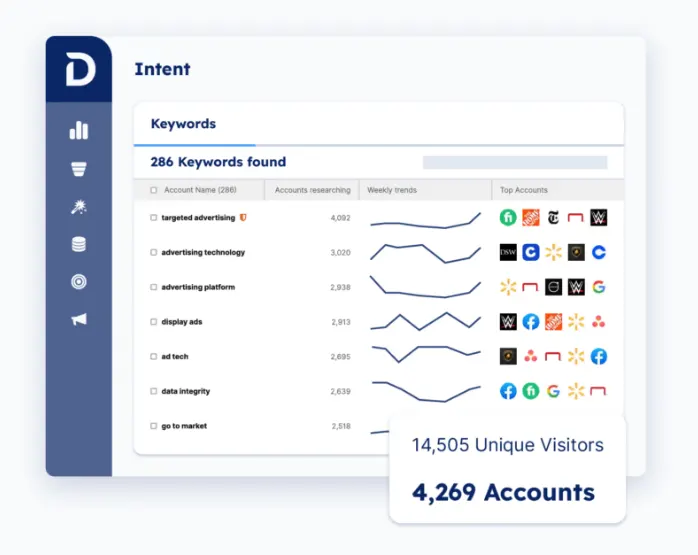
- Buying Groups: An AI agent maps known contacts at each account to buying group roles and finds contacts for missing roles from a database of more than 150 million people. Teams can see which roles are engaged, which are absent, and where silent influencers are active, then sync new contacts to the CRM or send buying group data to ad platforms.
- Sales intelligence: Sellers see which accounts are in market based on engagement and intent, ranked by fit, activity, and pipeline potential, and they can time outreach to buying group activity. Scheduled digests by email or Slack keep reps up to date on account activity without another dashboard to check.
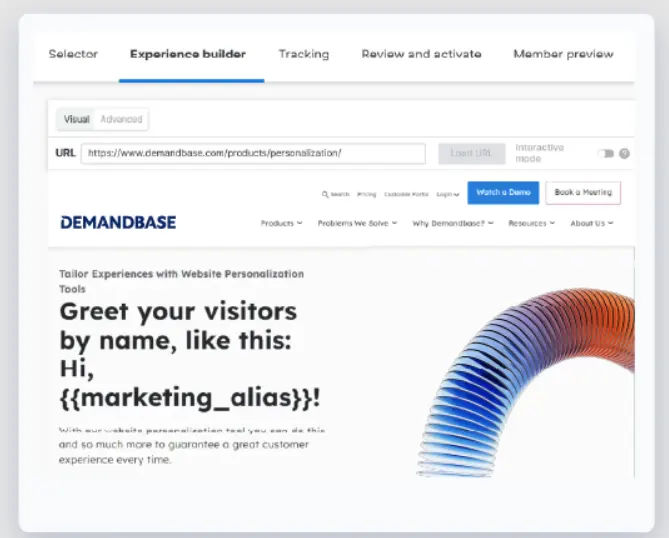
- Personalization: Marketing can change images, copy, and CTAs for visitors based on account, intent, technographics, and journey stage. Forms can drop unnecessary fields, since Demandbase fills in company details such as industry and size in the background.
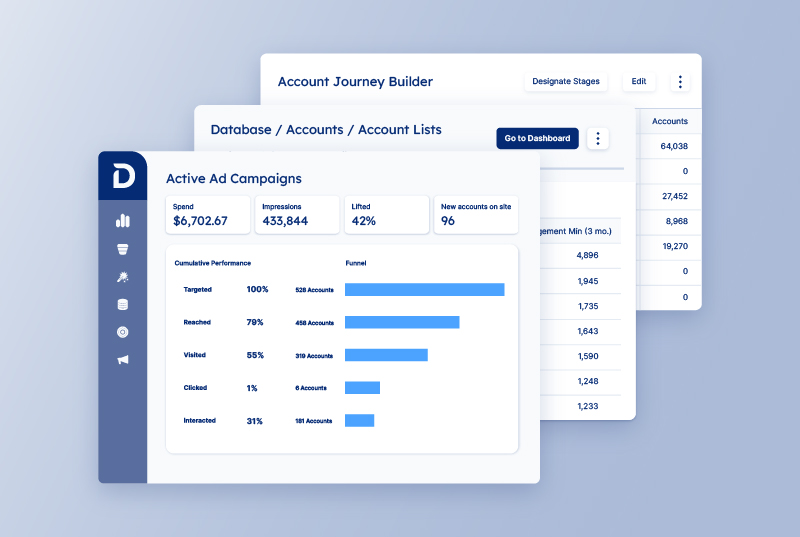
- Advertising: A B2B-only DSP serves ads to target accounts on business sites, so accounts that show early research can see your message before they ever reach out.
- Demandbase AI: Demandbase AI brings account, buying group, and signal data together to help teams spot in-market buying groups earlier and coordinate the next action across sales and marketing. With AI Chat, teams can ask questions about their accounts and decide where to focus, and the same data is available in tools such as ChatGPT and Claude through MCP.
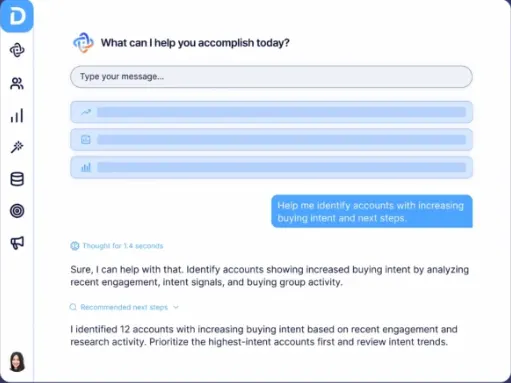
With identification, context, buying groups, and action in one place, your team can respond to an account while its research is still fresh.
Book a demo to see how Demandbase would work with your traffic and tech stack, or explore Demandbase AI to see how it recommends where to focus next.



We have updated our Privacy Notice. Please click here for details.