

How to use AI in B2B sales

AI in B2B sales helps revenue teams identify the right accounts, prioritize opportunities, research buyers, personalize outreach, analyze sales conversations, recommend next actions, spot deal risk, and improve forecasting.
The most effective sales teams do not use AI as a collection of disconnected tools. They connect AI to shared account, buying-group, intent, engagement, and CRM data so that what the system learns in one part of the sales cycle can improve decisions in another.
For example, AI can detect that a target account is showing stronger buying signals, identify which members of the buying group are engaged, raise that account’s priority, recommend relevant outreach, and use subsequent engagement to update pipeline and forecasting models.
That does not mean AI replaces the seller. Complex B2B sales still depend on human judgment, trust, discovery, negotiation, and consensus-building. AI is most valuable when it handles the analysis and repetitive work surrounding those moments so sellers can spend more time with buyers.
Sellers who effectively partner with AI are 3.7 times more likely to meet quota, according to Gartner. The important word is effectively: adding an AI writing tool or isolated scoring model does not automatically create an AI-driven sales motion.
This guide explains how B2B teams can use AI across prospecting, account prioritization, outreach, deal execution, pipeline management, and forecasting—and how to build the data and processes required to make those applications useful.
The state/reality of AI in B2B sales
Over 80% of B2B sales teams use AI in some form today. But it seems that most of them aren’t seeing the returns they expected. S&P Global found that 42% of companies abandoned their AI initiatives in 2025, which is more than double the rate from the year before.
AI works well when you point it at the right problems. It can process thousands of accounts in minutes, keep your CRM clean, and personalize outreach at scale. These are repetitive tasks where volume and speed matter. AI handles them better and faster than any human can.
But AI can’t build trust. It can’t read the room in a tense negotiation or adapt to a buyer who just had their budget cut mid-cycle. Complex B2B deals involve multiple stakeholders, competing priorities, and long evaluation cycles that give conditions time to change.
That kind of environment still demands human judgment and relationship skills. Gartner’s research backs this up. They predict that by 2030, 75% of B2B buyers will prefer sales experiences that prioritize human interaction over AI, especially in high-stakes transactions. AI won’t replace that.
One of the main differentiators is how deeply AI is woven into the sales process. Here’s where most teams fall:
- Point solutions (Level 1): A few AI products are there, but they operate independently. A lead scoring model runs on its own data, while an email assistant writes copy without any context about the ICP. Each tool might work fine in isolation, but there’s no connective tissue between them.
- Connected workflows (Level 2): AI is integrated across a few workflows, and data flows between them. Prospecting signals feed the scoring model, while the scoring model shapes outreach sequences. Reps trust the outputs because they match what they’re seeing in conversations. This is the stage where teams start to see shorter deal cycles and better conversion rates.
- Full-cycle integration (Level 3): AI runs across the entire sales motion – prospecting, pipeline management, deal execution, and forecasting. Each stage feeds data back into the next, so the system improves over time. It gets sharper with every deal that moves through it.
Most teams are stuck at level one, and many don’t realize it. They see AI in their tech stack and assume the job is done. But having tools and having a system are two different things.
7 ways B2B sales teams use AI
The most useful applications of AI in B2B sales fall into seven areas: account prioritization, prospecting and research, outreach personalization, conversation intelligence, next-best-action recommendations, forecasting, and sales workflow automation.
1. Lead scoring and account prioritization
AI can combine account fit, firmographic data, technographics, intent signals, website engagement, CRM activity, and historical outcomes to help sellers determine which accounts deserve attention first.
Instead of asking a rep to manually compare hundreds of accounts, an AI model can rank them based on the signals that are most relevant to your sales motion.
The strongest models also explain why an account has become more important—for example, because research activity increased, new members of the buying group became engaged, or the account began behaving more like accounts that previously converted.
Related → Learn how account scoring helps revenue teams prioritize the right accounts
2. Sales prospecting and account research
AI can reduce the manual research required before a seller contacts an account. It can summarize company information, identify relevant business changes, organize CRM history, surface recent engagement, and highlight the people or roles likely to participate in the buying process.
For sellers, the goal is not simply to generate more information. It is to turn scattered information into a concise account brief that explains what matters now and what deserves further investigation.
3. Personalized outreach at scale
AI can help sellers tailor emails, call preparation, social outreach, and follow-up messaging using information about the account, buyer role, industry, known pain points, previous engagement, and relevant buying signals.
The best use of generative AI is not to send more generic messages faster. It is to give sellers a strong first draft grounded in real account context that they can review and refine before it reaches a buyer.
4. Conversation intelligence and sales coaching
AI can transcribe and analyze sales calls to identify recurring objections, competitor mentions, customer questions, commitments, next steps, and potential gaps in discovery.
For managers, that can reduce the amount of time spent manually reviewing calls and make coaching more specific. For sellers, it can make meeting preparation and follow-up more consistent.
5. Next-best-action recommendations and deal management
AI can continuously evaluate account activity and recommend what a seller should do next. That might include contacting an additional member of the buying group, following up after a new intent signal, sharing content related to a topic the account is researching, or focusing attention on a deal that has lost momentum.
Next-best-action recommendations are most useful when they are based on current CRM, intent, engagement, and buying-group data rather than a generic playbook.
6. Pipeline management and sales forecasting
AI can analyze changes in deal activity, stakeholder engagement, stage progression, historical conversion patterns, and other pipeline signals to identify opportunities that may be gaining or losing momentum.
For forecasting, AI does not eliminate uncertainty. It can give sales leaders another evidence-based view of the pipeline and reduce their reliance on subjective rep confidence alone.
7. AI SDRs and sales workflow automation
AI agents can automate portions of prospecting, research, list building, enrichment, CRM updates, sequencing, and follow-up. In more advanced workflows, several AI agents can work together across different parts of the sales process.
Human oversight still matters, particularly when an AI system is communicating directly with prospects. Teams should define which actions can happen automatically, which require approval, and when a human seller should take over.
Where should you start?
- If reps spend too much time deciding who to contact: Start with account prioritization and prospecting.
- If sellers spend hours researching accounts: Start with AI-assisted account research and meeting preparation.
- If outreach volume is high but relevance is low: Start with grounded personalization rather than autonomous sending.
- If deals stall without warning: Start with pipeline monitoring and next-best-action recommendations.
- If forecasts are inconsistent: Start by connecting activity, engagement, and historical outcome data to forecasting.
- If administrative work consumes seller time: Start with CRM updates, summaries, routing, enrichment, and other repeatable workflows.
Pro Tip → Pick the sales bottleneck first and the AI tool second. A narrowly defined workflow with a measurable baseline is easier to evaluate than a broad mandate to “use more AI.”
How much of the B2B sales process can AI automate?
AI can automate a significant amount of the research, analysis, administration, and workflow orchestration surrounding B2B sales. It is less suited to independently owning the high-context human decisions that determine the outcome of complex deals.
AI is well suited for:
- Researching and summarizing target accounts
- Enriching and cleaning CRM records
- Scoring and prioritizing accounts
- Monitoring intent and engagement signals
- Preparing sellers for calls and meetings
- Creating first drafts of personalized outreach
- Transcribing and summarizing conversations
- Identifying next steps, risks, and stalled deals
- Triggering alerts and repeatable workflows
- Supporting pipeline analysis and forecasting
Human sellers should remain closely involved in:
- Complex discovery and problem diagnosis
- Building trust with buyers and executive stakeholders
- Interpreting ambiguous or politically sensitive situations inside an account
- Negotiating commercial terms
- Handling unusual objections or changes in buyer priorities
- Building consensus across a large buying group
- Making high-impact judgment calls when the available data is incomplete
The practical goal is not full automation. It is to automate the work that consumes seller time without requiring seller judgment, then give reps better information for the decisions that do require it.
Pro Tip → Define the human-to-AI handoff explicitly. If an AI agent can research an account, draft outreach, or recommend an action, decide in advance whether it can execute that action itself or whether a seller must approve it first.
Challenges of using AI for B2B sales
None of this works out of the box. For every team seeing results from AI, there are several more stuck in pilot mode or paying for tools that nobody uses.
Here are the most common challenges that companies run into:
- No clear strategy behind the tools: Buying AI and deploying AI with a plan are two different things. Research shows that organizations with a clear AI strategy succeed 80% of the time, while those experimenting without one succeed only 37%.
- Dirty and disconnected data: According to the 2025 PEX Report, over half of organizations cite data quality and availability as their biggest AI adoption challenge. If your CRM is full of stale records, duplicate contacts, and missing fields, every AI tool built on top of it will underperform.
- Integration is harder than expected: 78% of enterprises struggle to connect AI tools to their existing systems. If the scoring model, CRM, and outreach platform don’t share data, the AI runs on an incomplete picture, and reps lose trust in the outputs.
- Lack of governance: Only 43% of organizations have a formal AI governance policy in place. That leaves the majority operating without clear rules on data usage, content review, or compliance. This becomes a liability the moment AI touches customer-facing messaging.
- Sales professionals don’t trust it: 59% of sellers worry AI will eventually replace them (Bain & Company). That anxiety leads to resistance, low adoption, and manual workarounds. The teams that get past this are the ones that position AI as support, not a threat.
- High costs with unclear ROI: 45% of enterprise leaders say the high cost of AI vendor solutions is a key barrier to adoption, according to Zapier’s research. AI tools are expensive, and the ROI often takes months to materialize. Without clear metrics tied to revenue, it’s hard to justify ongoing investment.
How to implement AI in your B2B sales process
Most of these challenges show up when teams adopt artificial intelligence without a clear sequence. The framework below organizes implementation into five layers. Each one sets up the next:
Layer 1 — Data foundation
Most B2B CRMs are messier than teams want to admit. They have duplicate records that inflate pipeline counts, contacts that changed jobs two years ago, and inconsistent formatting that makes segmentation unreliable.
Reps work around it because they know their deals. But AI doesn’t have that context. It reads whatever is in the system at face value and makes data-driven decisions based on it. If the data underneath is wrong, the outputs on top will be too.
Here’s what cleaning the foundation looks like in practice:
- Audit your CRM for duplicates, stale records, and gaps in the fields that scoring and segmentation models rely on. Job titles, company size, industry, revenue range, and tech stack are the ones that usually matter most.
- Create a consistent taxonomy for those fields. If three sales reps log the same role as “VP Sales,” “Vice President of Sales,” and “Head of Sales,” your AI sees three different things. Standardization sounds boring, but it’s what allows models to segment and prioritize accurately.
- Connect your core data sources so they feed a shared picture. Your CRM, B2B marketing automation platform, intent data provider, and engagement tools should all sync. If they don’t, your AI will operate on a partial view of every account.
- Assign ownership for ongoing data hygiene. B2B customer data decays at roughly 30% per year as people change roles, companies merge, and tech stacks shift. A one-time clean-up will start degrading within weeks if nobody maintains it.
This is the least “exciting” layer. Nobody celebrates a cleaner CRM. But every AI tool you deploy from this point forward will perform better because of it.
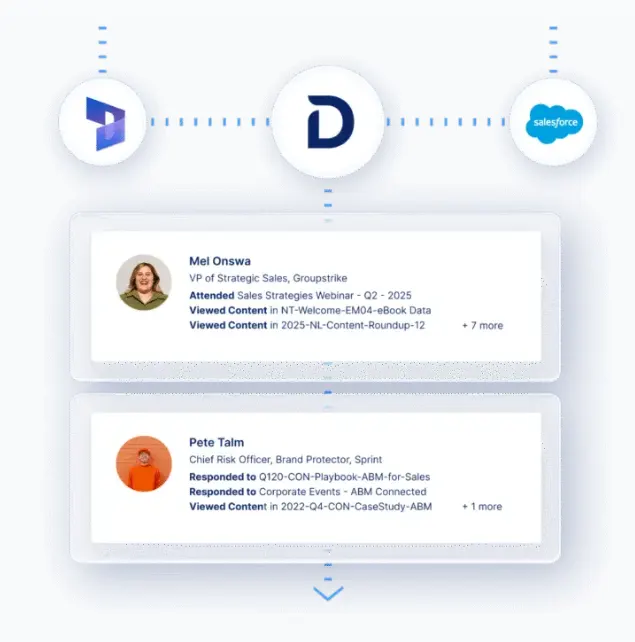
PRO TIP 💡: Demandbase’s Data Integrity tools automate this work across Salesforce, Dynamics 365, and Marketo. The platform fills in missing fields, removes duplicates, validates emails, and maps account hierarchies so the foundation stays clean without someone manually scrubbing the CRM every month.
Layer 2 — Process mapping
Most teams have a process in theory. In practice, reps qualify deals differently, define stages differently, and use different criteria to decide which accounts are worth their time.
That inconsistency is fine when humans are making judgment calls. It becomes a problem when you’re training an AI model on data generated by ten reps who all work a little differently.
Before you deploy AI against any sales workflow, you need a clear map of how deals move through your pipeline:
| What to map | Why it matters for AI |
|---|---|
| ICP definition (firmographic, technographic, behavioral) | Scoring models need specific, measurable criteria. Vague descriptions of your ideal customer give the model nothing concrete to work with. |
| Sales stages and exit criteria | Pipeline AI and forecasting tools learn from your stage data. If every rep moves deals through the pipeline differently, the model trains on inconsistency. |
| Handoff points (marketing → SDR → AE) | These are the moments where context gets lost. AI can fill those gaps, but only if the handoff process is defined. |
| Highest time-drain workflows | These tell you where to deploy AI first in the next layer. Start where the manual work is heaviest, and the process is most repeatable. |
This step doesn’t require new tools or a new budget. You need your sales leaders and ops team to agree on how deals move through the pipeline today. Then, document it clearly enough that an AI algorithm can follow it.
Layer 3 — Single-workflow deployment
Pick a single workflow. One that’s high-impact, repeatable, and backed by the clean data and defined process you built in the first two layers.
The right starting point depends on where your team feels the most pain, but some workflows are better first candidates than others:
- Lead scoring – if your reps spend a lot of time deciding which accounts to work, and you have solid closed-won data to train on.
- Outreach personalization – if your team sends volume and the emails are mostly copy-pasted templates with light edits.
- CRM system enrichment – if rep time gets eaten by updating records, and your data decays faster than anyone can maintain it manually.
- Pipeline risk flagging – if your stage data is consistent and deals go dark often enough that early warning would change outcomes.
Whichever you pick, deploy it with a small pilot group. Measure against your own pre-AI baseline and give it six to eight weeks before you evaluate. One workflow with clear results gives you the credibility to expand into layer four.
Layer 4 — Cross-workflow integration
Up to this point, every AI tool in your stack has been operating on its own. This layer connects the pieces you’ve already deployed so the output of one becomes the input for the next:
- Scoring → outreach: When an account scores high, reps shouldn’t have to go hunting for the reason. The score, the signals behind it, and the relevant context should come up inside whatever tool the rep already works in. That way, the first touch is informed before the rep even opens the record.
- Outreach → pipeline: How a prospect engages with your sequences tells you a lot about where a deal truly stands. That engagement data should flow into your pipeline models automatically, so a deal that’s gaining momentum looks different from one that went cold two weeks ago.
- Pipeline → forecasting: A forecast built on rep confidence will always have a bias problem. A forecast built on deal activity won’t be perfect either, but it’s grounded in what buyers are currently doing. Connecting your pipeline signals to your forecast model takes the human bias out of the numbers and gives leadership something they can plan around.
- Closed deals → scoring: Your scoring model should learn from every outcome. The deals you win teach it what good accounts look like. The deals you lose teach it where the model overestimated fit or intent. Without that feedback loop, the model stays frozen while your market keeps moving.
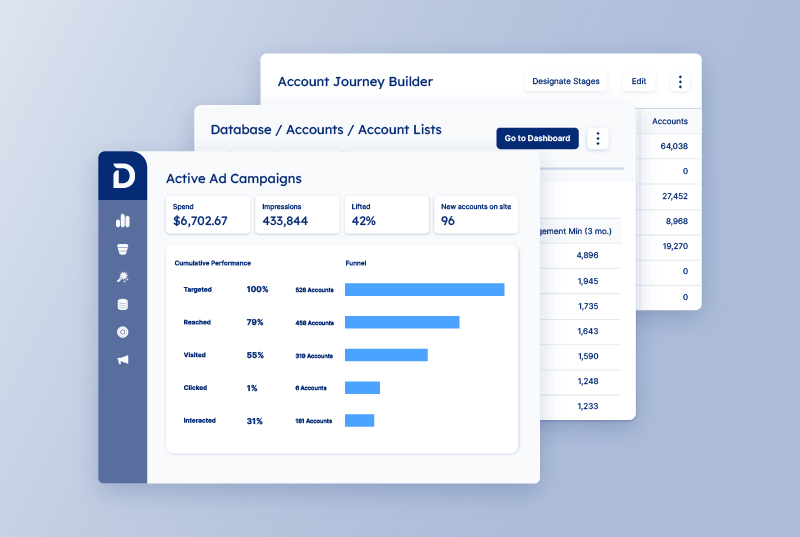
Pro Tip → This is where Demandbase AI agents can help. Specialized agents work from shared account intelligence, buying signals, and GTM context to support tasks such as account research, prioritization, personalized outreach, and recommended next steps. Because those agents work from the same underlying intelligence, teams can connect workflows without treating each AI use case as a separate point solution.
Layer 5 — Full-cycle intelligence
At layer one, a rep starts the week by figuring out who to call. They spend Monday morning pulling lists, checking intent data in a separate tab, and piecing together a plan from whatever they remember from last week.
At layer five, the rep opens their workflow on Monday, and the heavy lifting is already done. The AI has already handled the sorting, the prioritizing, and the pattern matching across hundreds of data points that no human would have time to process manually.
The rep still makes the calls, runs the meetings, and works the deals. But the hundred small decisions that used to eat up their week have already been made for them by a system that learned from every deal before theirs.
There’s no new deployment here. The work is keeping what you’ve built running well with clean data, automated feedback loops, and intelligence that reaches the people setting pipeline targets.
Top AI-powered platforms for B2B sales
The market for AI sales tools has expanded fast, and most of what’s out there falls into a handful of categories. Each one covers a different slice of the sales cycle:
| Platform type | What it does | Best for | Examples |
|---|---|---|---|
| GTM intelligence and account-based platforms | Identify target accounts, track buying signals, and connect scoring to engagement in one system. Some platforms cover the full range, others specialize in one or two layers. | Teams that want to run AI across the full sales cycle from a single foundation | Demandbase, HockeyStack, 6sense |
| Conversation intelligence and coaching tools | Transcribe and analyze sales calls to find competitor mentions, objection trends, and coaching opportunities | Sales orgs that want to streamline rep performance and collect insights from live conversations at scale | Gong, Chorus, Clari Copilot |
| Sales engagement and outreach automation | Automate email sequences, optimize send timing, personalize outreach based on customer behavior, and manage multi-channel cadences | Teams that run high-volume outbound and need to personalize without slowing down | Outreach, Salesloft, Apollo |
| Revenue intelligence and forecasting | Analyze deal activity, customer engagement habits, and historical outcomes to create forecasts and point out pipeline risk | Sales leaders who need forecast accuracy and early warning on stalled or at-risk deals | Clari, BoostUp |
| Data enrichment and prospecting engines | Clean, verify, and expand contact and account records with real-time firmographic, technographic, and contact data | Teams whose CRM data decays fast and who need accurate records for scoring, segmentation, and outreach | ZoomInfo, Clay, Lusha |
| AI SDR tools | Handle the upfront prospecting workflow (research, sequencing, follow-ups) and hand off engaged prospects to human reps | Smaller teams that need to generate pipeline without scaling headcount | 11x, AiSDR, Artisan |
Most B2B sales teams buy from three or four of these categories over time. The stack grows tool by tool, usually in response to whatever problem felt most urgent that quarter.
But buying across categories creates a new problem. Signals that should flow from scoring into outreach and from outreach into pipeline management end up trapped in separate systems.
The team has AI across the sales cycle on paper, but in practice, they’re running a collection of point solutions. This is the Level 1 pain point we described earlier. This is where platforms that span multiple layers of the sales cycle have an advantage.
Demandbase, for example, combines account identification, buyer intent tracking, predictive analytics, and engagement into a single data foundation. The output of one function feeds directly into the next, which means teams can move toward Level 4 and 5 integration without duct-taping half a dozen tools together.
Key market trends & future of B2B sales
The first workflows to go fully autonomous are already clear. Reps today spend roughly 70% of their week on work that requires almost no human judgment – CRM updates after every call, account research before outreach, follow-up emails that any template could handle.
AI agents will take over that work end-to-end. Bain’s research says that AI could double the share of time reps spend selling, from around 25% to 50%. Teams that already run agentic workflows report faster deal cycles and higher rep productivity, so this isn’t much of a prediction. It’s already underway.
That changes what the rep’s job looks like. AI takes over the Monday morning grind so sellers can open their week with a pipeline that’s already sorted, scored, and ready to work. They spend that time on complex deals with five or six decision-makers who all need something different.
We already mentioned that Gartner predicts that by 2030, 75% of B2B buyers will prefer sales experiences built around human interaction over AI. But AI makes sure reps have the bandwidth to show up for those high-value moments.
Where teams get into trouble is the shortcut. They skip past data quality and process consistency and go straight to sales automation. Around 33% of companies are expected to damage customer experience because they deployed autonomous agents before they were ready.
And even a solid deployment will lose steam if the system stops learning. Scores need to feed outreach, outreach sales data needs to flow back into pipeline models, and closed deals need to retrain the scoring model. Break those loops, and the AI stops improving.
That’s Layers 4 and 5 of the implementation framework in practice. Better AI won’t be the advantage or a game-changer. Every team will have that. The advantage will come from the infrastructure underneath, and the discipline to maintain it after the initial deployment is done.
Where AI takes over:
- AI agents run the research, routing, data entry, and follow-ups that used to eat most of a rep’s week
- Small teams generate pipeline at a scale that used to take double the headcount
- Scoring models retrain themselves on every deal outcome and get more accurate with each cycle
- Reps start their week with accounts already sorted, scored, and ready to work
- Forecasts pull from engagement data and deal velocity instead of rep-submitted estimates
What’s not changing:
- Multi-threaded enterprise deals still depend on relationships, timing, and human judgment
- High-stakes buyers still trust people over algorithms when it’s time to commit
- CRM hygiene still determines whether AI outputs are useful or misleading
- The handoff between sales and marketing still falls apart without shared definitions and goals
- AI tools still fail when teams deploy them without a clear process underneath
Build your AI sales engine with Demandbase
AI becomes more useful when sellers can apply it to trusted account data, buying signals, buying groups, and the workflows they already use.
Demandbase brings those pieces together so B2B revenue teams can move from detecting buyer activity to prioritizing the right accounts and taking action.
Here is how Demandbase supports the AI sales use cases covered in this guide:
- Account prioritization: Demandbase AI helps revenue teams evaluate account activity and buying signals so sellers can focus on the opportunities that deserve attention.
- Buying signals: Intent and engagement data show when target accounts are researching relevant topics or interacting with your company, giving sellers additional context for timing outreach.
- Buying-group visibility: Demandbase helps teams understand which people and roles are involved in an account so sellers can identify engagement gaps and build broader relationships across the buying group.
- Sales intelligence: Sellers can bring account, contact, intent, and engagement information into the sales tools they already use instead of piecing the account story together manually.
- AI-powered recommendations: Demandbase AI can help prioritize opportunities and recommend actions based on GTM context and changing account activity.
- Specialized AI agents: Demandbase AI agents support workflows such as account research, audience creation, personalized outreach, and recommended next steps.
- Connected execution: Sales, marketing, advertising, data, and AI can work from shared account intelligence so actions taken in one part of the GTM motion inform the others.
If your team is ready to move beyond disconnected AI tools and build a sales motion grounded in shared account intelligence, Demandbase can help.
Book a meeting to see how the platform works across your full sales cycle.
FAQs about using AI in B2B sales
How do B2B sales teams use AI?
B2B sales teams use AI to research accounts, prioritize leads and opportunities, personalize outreach, analyze sales conversations, identify next-best actions, monitor pipeline risk, improve forecasts, and automate repetitive CRM and prospecting workflows.
The strongest applications combine AI with current account, intent, engagement, buying-group, and CRM data rather than using a general-purpose AI tool without sales context.
How can AI help prioritize B2B sales leads?
AI can evaluate signals such as account fit, firmographics, intent, website engagement, CRM activity, buying-group participation, and historical conversion patterns to determine which leads or accounts deserve attention first.
Rather than relying on one signal, a strong prioritization model combines several indicators and explains why an account’s priority has changed.
How does AI improve B2B sales forecasting?
AI can analyze historical deal outcomes alongside current pipeline signals such as stage progression, stakeholder engagement, activity levels, deal velocity, and changes in buyer behavior.
That gives sales leaders an additional evidence-based view of pipeline health. AI does not remove uncertainty from forecasting, but it can reduce reliance on subjective confidence scores alone.
What are AI agents for B2B sales?
AI sales agents are software systems that can perform or coordinate multi-step sales tasks with less manual intervention. Depending on the platform, an agent might research an account, enrich data, prioritize prospects, prepare outreach, monitor signals, recommend next actions, or trigger workflows in connected systems.
Teams should define clear permissions and human review requirements, especially when an agent can communicate with buyers or modify CRM data.
Can AI replace B2B sales reps?
AI can automate many repetitive and analytical parts of selling, but complex B2B deals still depend heavily on human judgment, trust, discovery, negotiation, and consensus-building.
A more practical model is AI-assisted selling: AI handles research, analysis, administrative work, and recommendations while sellers focus on high-value buyer interactions and decisions.
Can AI handle prospecting automatically?
AI can automate large parts of prospecting, including account research, list building, enrichment, prioritization, message drafting, sequencing, and follow-up.
Fully autonomous outreach carries more risk because targeting errors, weak personalization, stale data, or inappropriate messaging can scale quickly. Human review and clear qualification rules are especially important for complex or high-value accounts.
How should a B2B sales team implement AI?
Start with clean data and a clearly defined sales process. Then choose one repeatable, measurable workflow such as account prioritization, prospect research, CRM enrichment, or pipeline risk detection.
Establish a baseline, run a controlled pilot, measure the result, and connect additional workflows only after the first use case is working reliably. This prevents teams from building a collection of disconnected AI tools without a shared data foundation.
What data does AI need for B2B sales?
The most useful sales AI typically combines CRM history with firmographic data, account and contact information, engagement data, intent signals, opportunity activity, buying-group information, and historical sales outcomes.
Data quality matters because AI models can amplify errors in duplicate, incomplete, inconsistent, or outdated records.


We have updated our Privacy Notice. Please click here for details.