

Top 11 HockeyStack alternatives for GTM teams that need more than attribution

If you’ve been evaluating B2B attribution or GTM intelligence tools, you’ve probably come across HockeyStack more than once. What started as a multi-touch attribution platform has evolved into a broader GTM AI play, with revenue analytics, buyer journey tracking, and AI-powered insights.
But feature depth and usability don’t always go hand in hand. Difficult-to-diagnose data mismatches, long ramp-up times, and heavy reliance on a technical owner keep coming up in user reviews.
The onboarding experience is also a common sore spot. One G2 user shared that their team was told the platform would be live in a month, but it took four months to reach a usable state. Along the way, they ran into report crashes, sign-on issues, and documentation that didn’t match the product.
 (Source: G2)
Whether you’re actively looking to switch or just exploring your options, this guide covers 8 HockeyStack alternatives and competitors for 2026. We compared each one on features, pricing, real user reviews, and best-fit scenarios so you can make a more informed call.
Why should you look for alternatives to HockeyStack
HockeyStack can work well if you have the resources, technical maturity, and patience to get it there. But for teams that don’t, the tradeoffs start piling up fast.
Here’s what users point out most often:
- Troubleshooting data mismatches takes work: HockeyStack offers warehouse exports and an API, but when attribution numbers don’t line up with Salesforce or HubSpot, investigating the “why” inside the platform is still limited. Most teams end up exporting data to a warehouse or waiting on support to dig into discrepancies. [Read Full G2 Review]
- Getting productive takes longer than the “no-code” label suggests. No-code doesn’t mean no complexity. Some teams report spending weeks learning how everything fits together before they can build reports they can rely on. And that’s after onboarding. [Read Full G2 Review]
- Attribution logic has improved, but questions remain: HockeyStack has made progress with transparent scoring, and its newer documentation addresses some of the earlier “black box” complaints. That said, some users still report that the underlying rules and definitions behind certain models aren’t always easy to audit or explain to leadership. This is especially the case for teams without a strong analytics background. [Read Full G2 Review]
- Someone technical still needs to own the backend: HockeyStack’s onboarding team helps with initial setup, but as your business processes evolve, someone technical needs to own the backend. This includes managing channel definitions, UTM structures, campaign logic, and keeping everything aligned with how your team operates. [Read Full G2 Review]
- Pre-built reporting has improved, but advanced setups still take time: HockeyStack now ships with dashboards and Blueprints that give teams a starting point out of the box. But for anything other than the basics, like custom segmentations, goal definitions, and touchpoint rules, expect to invest time in configuration. Teams that need fast time-to-value on complex reporting may find the ramp-up steeper than expected. [Read Full G2 Review]
Key features to look for in a HockeyStack alternative
Before you start comparing vendors, it helps to know what to compare them on. These are the features and capabilities that matter most when you’re moving away from HockeyStack or evaluating it against the field:
- Proprietary intent data, not just third-party feeds: HockeyStack pulls intent signals from Bombora and G2, but it doesn’t generate its own. There are alternatives that combine proprietary intent engines with third-party sources to give you a richer, more differentiated signal. That makes a major difference when you’re trying to prioritize accounts and time your outreach.
- Buying group intelligence: Most B2B deals involve multiple stakeholders, but HockeyStack doesn’t track buying groups at the structural level. Features like completeness scoring, persona gap analysis, and engagement tracking across the full buying committee help sales and marketing coordinate outreach to the people who matter most in a deal.
- Role-based access controls and data governance: The platform lacks granular user permissions, which makes it difficult to manage stakeholder-specific views or control who sees what. As your team scales, you’ll need a platform that supports permission levels, audit logs, and governed access to sensitive pipeline data.
- Native account-based advertising: HockeyStack can build audiences and sync them to ad platforms for targeting, but it doesn’t run campaigns natively. If your team needs to build, launch, and streamline ad campaigns from the same platform where you measure pipeline, you’ll want an alternative with a built-in ad engine.
- Self-serve access to raw data: HockeyStack offers warehouse exports and an API, but in-platform investigation is still limited. Prioritize platforms that give your ops team direct paths to dig into discrepancies, whether through API access, data lake exports, or SQL-level querying.
- Website personalization tied to account data: HockeyStack tracks and reports on the buyer journey, but it doesn’t let you act on those insights by personalizing what visitors see on your site. If you want to serve dynamic content, adjust landing pages, or enrich forms based on firmographic and intent data in real-time, that’s a capability you’ll need to find elsewhere.
Top HockeyStack competitors on the market right now
The tools below range from free analytics platforms to full-stack GTM solutions, and each one fills a different gap depending on your team’s maturity, stack, and priorities.
We compared all 11 on the best-fit scenario, key differentiator, and pricing models so you can narrow the field before diving into the details.
| Platform | Best for | Key differentiator | Pricing |
|---|---|---|---|
| Demandbase | GTM teams tired of stitching together point solutions for intent, ads, attribution, and personalization | Full-stack GTM AI platform that covers proprietary intent data, a native B2B DSP, buying group intelligence with completeness scoring, no-code website personalization, and a connected AI agent system (Agentbase) | Custom |
| 6sense | Mature ABM programs focused on finding in-market accounts early | Predictive buying stage models powered by a proprietary intent network | Custom |
| HubSpot Marketing Hub | Marketing teams already running HubSpot as their CRM | Attribution, automation, and campaign management without leaving the HubSpot ecosystem | Free; Starter from €9/mo; Professional from €792/mo; Enterprise from €3,300/mo |
| Full Circle Insights | Salesforce-first teams that want attribution inside the CRM | Multi-touch attribution built on Salesforce’s native objects and reporting engine | Custom |
| Adobe Marketo Measure | Enterprise orgs embedded in the Adobe/Marketo Engage stack | Every-touch attribution bundled into Marketo Engage at higher tiers | Bundled with Marketo Engage; standalone is custom |
| Factors.ai | Growth-stage teams that need an account ID and LinkedIn optimization without enterprise pricing | IP-based visitor identification combined with LinkedIn AdPilot for account-based ad activation | Free plan available; paid tiers custom |
| Google Analytics 4 | Teams that need a free baseline for website analytics and traffic attribution | Event-based tracking with native Google Ads and BigQuery integration | Free; Analytics 360 from $50,000/yr |
| Dreamdata | Mid-market teams investing heavily in LinkedIn and Google Ads | Account journey mapping with daily audience syncing to ad platforms | Free Starter plan; Advanced is custom |
| CaliberMind | Enterprise marketing ops teams that need airtight data governance | Single-tenant architecture with role-based permissions and AI-assisted reporting | Custom |
| Ruler Analytics | Teams where phone calls and form fills are primary conversion points | Closed-loop call, form, and chat tracking tied to campaign-level revenue | From £199/mo (traffic-based tiers) |
| UserGems | Sales and marketing teams running signal-driven outbound | Job change tracking, champion monitoring, and an AI outbound agent in one system | From $2,750/mo (annual) |
1. Demandbase
Demandbase is a GTM AI platform that unifies first-party, second-party, and third-party data into a single account view. It powers everything from account identification and intent detection to advertising, personalization, and orchestration.
The platform runs on a proprietary AI engine trained on over 20 years of B2B data, and its Agentbase system automates complex GTM tasks like buying group identification, campaign optimization, and account prioritization.
HockeyStack built its reputation on multi-touch attribution and revenue analytics, and it does that part well. But Demandbase operates across a much wider GTM surface. For teams that need attribution and execution in the same platform, Demandbase handles both sides.
Key features
- Proprietary intent data plus third-party signals: Demandbase generates its own intent data using NLP across a 650,000+ keyword vocabulary, then combines it with signals from Bombora, G2, and TrustRadius. You get a richer read on account-level buying interest than any single-source intent provider can provide.
- A B2B-native demand-side platform for account-based advertising: This is the only DSP built specifically for B2B. You can run display, programmatic, and retargeting campaigns against specific accounts and buying groups across premium publishers, with AI-driven smart bidding.
- Buying group intelligence with completeness scoring: Demandbase tracks the full buying committee within each account, scores buying group completeness by persona, and points out any gaps.
- No-code website personalization: The platform personalizes your website in real-time based on firmographic, intent, and engagement data. You can customize CTAs, content, images, and messaging per account or segment without involving a developer.
- Agentbase AI agents for GTM automation: A connected system of AI agents that automate campaign optimization, account summarization, intent analysis, and buying group setup.
Why do companies choose Demandbase over HockeyStack?
- Buying group tracking at the structural level: HS outlines stakeholder activity through its Nova AI assistant, but it doesn’t score buying group completeness or flag persona gaps. Demandbase tracks the full buying committee within each account, scores completeness by role, and shows sales and marketing exactly where coverage is missing.
- Self-serve access to underlying data: When HockeyStack’s attribution numbers don’t match your CRM, troubleshooting within the platform is limited. Users report needing to export data or wait for support to investigate mismatches. Demandbase offers API access, data lake exports, and a Salesforce-native data layer that give ops teams more direct paths to understand discrepancies.
- A native B2B advertising engine, not just reporting on ads: HockeyStack can build audiences and sync them to ad platforms like LinkedIn and Google, but it doesn’t run campaigns natively. Demandbase has its own B2B DSP that lets teams launch account-based ad campaigns, optimize spend with AI-driven smart bidding, and measure pipeline impact from the same platform.
- Role-based access controls and data governance: HockeyStack lacks granular user permissions, which becomes a problem as teams scale. Demandbase supports permission levels, audit logs, and governed access to sensitive pipeline data. You can control who sees what without workarounds.
- Website personalization built into the platform: While HS tracks the buyer journey, it doesn’t let you act on it in real-time on your site. Demandbase personalizes CTAs, content, and messaging based on firmographic and intent data through a no-code interface. Teams can turn account insights into tailored experiences without involving a developer.
What real customers are saying about Demandbase
CyberArk, a global cybersecurity company, had overlapping target account lists and a legacy ABM system that felt like a black box. With Demandbase, they rebuilt their propensity models from scratch, aligned sales and marketing around the same intent data, and rolled out global ABX training.
High-propensity accounts now close at 4x the average rate, and just 3% of targeted accounts generate over one-third of the total pipeline.
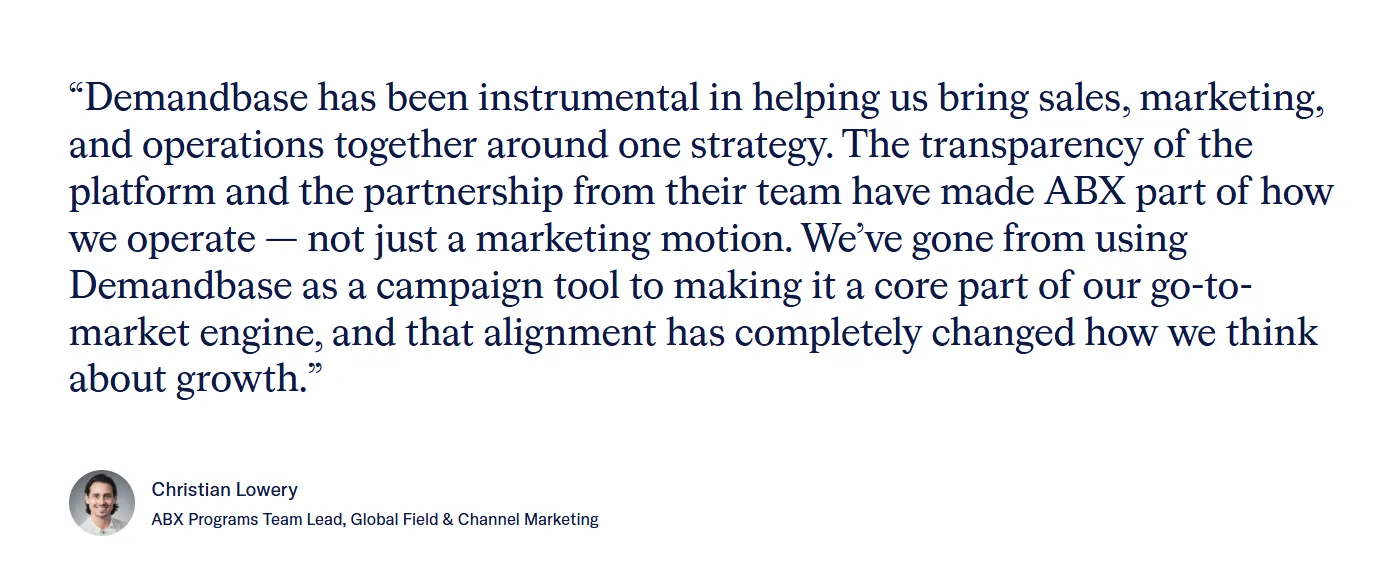
GoCardless, a global bank-to-bank payments company, needed a way to unify campaign management and engagement data across sales, marketing, customer success, and partnerships. Demandbase brought all campaign channels and engagement signals into a single view.
This gave sales the context they needed to reach the right buying groups. An open banking campaign run through the platform generated 11x pipeline ROI on budget.
Unanet, an ERP and CRM provider for government contractors, was managing up to 12 separate ad campaigns for a single motion across personas and journey stages. With Demandbase’s JourneyIQ, the team collapsed those 12 campaigns into 4, automated budget allocation across funnel stages, and cut campaign management time by 50%.
2. 6sense
Best for → B2B organizations with mature ABM programs that want to find in-market accounts early and activate coordinated plays across channels.
6sense is an agent-powered revenue intelligence platform that tracks anonymous buying behavior, applies predictive analytics to score accounts, and connects those insights to campaign orchestration across marketing channels.
Compared to HockeyStack, 6sense goes deeper on the demand generation side with native advertising and predictive buying stage models. Still, it doesn’t offer the same depth of product analytics or PLG-focused attribution.
Key features
- Predictive buying stage models: 6sense tracks billions of behavioral signals and sorts accounts into buying stages automatically. Your team can see which accounts are still doing early research and which ones are close to making a decision.
- Intent data from proprietary and third-party sources: The platform runs its own intent network with third-party signals on top. That combination gives you a stronger read on which accounts are actively researching your category than any single data source would on its own.
- AI-powered sales engagement: 6sense gives reps AI email agents that write personalized outreach based on live account signals, plus a Chrome Extension that pulls up account intelligence while they’re browsing LinkedIn or a prospect’s site.
Advantages
- Marketing and sales working off the same signals: BDRs and marketers pull from the same account intelligence, so outreach feels coordinated. Conversations are better because reps already know what the prospect cares about and where they are in the process. [Read Full G2 Review]
- Fewer wasted cycles on low-fit accounts: Instead of working down a static list and hoping for the best, your team gets a prioritized view of who’s actively in-market. That alone cuts wasted effort from the day-to-day. [Read Full G2 Review]
- Account prioritization you can act on immediately: The platform groups accounts by intent level, which makes it easy to decide who gets a sales touch today and who goes into a longer-term nurture track. [Read Full G2 Review]
Limitations
- Too many signals, not enough built-in guidance on what to do with them: There’s a lot of data coming in, and without clear rules for how your team triages and acts on it, reps can end up overwhelmed. [Read Full G2 Review]
- Data coverage outside North America is thin: Teams selling into LATAM, APAC, or other international markets report limited prospect data and sparse contact-level information. If a big chunk of your pipeline lives outside the US, you may find the database doesn’t go deep enough to be useful day to day. [Read Full G2 Review]
- Contact-level data accuracy could be stronger: While the account-level intelligence is solid, individual contact details don’t always hold up when reps go to use them. Expect some bounced emails and outdated phone numbers in your day-to-day outreach. [Read Full G2 Review]
Pricing
There’s a free tier available, but 50 monthly credits won’t get you far past basic exploration. Outside of that, 6sense keeps its pricing off the website.
Mid-market customers generally report paying in the $60K–$100K per year range, and enterprise contracts can climb from there.
Credits reset monthly with no rollover, and most contracts lock you in for multiple years. Plus, implementation fees may or may not be included depending on the deal, so clarify that before you sign.
Related read → 15 Best 6sense Competitors & Alternatives Right Now
3. HubSpot Marketing Hub
Best for → B2B marketing teams already running HubSpot as their CRM who want attribution, automation, and campaign management without adding separate tools.
HubSpot Marketing Hub is a marketing automation platform that sits on top of HubSpot’s CRM. It brings together email campaigns, ad tracking, lead nurturing workflows, landing pages, and attribution reporting into a single ecosystem where every touchpoint ties back to a contact record.
While HockeyStack is purpose-built for deep B2B attribution and GTM analytics, HubSpot takes a broader approach. It covers the full marketing execution stack with attribution as one piece of a much larger platform.
Its attribution is solid for teams already running their CRM there, but it doesn’t match HockeyStack’s depth in multi-touch modeling or cross-channel journey analysis.
Key features
- Workflow-driven marketing automation: You can build automated sequences triggered by form submissions, email engagement, page views, lifecycle stage changes, and dozens of other criteria.
- Built-in ad tracking and management: HubSpot connects natively to Google, Facebook, and LinkedIn ad accounts, so you can manage campaigns, track ROI, and build audiences from CRM segments without leaving the platform.
- AI-powered content and campaign tools: HubSpot’s Breeze AI module helps marketers write email copy, blog content, and campaign assets, while features like Lookalike Lists use CRM data to find new prospects that resemble your best customers.
Advantages
- Deep customization without the old learning curve: The platform used to be intimidating at scale, but HubSpot’s AI tools now help you navigate and build faster, so teams get more out of the system without needing to master every corner of it first. [Read Full G2 Review]
- Workflows do the heavy lifting across the entire funnel: From lead routing to lifecycle stage updates to enrichment triggers, HubSpot’s automation engine handles complex logic without needing a developer. [Read Full G2 Review]
- Powerful without being intimidating: You don’t need a marketing ops background to launch campaigns, build workflows, or pull marketing performance reports. The interface is intuitive enough that most team members can get productive quickly. [Read Full G2 Review]
Limitations
- Reports don’t always keep up with your pace: Data can take hours to process, and there’s no clear indicator when a report is still catching up. You might pull a dashboard at noon and see nothing from yesterday, with no warning that the numbers are still syncing. [Read Full G2 Review]
- Pricing gets expensive at scale: HubSpot’s tiered model means every new Hub, extra seat, or contact threshold bump hits the budget. Teams that are still figuring out what works can find themselves paying enterprise prices before they’re ready for enterprise complexity. [Read Full G2 Review]
- Handling duplicates takes more effort than it should: There’s no automated way to merge or resolve duplicate contacts without manual intervention. For teams with high-volume lead gen or multiple data sources feeding the CRM, this becomes a recurring headache. [Read Full G2 Review]
Pricing
HubSpot Marketing Hub has four tiers:
- Free — €0/mo. Basic email and lead gen tools, no credit card needed. Good for testing the waters.
- Starter — starts at €9/mo per seat (annual). Gives you 1,000 marketing contacts and 500 HubSpot Credits. Enough for small teams outgrowing free tools.
- Professional — starts at €792/mo (annual), includes 3 core seats. Comes with 2,000 marketing contacts and 3,000 Credits. This is where you get marketing automation, multi-channel campaigns, and analytics. There’s also a one-time onboarding fee of €2,930 on top.
- Enterprise — starts at €3,300/mo, includes 5 core seats. Gets you 10,000 marketing contacts, 5,000 Credits, multi-touch revenue attribution, advanced governance, and permissions. Onboarding runs €6,860.
Additional seats cost €45/mo (Professional) or €75/mo (Enterprise). Costs climb quickly once you exceed included contact limits or need features from multiple Hubs.
4. Full Circle Insights
Best for → Salesforce-first B2B teams that want multi-touch attribution and funnel measurement without moving data outside their CRM.
Full Circle Insights is a Salesforce-native marketing attribution and funnel measurement platform that tracks multi-touch campaign influence, lead response management, and funnel velocity directly inside Salesforce using its native objects and reporting engine.
The main difference is architecture. HockeyStack builds its own data layer by pulling from your CRM, MAP, ad platforms, and website.
Full Circle works within Salesforce’s existing data structure, which makes it more trustworthy for Salesforce-first teams but more limited for cross-channel analysis.
Key features
- Multi-touch attribution built on Salesforce campaign data: Full Circle tracks every marketing touchpoint through Salesforce’s campaign member object. You can run multiple attribution models within native Salesforce reports and customizable dashboards.
- Customizable funnel analysis: You can define funnel stages that match your go-to-market process and track volume, conversion rates, and velocity at each stage.
- Lead-to-account matching: Full Circle’s Matchmaker feature connects leads to their parent accounts inside Salesforce using smart, configurable matching logic. This is especially useful for ABM teams that need accurate account-level reporting without manual cleanup.
Advantages
- Board-ready reporting without the scramble: Once your dashboards are configured, recurring reports pull fresh data automatically. Weekly check-ins and quarterly board reviews go from a multi-hour exercise to something you can pull up on the spot. [Read Full G2 Review]
- Your attribution model can evolve with the business: Because everything runs inside Salesforce, you can adjust models, add custom reports, and adapt as your GTM motion changes. You’re not locked into a rigid setup that breaks every time something changes. [Read Full G2 Review]
- Full control over how you define and track your funnel: You can configure funnel stages, lead lifecycles, and attribution rules to match how your business operates. If your funnel doesn’t follow a textbook model, Full Circle lets you build one that does. [Read Full G2 Review]
Limitations
- Salesforce’s reporting limits become your reporting limits: The pre-built dashboards cover the basics well, but the moment you need something more custom, you’re navigating Salesforce’s report builder on a per-report basis. [Read Full G2 Review]
- Plan for ongoing admin overhead: The initial build is heavy, and the work doesn’t stop there. Every time your org changes a process, adds a field, or adjusts a flow, someone needs to check how it impacts Full Circle. [Read Full G2 Review]
- Don’t expect fast turnarounds from support: Multi-day wait times between responses are common, and when a monthly release ships a change that conflicts with your setup, you could be looking at days of downtime before a fix is pushed. [Read Full G2 Review]
Pricing
Full Circle Insights doesn’t publish pricing publicly. They quote based on factors like Salesforce database size, number of users, and which modules you need.
5. Adobe Marketo Measure (Bizible)
Best for → Enterprise B2B orgs embedded in the Adobe ecosystem that want every-touch attribution tied directly to their CRM and MAP without another integration.
Adobe Marketo Measure is a B2B attribution tool that tracks every buyer interaction across paid, organic, email, events, and sales activities. It then connects those touchpoints to CRM opportunities using multiple pre-built and custom attribution models.
It’s one of the longest-standing attribution tools on the market and is especially popular with teams already running Marketo Engage. This is because it often comes bundled with the marketing automation platform and integrates tightly with Salesforce.
Key features
- Multiple attribution models running simultaneously: The platform runs first-touch, lead-creation, U-shaped, W-shaped, full-path, and custom models at the same time. You don’t have to pick one and commit.
- Custom channels and funnel stages: You can configure channels, sub-channels, and buyer progression stages based on your own marketing taxonomy and go-to-market structure. This includes support for custom stage transitions, non-linear journeys, and multiple GTM motions like new business versus cross-sell.
- Deep Salesforce and Dynamics integration: Touchpoint data writes directly into your CRM as custom objects on leads, contacts, and opportunities. Sales and marketing can see attributed touchpoints inside the records they already use, and ops teams can build CRM reports and dashboards on top of the data.
Advantages
- Direct line of sight from campaigns to revenue: The platform ties every touchpoint to real deal data, so you can point to specific campaigns that influenced pipeline and closed revenue. That clarity makes budget conversations a lot easier. [Read Full G2 Review]
- Enterprise-grade attribution without needing a data science team: For lean marketing ops teams, Marketo Measure provides a ready-made multi-touch attribution framework that would take months to build internally. [Read Full G2 Review]
- CRM-native attribution that your whole team can access: Because the data is in Salesforce, you don’t need to train your team on a new tool. Attribution insights show up where people already work. [Read Full G2 Review]
Limitations
- Don’t expect snappy performance from the reporting UI: Dashboard load times are a common complaint. When you’re trying to pull numbers for a meeting or dig into campaign performance on the fly, waiting for reports to render slows everything down. [Read Full G2 Review]
- Manual CRM imports can break your attribution trail: If a contact is added to Salesforce manually or through a bulk import rather than a form fill, UTM tracking doesn’t carry over. [Read Full G2 Review]
- Users with cookies disabled fall through the cracks: Marketo Measure’s JavaScript relies on cookies to capture source attribution for web visits. When visitors block or disable cookies, those touchpoints don’t get recorded, which means your attribution data is never fully complete. [Read Full G2 Review]
Pricing
Adobe doesn’t list pricing for Marketo Measure separately. It’s bundled into Marketo Engage at the higher tiers (Prime and Ultimate), so a lot of teams already have it in their contract without realizing it.
If you need it as a standalone product, you’ll have to go through Adobe’s sales team for a custom quote.
Related read → How Demandbase & Adobe Are Transforming B2B Marketing
6. Factors.ai
Best for → Growth-stage and mid-market B2B teams that need account identification, multi-touch attribution, and LinkedIn ad optimization in one platform without enterprise pricing.
Factors.ai is a B2B account intelligence and marketing analytics platform that combines website visitor de-anonymization, cross-channel intent tracking, and ad optimization to help GTM teams score and activate high-intent accounts.
HockeyStack goes deeper on revenue attribution and GTM intelligence for larger orgs, while Factors.ai is more focused on account identification and LinkedIn/Google campaign optimization.
Factors.ai also comes in at a lower price point, which makes it a stronger fit for teams that don’t need HockeyStack’s full scope.
Key features
- Account identification with high match rates: Factors.ai uses IP intelligence powered by 6sense and Clearbit to de-anonymize over 75% of companies visiting your website. You get company name, industry, size, and page-level behavior data even when visitors never fill out a form.
- LinkedIn AdPilot for account-based ad optimization: The platform lets you build audiences from high-intent accounts and activate them directly on LinkedIn. It also tracks view-through attribution at the company level by pulling impression and engagement data from LinkedIn’s API.
- Cross-channel intent consolidation: The platform pulls intent signals from your website, Google Ads, LinkedIn, CRM activity, and G2 into one account-level view. This gives marketing and sales a shared picture of which accounts are actively researching, what they care about, and how far along they are.
Advantages
- Easy to plug into your existing stack: The integrations with Slack, HubSpot, ad platforms, and CRM tools mean you can sync data across your GTM stack without custom work. [Read Full G2 Review]
- Clean UI and real-time dashboards that don’t slow you down: The reporting interface is clean and fast, so you’re not stuck in spreadsheets trying to make sense of raw numbers. Marketing and sales can pull insights and act on them the same day. [Read Full G2 Review]
- Identifies the majority of anonymous website traffic at the company level: Users report identifying 70–75% of anonymous visitors, which gives teams a much larger pool of target accounts to work with than form fills alone would ever provide. [Read Full G2 Review]
Limitations
- Identification stops at the company level: If individual prospect data isn’t available, Factors.ai can only tell you which organization visited your site, not who specifically. Useful for ABM and campaign targeting, but not enough on its own if your reps need a specific name to reach out to. [Read Full G2 Review]
- Ad-to-website sequencing on LinkedIn needs more clarity: The platform tracks LinkedIn impressions, but piecing together whether the ad drove the visit or vice versa can be tricky. [Read Full G2 Review]
- Plan for a steep onboarding period: Getting the most out of Factors.ai means investing time in configuring tracking, connecting integrations, and building reports that match your funnel. Teams that rush the setup or have messy CRM data will find the output underwhelming until they clean things up. [Read Full G2 Review]
Pricing
Factors.ai offers a free plan for basic website account identification. Paid tiers (Basic, Growth, and Enterprise) are priced based on monthly tracked users, identified accounts, and feature depth.
7. Google Analytics 4
Best for → B2B teams that need a free, reliable baseline for website analytics and traffic attribution, but don’t need account-level tracking or CRM-connected revenue attribution.
Google Analytics 4 is a free, event-based analytics platform that tracks user behavior across websites and apps. It comes with built-in predictive metrics, cross-device tracking, and native integrations with Google Ads and BigQuery.
GA4 is a general-purpose web analytics tool, while HockeyStack is purpose-built for B2B revenue attribution. It tracks sessions and events well, but doesn’t connect that data to CRM pipeline, account-level journeys, or multi-touch revenue attribution the way HockeyStack does.
Key features
- Predictive metrics powered by machine learning: The platform uses Google’s ML models to generate predictions such as purchase probability, churn probability, and predicted revenue for user segments.
- Native Google Ads integration and cross-channel budgeting: GA4 connects directly to Google Ads for conversion tracking, audience sharing, and campaign optimization. In 2026, Google added cross-channel budgeting in beta, which lets teams create scenario plans for ad spend allocation across channels inside GA4 itself.
- BigQuery export for raw data access: GA4 offers a free BigQuery integration that exports raw, hit-level data to Google’s data warehouse. This gives analysts and ops teams full access to query and model the data however they want.
Advantages
- One dashboard for traffic sources, user behavior, and campaign performance: You can see where visitors come from, what they do on the site, and which pages or campaigns perform best without switching between tools. [Read Full G2 Review]
- The event-based model gives you a much more detailed view of user behavior: Every scroll, click, file download, and form start gets logged as its own event. For performance-focused teams, that level of detail makes funnel optimization much more precise. [Read Full G2 Review]
- Highly customizable reports that feed directly into the Google ecosystem: GA4 lets you build the reports you want, and because it connects natively to Ads, Looker Studio, and BigQuery, you can go from insight to action without exporting CSVs or wiring up integrations. [Read Full G2 Review]
Limitations
- The interface isn’t as straightforward as it should be: Simple tasks like pulling specific KPIs or building custom reports can take more time than they did in previous versions. For marketers who aren’t analytics specialists, the learning curve can slow down adoption across the team. [Read Full G2 Review]
- The documentation is thorough but not always clear: Google covers a wide range of GA4 topics, but the material can be dense and hard to navigate when you need a quick answer. [Read Full G2 Review]
- You’ll hit walls around sampling, data delays, and support: At higher traffic volumes, data sampling can skew results, and reporting delays pop up at inconvenient times. When you run into issues, there’s no customer support team to reach out to. You’re working through Google’s help docs, community forums, or figuring it out yourself. [Read Full G2 Review]
Pricing
GA4 is free for most teams. The standard version has no cost and no contact or event limits, though it does apply data sampling on larger datasets and has some reporting restrictions.
For enterprise needs, Google offers Analytics 360, which starts around $50,000/year and includes higher data limits, unsampled reports, SLA-backed support, sub-properties, and advanced BigQuery export options.
8. Dreamdata
Best for → Mid-market B2B companies that want to connect attribution insights to paid media activation, and are investing heavily in LinkedIn and Google Ads.
Dreamdata is a B2B attribution platform that maps the full account journey across CRM, ads, website, and marketing automation, and then ties that data to pipeline and revenue through multi-touch attribution and audience activation.
Both platforms tackle B2B attribution, but they’ve evolved in different directions. HockeyStack has expanded into GTM intelligence, AI agents, and sales tools, while Dreamdata has doubled down on the data layer and audience activation.
Key features
- Account-based customer journey mapping: Dreamdata stitches together every touchpoint from CRM, ads, website, email, and marketing automation into a single timeline per account.
- Audience Hub with ad platform syncing: The platform lets you build precise audiences from your go-to-market data using unlimited filters, then sync those audiences daily to LinkedIn, Google, and Meta.
- AI-powered intent signals and sales alerts: It uses AI to find high-intent accounts based on cross-channel behavior. Then, it automatically notifies sales teams through Slack or Teams when an account is showing buying signals.
Advantages
- Built to match your GTM model, not the other way around: The ability to customize attribution models and define conversion stages based on your pipeline makes Dreamdata stand out in this industry. [Read Full G2 Review]
- Smooth onboarding with support behind it: Between clear documentation and a responsive team, the initial setup doesn’t turn into a multi-month project. You can start pulling value from the platform relatively quickly compared to heavier enterprise tools. [Read Full G2 Review]
- Connect the dots across touchpoints that usually exist in silos: When buying cycles stretch across months and dozens of touchpoints, relying on any single platform’s reporting is going to miss most of the story. Dreamdata pulls everything together and shows you which channels are pushing accounts forward at each stage. [Read Full G2 Review]
Limitations
- Some ad platforms aren’t natively supported yet: If you’re running programmatic campaigns, Reddit Ads, or other less common channels, you may find gaps in what Dreamdata can pull in directly. [Read Full G2 Review]
- Reports are solid but not fully flexible yet: You can filter by custom CRM properties, but you can’t always use them as axis values on charts or embed them directly into visualizations. [Read Full G2 Review]
- UI design hasn’t kept pace with the platform’s capabilities: Dreamdata has a lot of depth, but the interface doesn’t always make that depth easy to access. [Read Full G2 Review]
Pricing
Dreamdata offers a free Starter plan with foundational B2B analytics, company identification, and basic audience tools.
The Advanced plan comes with AI activation, custom attribution models, and full reporting capabilities at custom pricing. A guided free trial is available.
9. CaliberMind
Best for → Larger B2B marketing teams that need enterprise-grade data governance, flexible attribution modeling, and role-based reporting.
CaliberMind is an enterprise-focused GTM intelligence platform that connects fragmented marketing efforts and sales data through a built-in customer data tool.
HockeyStack serves a broader audience across marketing and sales with a more modern, AI-forward product. CaliberMind is built for enterprise marketing ops teams that need robust data governance, single-tenant security, and deep control over how attribution data is modeled and reported.
Key features
- Role-based dashboards and AI-assisted reporting: CaliberMind’s custom dashboard builder creates tailored views for demand gen managers, marketing leadership, and the C-suite. Each stakeholder sees the metrics that matter to their function.
- ABM analytics and account scoring: The platform tracks engagement at the account level and scores accounts based on cross-channel activity. This gives marketing and sales teams a shared view of which accounts are heating up.
- Data governance and access controls built for enterprise: CaliberMind runs on a single-tenant architecture with role-based permissions, audit capabilities, and encrypted data at rest and in transit.
Advantages
- The AI assistant makes reporting considerably easier: Ask Cal handles the heavy lifting of building dashboards and finding actionable insights. Your team isn’t starting from scratch every time someone needs a new view. [Read Full G2 Review]
- Highly customizable to match how your team operates. You can tailor attribution models, dashboard views, and funnel stages to your specific GTM motion. Teams also use buyer journey summaries to give sales reps better context on how prospects and accounts have been engaging so far. [Read Full G2 Review]
- One platform that serves multiple GTM use cases: Marketing gets attribution and campaign analytics, sales gets engagement signals, and leadership gets revenue reporting. The breadth of modules makes it a strong fit for orgs that want to consolidate. [Read Full G2 Review]
Limitations
- Campaign and channel groupings can be confusing without context: The platform tracks a lot of data, but understanding exactly which touchpoints roll up into which channels isn’t always self-explanatory. [Read Full G2 Review]
- Not everything clicks right away: The UTM-level reporting and parts of the navigation can be disorienting for new users. The platform works well once you’ve learned its logic, but the path to getting there isn’t always smooth. [Read Full G2 Review]
- Customization is a strength, but it comes at a cost: The platform gives you a lot of control over how attribution, funnels, and dashboards are configured, but that means more setup time and more maintenance as your processes change. [Read Full G2 Review]
Pricing
Pricing is custom and quote-based with no per-user fees.
Based on publicly available data, most contracts start in the $30K/year range, with enterprise deals climbing based on data complexity, number of connectors, and professional services.
10. Ruler Analytics
Best for → B2B marketers and agencies where phone calls and form fills are primary conversion points and the priority is tying those user interactions back to campaign-level revenue.
Ruler Analytics is a closed-loop attribution platform that captures visitor journeys across calls, forms, and chat, connects them to CRM deals, and attributes revenue back to specific campaigns and keywords using first-party tracking.
The difference is depth versus focus. HockeyStack goes wide across attribution, AI, and sales enablement for mid-market and enterprise teams.
Ruler goes narrow on closed-loop attribution with strong call and form tracking, which makes it a better fit for smaller teams or agencies that need accurate revenue reporting without a heavy implementation.
Key features
- Call, form, and live chat tracking in one platform: The platform captures all three primary conversion types and maps each one back to the marketing source that drove it. For businesses where phone calls are a major conversion channel, this is a key feature that most attribution tools don’t handle natively.
- Six multi-touch attribution models plus marketing mix modeling: You can switch between first-click, last-click, linear, time-decay, U-shaped, W-shaped, and full-path models to see how credit moves across touchpoints.
- Revenue data pushed back to ad platforms and analytics tools: Ruler sends CRM revenue data back to Google Ads, Facebook, LinkedIn, and Google Analytics so your ad platforms optimize based on actual revenue.
Advantages
- Spend-to-revenue clarity at the campaign and keyword level: Instead of optimizing campaigns based on cost-per-lead or conversion volume, you can see which keywords and campaigns bring in the most revenue relative to spend. [Read Full G2 Review]
- Makes complex attribution feel straightforward: Call tracking, form tracking, and webhook-based data delivery are all easy to integrate without a heavy technical lift. Teams get near-real-time data flowing into their reporting systems without weeks of configuration. [Read Full G2 Review]
- Plugs into your existing stack smoothly: The platform’s integrations with major CRMs, ad platforms, and analytics tools mean you get Ruler’s data in formats you’re already used to. [Read Full G2 Review]
Limitations
- CRM setup takes more manual work than it should: There’s no managed package for Salesforce, so the integration requires custom configuration. [Read Full G2 Review]
- Expect some lag in the interface: The platform works well functionally, but performance isn’t always snappy. Slow-loading dashboards and reports are a common frustration. [Read Full G2 Review]
- Full-path attribution needs more depth: You can see where a visitor started and where they converted, but the steps in between aren’t easy to group or analyze in detail. [Read Full G2 Review]
Pricing
Ruler Analytics prices based on monthly traffic volume. Plans start at £199/month for small businesses (up to 5,000 visits), £649/month for medium (50,000 visits), and £1,149/month for large (100,000 visits).
The Advanced tier for 200K+ visits is priced on application. All plans require a 12-month agreement, with annual billing saving 10%.
11. UserGems
Best for → Sales and marketing teams that want to move past manual prospecting and run AI-driven outbound and ABM motions powered by buying signals like job changes, intent data, and champion tracking.
UserGems is an AI-powered GTM intelligence solution that monitors job changes, intent data, and account-level buying signals, and scores them against your ICP using AI. It then uses AI agents to automate personalized outreach across workflows.
The platform’s core strength is signal-to-action speed. It detects when buyers change roles, show intent, or match your ICP, then scores, prioritizes, and deploys personalized outreach automatically.
Key features
- AI-powered outbound agent (Gem-E): Gem-E uses first-, second-, and third-party data along with call transcripts and email history to write hyper-personalized outreach sequences.
- Coordinated ABM across outbound and ads: UserGems syncs audiences to LinkedIn, Google, and Meta so high-intent accounts get both sales outreach and ad exposure simultaneously.
- AI scoring with transparent, adjustable logic: Gem-E analyzes 600+ signals to score accounts and contacts weekly based on how closely they match your best customers.
Advantages
- Keeps your team ahead of relationship changes: When a key contact gets promoted, changes companies, or takes on a new role, UserGems outlines it and updates your CRM with enriched data. [Read Full G2 Review]
- Turns past customers into your warmest pipeline: The platform makes it easy to track when former customers land at new companies and turns those moves into warm leads. [Read Full G2 Review]
- Scoring, prioritization, and execution all happen in one place: UserGems combines signals, scoring, and AI-generated outreach in one system. It finds your high-intent buyers, prioritizes them, and handles personalized outbound automatically. [Read Full G2 Review]
Limitations
- CRM compatibility drops off outside the big two: If your team runs a less common or custom-built CRM, expect a heavier onboarding process. The integration is seamless for the major platforms, but niche CRM setups may need more technical resources to get connected properly. [Read Full G2 Review]
- Alerts sometimes trail LinkedIn by a few days: The job change data is accurate, but it doesn’t always come up in real-time. Reps who are also monitoring LinkedIn manually may notice a short delay. [Read Full G2 Review]
- Smaller companies don’t always get the same data depth: Enrichment on enterprise and mid-market accounts is strong, but coverage thins out for smaller organizations. If your ICP includes a lot of SMBs, you may find the contact and company data less complete than expected. [Read Full G2 Review]
Pricing
UserGems offers three annual plans. Core costs $2,750/month, Advanced is $5,750/month, and Elite comes in at $10,000/month.
Monthly billing isn’t available. Each plan includes a money-back guarantee based on closed-won revenue, which isn’t very common for this space.
Related podcast episode → Revenue Alignment at UserGems
How to choose the right platform for your team
No two GTM teams have the same gaps, and no single platform fills all of them. The right HockeyStack alternative depends on your stack, your team’s maturity, and which capabilities matter most to your pipeline right now.
- For organizations that want intent data, account-based advertising, buying group tracking, attribution, and website personalization in one platform, Demandbase is the most complete GTM AI solution on this list. Instead of stitching together point solutions for each capability, everything runs off the same data and the same account intelligence.
- For teams already running HubSpot as their CRM, HubSpot Marketing Hub keeps attribution, automation, and campaign management in one ecosystem. The attribution depth won’t match a dedicated platform like Demandbase, but the convenience is hard to beat for HubSpot-native teams.
- For Salesforce-first teams that want attribution without moving data outside the CRM, Full Circle Insights and Marketo Measure both run natively inside Salesforce. FC is stronger on lead-to-account matching, while Marketo fits best if you’re already on the Adobe/Marketo Engage stack.
- For growth-stage teams that need attribution and ad activation at a lower price point, Factors.ai and Dreamdata are both strong picks. Factors.ai leans toward LinkedIn optimization and visitor identification, Dreamdata toward journey mapping and audience syncing. Both work well for focused attribution needs, though teams scaling into full ABM will likely need a broader platform like Demandbase down the line.
- For a free, reliable baseline on website analytics and traffic attribution, GA4 does the job well. It tracks sessions, events, and campaign performance across the Google ecosystem, but it doesn’t connect to the CRM pipeline or support account-level B2B attribution. Most teams use it alongside a specialized B2B platform rather than as a replacement.
- For enterprise marketing ops teams that need airtight data governance, role-based reporting, and flexible attribution modeling, CaliberMind is purpose-built for that level of control. It’s a strong fit when compliance, permissions, and audit trails are non-negotiable. Demandbase also supports enterprise-grade governance while covering a broader set of GTM use cases in a single platform.
- For teams that want signal-driven outbound on autopilot, UserGems monitors job changes, tracks champions, and deploys AI-generated outreach based on those triggers. It’s one of the few platforms that handles signal detection and execution in the same place, so it’s a strong fit if outbound pipeline is your primary growth lever.
- For teams where phone calls and form fills are the primary conversion points, Ruler Analytics ties those interactions back to campaigns and revenue at the keyword level. It’s narrowly focused, which is a strength if closed-loop call attribution is your main gap. But it won’t help with account-based plays, intent data, or broader GTM intelligence.
Demandbase — the #1 HockeyStack alternative
HockeyStack has moved well past attribution into account intelligence, AI agents, and workflow automation. But knowing which accounts are in-market only gets you so far if you can’t run ads against them, personalize their site experience, or track whether you’ve reached the full buying committee, all without leaving the platform.
Demandbase fills those gaps while matching HockeyStack’s analytics depth, which makes it the strongest all-in-one alternative. It’s a full-stack GTM AI platform that covers the entire lifecycle from identification to closed-won, and every team works off the same data.
Here’s what that means in practice:
- A native B2B DSP for account-based advertising that targets buying groups across premium publishers with AI-driven smart bidding.
- Proprietary intent data built on a 650,000+ keyword vocabulary, stacked with signals from Bombora, G2, and TrustRadius.
- Buying group intelligence with completeness scoring that shows you who’s engaged and where coverage gaps exist.
- No-code website personalization that tailors CTAs, content, and messaging to each visitor based on who they are and what they care about.
- A system of connected AI agents (Agentbase) that handles campaign optimization, account research, and buying group mapping so your team can focus on strategy.
If you want fewer tools, cleaner data, and a single platform your whole GTM team can work from, book a meeting and see Demandbase in action.
FAQs
Do any of these platforms work well for startups or e-commerce companies?
Most tools on this list target mid-market and enterprise B2B teams with multi-stakeholder sales cycles. For startups that are earlier in their go-to-market build, GA4 and HubSpot Marketing Hub are the most accessible starting points.
Both are user-friendly, cover lead generation basics, and won’t eat your budget before you’ve figured out what works. E-commerce businesses are a different story.
Account-based attribution platforms are designed around pipeline and buying committees, not cart conversions and average order value. If your revenue model is transaction-based, look at marketing tools built for that motion instead.
Can these tools track the entire customer journey across SEO and social media?
Yes, most B2B attribution platforms pull SEO and social media into their multi-touch models alongside paid campaigns, email, and direct sales activity.
Tools like Dreamdata, Factors.ai, and Demandbase map the entire customer journey at the account level, so you can see whether an organic blog visit or a LinkedIn post contributed to a deal.
GA4 also tracks organic and social traffic well, but stops at the session level. It won’t connect those touchpoints to the CRM pipeline or give you detailed insights into how they influenced revenue. For SaaS and B2B teams evaluating channel performance, that distinction matters.
How does attribution data improve forecasting and marketing strategies?
Attribution gives your team the foundation for data-driven decisions about where to spend, what to scale, and what to cut.
When you can see which marketing strategies drive pipeline and which ones just generate activity, budget conversations get a lot more productive. That same data improves forecasting over time.
Once you understand how long deals take, which channels accelerate them, and where drop-off happens, you can model expected pipeline with more accuracy. Teams that invest in attribution tend to shift from reactive reporting to proactive decision-making, and the compounding effect of those informed decisions shows up in both efficiency and revenue.
Related content



We have updated our Privacy Notice. Please click here for details.