

20 best GTM orchestration tools with AI: 2026 buyer’s guide

The old GTM playbook was based on cold outreach and manual handoffs —a system that worked when buyers moved slower and information was harder to find.
But nowadays, AI has ‘taken over’ search, third-party cookies are fading out, and prospects now control the buying journey from start to finish. They research independently, compare solutions in real time, and only engage when they’re ready.
Yet most companies are still running the same process: disconnected data, siloed tools, and teams that don’t share the same signals. That’s why they end up chasing buyers who have already moved on.
On the flip side, there’s a new approach that’s fixing this problem. A system that connects every part of your revenue engine and brings all teams to the same page.
It’s called a GTM orchestration platform, and many companies are calling it the future of go-to-market.
What are AI-powered GTM orchestration tools?
An AI-powered GTM orchestration platform is a system that brings every part of a company’s go-to-market motion into one coordinated system.
Its purpose is to turn fragmented GTM activities into one cohesive, data-driven motion that aligns every revenue team around the same signals, priorities, and actions.
These platforms typically perform three functions:
- First, they unify GTM data. They do this by pulling information from your CRM, marketing automation, sales engagement, and third-party intent sources into a single account-based view. This eliminates data silos and gives every team the same version of truth.
- Second, they apply AI to surface what matters most. By analyzing thousands of data points across the buying journey, the platform identifies which accounts are showing intent, what topics they’re engaging with, and where they are in the decision-making process. These are actionable insights manual analysis could easily miss.
- Finally, they orchestrate cross-channel actions. When an account is ready, the platform can automatically launch personalized campaigns, alert sales to engage, or trigger nurture sequences.
For example, when an AI-powered GTM orchestration platform identifies that a Fortune 500 account is showing strong intent around “cloud cost optimization,” it can immediately launch a multi-channel sequence:
- digital ads tailored to the account’s pain points,
- email outreach personalized for the key decision-makers, and
- a real-time alert for the account executive with recommended messaging.
Every member of the team gets real-time updates as the deal progresses, letting them move in sync.
Benefits of using an AI GTM orchestration platform
Unified visibility across the revenue engine
In many organizations, marketing, sales, and customer success each operate on separate systems.
There’s Marketo or HubSpot for marketing, Salesforce for CRM, Outreach or Salesloft for engagement. And in between, you have multiple intent or enrichment tools on top. Each of these platforms holds pieces of the customer journey, which makes it difficult to see the entire picture.
An AI GTM orchestration platform unifies these fragmented data sources into a connected data layer. This eliminates conflicting metrics and ensures that every team sees the same insights. That includes, who’s in-market, what content is resonating, and which accounts are stalling.
For example, marketing can instantly see which accounts are surging in intent signals, sales can understand which stakeholders are active across channels, and customer success can anticipate upsell opportunities based on product usage or sentiment data.
Related → Advanced Techniques for Optimizing Your GTM Strategy
Predictive account prioritization and signal intelligence
Another benefit of an AI orchestration platform is its ability to ‘predict’ which accounts are most likely to convert and when.
Using historical performance data, intent signals, engagement patterns, and even external market context, the platform ranks accounts by their buying readiness and potential value.
This enables the team to allocate time and resources on accounts with the highest probability of impact.
In addition, compared to the ‘static scoring’ system common in the traditional approach, AI continuously learns from outcomes.
For example, if certain behaviors consistently lead to closed-won deals, the system automatically recalibrates its model to reflect those predictors.
With more data, it can also start to develop a better understanding of your ideal customer profile, identifying micro-patterns such as cross-departmental interest or emerging engagement trends in dormant accounts. Some of which human teams might overlook.
Streamlined buyer journey orchestration
The B2B sales cycle is already complex as it is. You have prospects moving between research, evaluation, and engagement across multiple channels and touchpoints. It’s a chaotic process, particularly for ABM-led organizations.
Meanwhile, AI GTM orchestration platform streamlines this process by tracking and mapping the entire journey. It analyzes how different members of a buying group interact; which pages they visit, which emails they engage with, which events they attend— and uses this insight to trigger the next best action automatically.
For example, if multiple stakeholders from a target account start consuming pricing or integration content, the platform can alert sales and launch tailored messaging that accelerates conversion.
In another instance, say engagement drops. It can trigger reactivation campaigns or assign follow-ups to the right SDRs.
The end result is giving the customer a buying experience that feels relevant, and personalized.
Related → What is Account-Based Marketing (ABM)?
Scalable personalization across the buying group
Personalization with AI simply means tailoring your entire engagement strategy to the unique dynamics of each buying group. In this case, leveraging behavioral analytics to deliver plays that resonate with individual stakeholders based on their roles, needs, and engagement patterns.
For example, a CMO might receive thought leadership on industry trends, while a technical evaluator sees integration case studies. All of these are orchestrated automatically from one unified platform.
Plus, the AI learns from engagement signals and continuously refines these interactions, ensuring your outreach evolves with the account’s stage in the journey.
Key features to look for in a GTM orchestration tool
When evaluating AI-powered GTM orchestration platforms, you need to look beyond the typical marketing claims and feature lists.
Your focus should be on understanding how well the tool connects data, intelligence, and execution across your entire revenue organization.
To make a lasting impact, the platform must excel across three critical pillars:
- The data and intelligence foundation: How effectively the platform consolidates and enriches account-level data.
- Cross-channel orchestration and action: How seamlessly it translates insights into coordinated plays across teams and channels.
- Unified measurement and analytics: How clearly it quantifies performance, ROI, and revenue influence across the GTM motion.
A platform that nails all three gives your teams shared visibility across the entire go-to-market motion.
Pillar 1: Data and intelligence foundation
For your GTM strategy to be successful, you need a good data source. For enterprise organizations, the quality, depth, and connectedness of that data determine how effectively teams can execute and measure their go-to-market motions.
Below are some features to look out for:
- Unified account profiles: Ability to create a single profile for every account by combining first-party data (from CRMs, marketing automation, sales engagement tools, and customer success platforms) with trusted third-party data sources.
- Proprietary intent data: Access to high-quality, real-time data that signals what your target accounts are actively researching across the web. This should cover search patterns, social media interactions, content consumption, topic surges etc.
- Predictive modelling and scoring: AI-driven models that can analyze behavioral, firmographic, and technographic data to score accounts based on both fit and readiness.
- Automatic buying group discovery: Ability to identify who’s influencing decisions, who’s doing the research, and who holds budget authority—even if those individuals aren’t yet recorded in your CRM.
Pillar 2: Cross-channel orchestration and action
This is where you operationalize the data. Your preferred AI-powered GTM platform should be able to connect with your entire tech stack and execute each function across all channels.
Below are some features to look out for:
- Native multi-channel integrations: Ensure the platform integrates with your CRM, marketing automation software, sales engagement tools, digital advertising platforms etc.
- Visual play builder: This is an intuitive interface where GTM teams can design, deploy, and automate multi-step plays triggered by specific behaviors or events.
- Website personalization: Ability to adapt on-site content, messaging, and calls-to-action based on who’s visiting and what their intent signals indicate.
- Real-time sales alerts: Automated notifications that deliver actionable insights directly into a rep’s daily workflow.
Pillar 3: Unified measurement and analytics
This is about creating or having a reliable system, through which every team can attribute outcomes and make informed decisions that improve revenue impact.
Here, you’ll want to opt for a platform that merges all activities into a unified analytics layer that reflects how accounts progress through the customer journey.
Below are some features to look out for:
- Account-based funnel analytics: These analytics measure performance across awareness, engagement, opportunity creation, pipeline, and closed-won revenue stages. They track how long it takes an account to progress, where drop-offs occur, and which activities accelerate movement.
- Journey analytics: This provides insights into how accounts engage. It maps every touchpoint (ads, emails, webinars, sales calls, content downloads) and connects them to specific stages in the buying journey.
- Attribution and ROI reporting: Advanced attribution models that connect GTM spend across all channels to tangible business outcomes, including pipeline, revenue, and deal velocity at the account level.
20 best AI GTM orchestration platforms on the market right now
Below is a curated list of the 20 best AI GTM orchestration platforms. These tools represent the full spectrum of what’s happening in the market right now.
It covers all-in-one GTM systems like Demandbase that unify every motion under a single platform, to custom orchestration engines like IBM watsonx and Beam AI that let enterprises build their own AI-driven frameworks from the ground up.
Each tool is evaluated by category, showing their primary use case, core strength, and ideal fit for different GTM teams.
| Tool name | Primary use case | Ideal/Best for |
|---|---|---|
| All-in-One GTM Tools | ||
| Demandbase | Unified AI-driven GTM orchestration platform combining data, insights, and activation for account-based motions. | Best for enterprise teams seeking an end-to-end GTM system that unifies marketing, sales, and customer success. |
| 6sense | Predictive analytics and intent-based orchestration that identifies in-market accounts and automates multi-channel engagement. | Ideal for large B2B organizations focused on pipeline predictability and buying group insights. |
| HockeyStack | Multi-touch attribution and revenue analytics platform with AI-driven GTM insights and predictive reporting. | Best for data-driven teams needing granular ROI visibility and cross-channel performance measurement. |
| Inbound Marketing & Sales Hubs | ||
| Breeze Intelligence by HubSpot | AI-powered HubSpot extension for predictive lead scoring, automated routing, and CRM enrichment. | Ideal for HubSpot users seeking advanced intelligence within the native ecosystem. |
| Salesforce Einstein | AI layer across Salesforce CRM enabling predictive scoring, automation, forecasting, and generative insights. | Best for enterprises leveraging Salesforce as their central CRM and sales execution hub. |
| Adobe Marketo Engage | Marketing automation platform with AI-driven personalization, audience segmentation, and revenue attribution. | Ideal for enterprise marketing teams focused on scalable lead nurturing and lifecycle automation. |
| Revenue Intelligence & Forecasting Platforms | ||
| Clari | Revenue intelligence and forecasting platform using AI to surface pipeline risk, deal health, and next-best actions. | Best for CROs and RevOps leaders needing end-to-end visibility into forecast accuracy and sales execution. |
| Gong | Conversation intelligence platform analyzing sales calls, emails, and meetings to extract insights and improve performance. | Ideal for sales leaders looking to coach reps, analyze buyer behavior, and optimize deal outcomes. |
| Chorus.ai (ZoomInfo) | AI-based conversation analytics capturing buyer intent, topics, and engagement trends across sales interactions. | Best for organizations already using ZoomInfo seeking tighter integration between intelligence and outreach. |
| Signal-Based GTM Platforms | ||
| UserGems | Intent-driven signal platform tracking job changes, contact movements, and buying triggers for pipeline generation. | Ideal for sales teams targeting alumni, past champions, and buyer movement signals. |
| Warmly AI | Real-time buyer signal detection and website identification with contextual insights and instant alerts. | Best for teams wanting real-time account engagement intelligence for outbound or ABM. |
| Data Enrichment & Workflow Automation | ||
| Clay | AI-powered prospecting automation that enriches contact data, builds workflows, and connects to CRMs automatically. | Ideal for SDR and RevOps teams looking to automate enrichment and outreach setup at scale. |
| Reply.io | Sales engagement automation combining multi-channel sequencing, AI writing, and analytics in one platform. | Best for outbound sales teams needing scalable, personalized outreach and follow-up. |
| Zapier AI | AI features embedded in Zapier for automating workflows and enriching data using 8,000+ integrations. | Ideal for GTM operations teams automating cross-tool workflows without adding another app. |
| AI Sales Agents & Assistants | ||
| Artisan (Ava) | AI SDR agent that automates outbound prospecting, personalization, and follow-up across email and LinkedIn. | Best for sales teams seeking to scale outreach without expanding headcount. |
| Jason AI (Reply.io) | Autonomous AI SDR inside Reply.io that handles outreach, responses, and meeting scheduling automatically. | Ideal for teams wanting full-cycle outbound automation with human-like personalization. |
| Persana AI | AI revenue engine combining intent signals, enrichment, and autonomous outreach to prioritize and engage leads. | Best for GTM teams needing signal-based prioritization and scalable AI prospecting. |
| Custom AI Orchestration Platforms | ||
| Microsoft Copilot Studio | Low-code orchestration platform to build custom AI agents and workflows integrated across Microsoft’s ecosystem. | Ideal for enterprises already using Microsoft 365, Dynamics, or Teams for GTM collaboration. |
| IBM watsonx Orchestrate | Generative AI platform for building and deploying orchestrated workflows, multi-agent systems, and governed automation. | Best for large enterprises requiring AI-driven orchestration with advanced compliance and extensibility. |
| Beam AI | Agentic automation platform for creating multi-agent workflows that adapt, decide, and act autonomously. | Ideal for complex GTM operations needing customizable orchestration and adaptive AI workflows. |
All-in-One GTM Tools
These are the most comprehensive GTM orchestration platforms available today. They serve as the central intelligence system for your entire go-to-market motion, unifying data, intelligence, and execution into one coordinated system.
Unlike point solutions that focus on a single function (e.g., intent data, workflow automation), all-in-one GTM tools bring everything together.
They combine first- and third-party data, account intelligence, and cross-channel activation to help GTM teams operate in sync.
1. Demandbase
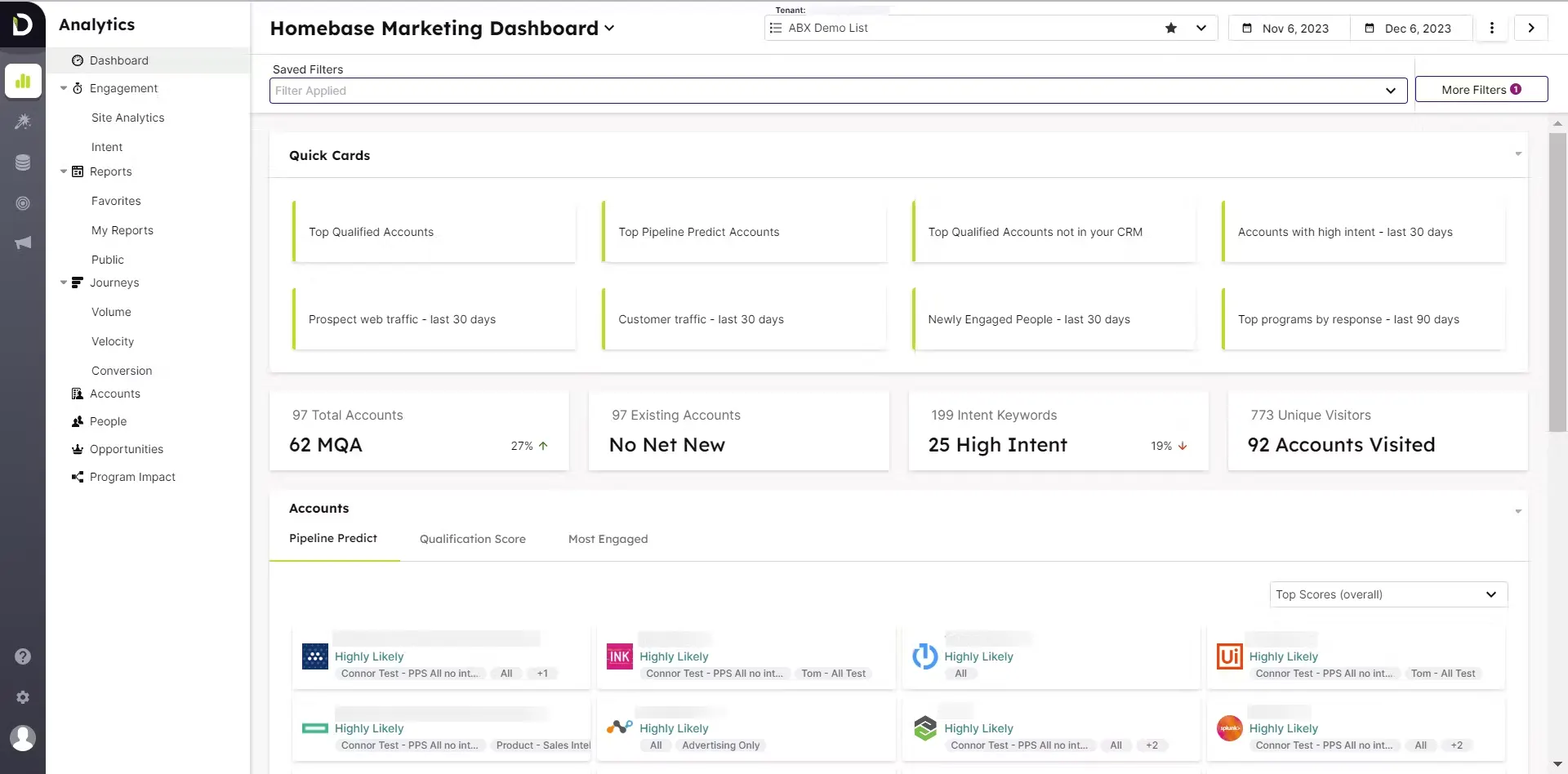 Demandbase is a complete GTM platform that helps B2B teams identify, target, engage and measure high-value accounts.
It brings together first-party first-party data (from your CRM, MAP, website analytics) and third-party data (firmographics, technographics, intent signals) to build unified account profiles, detect buying signals and enable outreach at the account and buying-group level.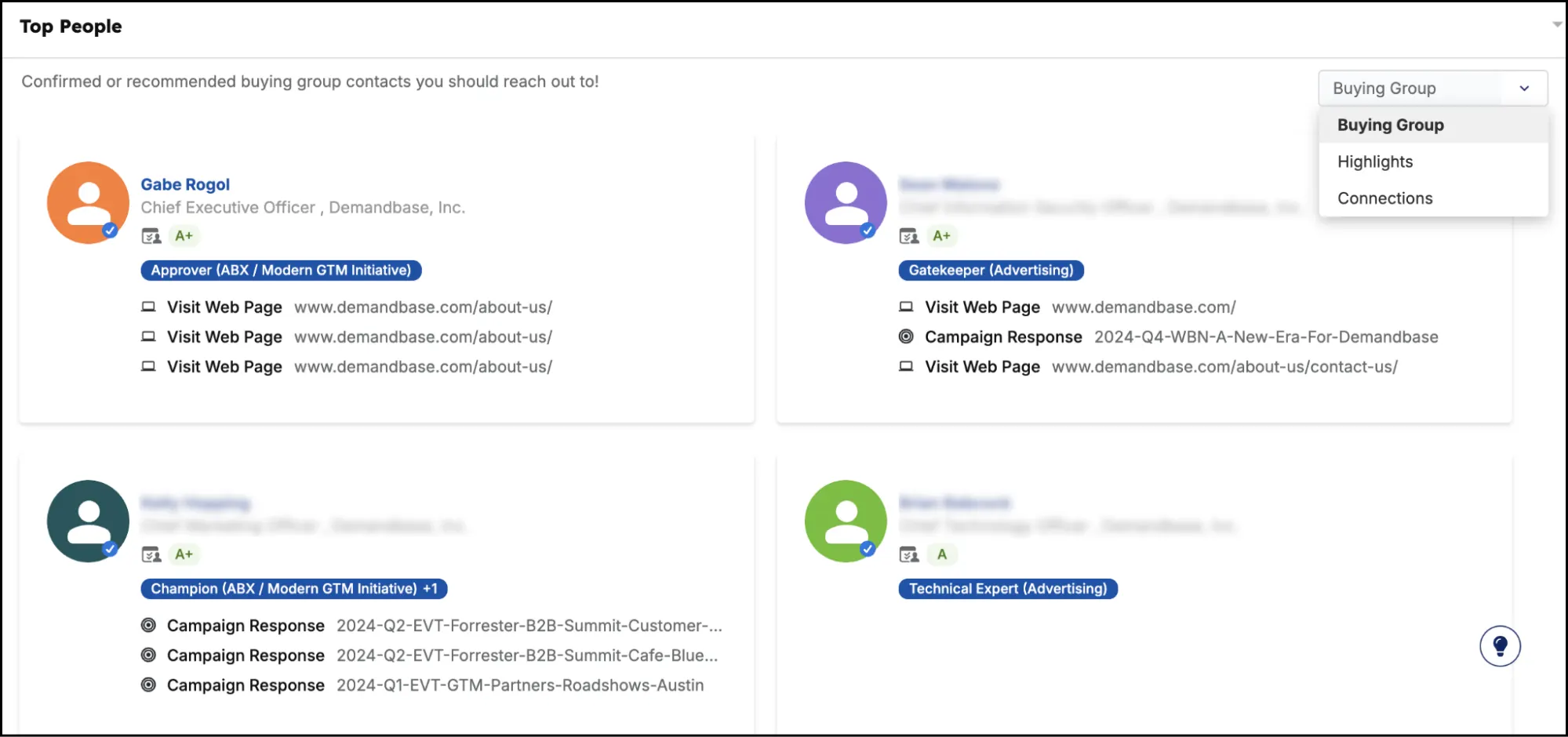 In addition, Demandbase integrates with your CRM, marketing automation, advertising networks, and website personalization tools. This allows marketing, sales and success teams to act on the available intelligence signals in a more coordinated way.
 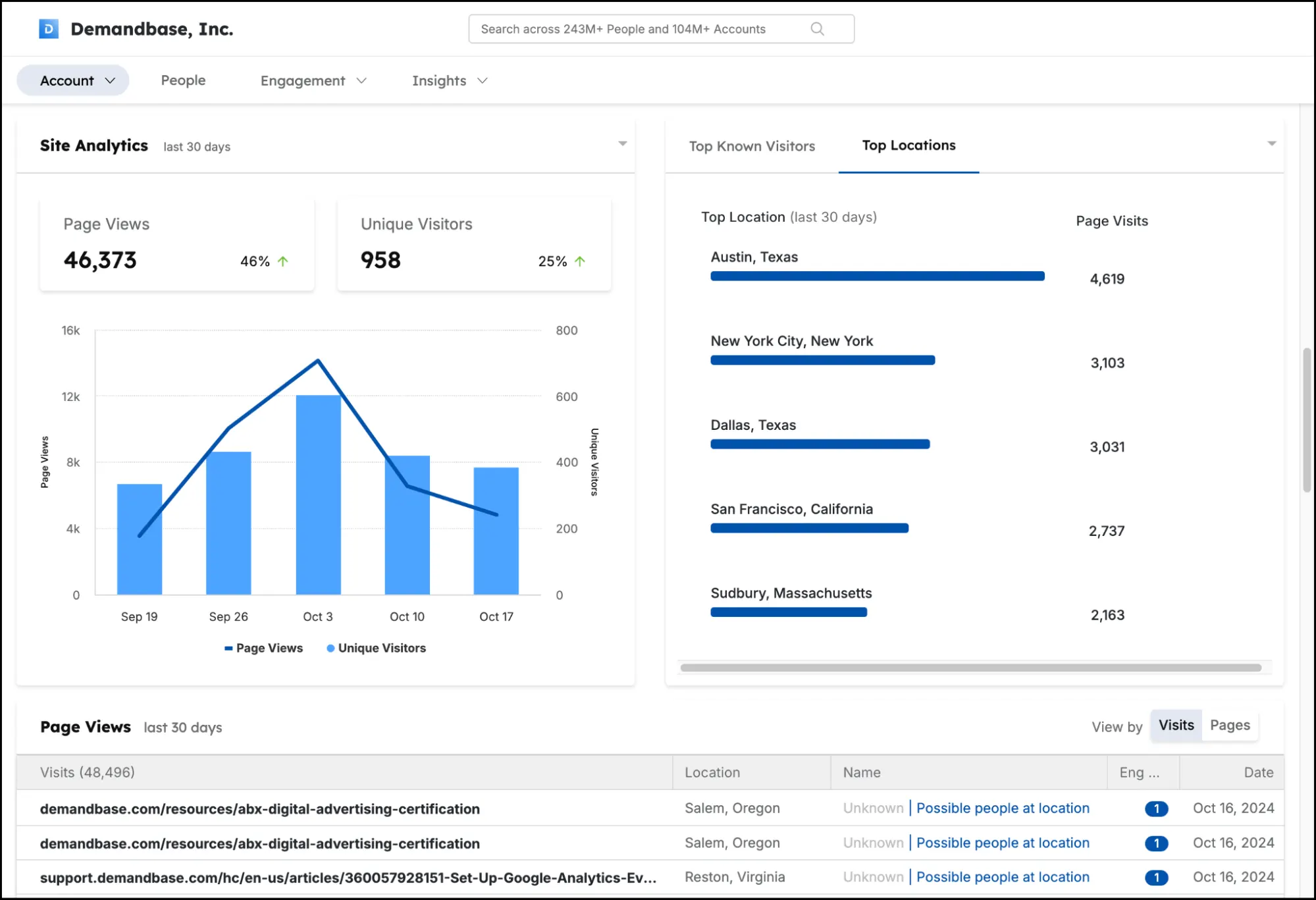 You also have measurement and analytics built around accounts, allowing you to see how accounts move through your funnel, see which signals and plays influence the pipeline.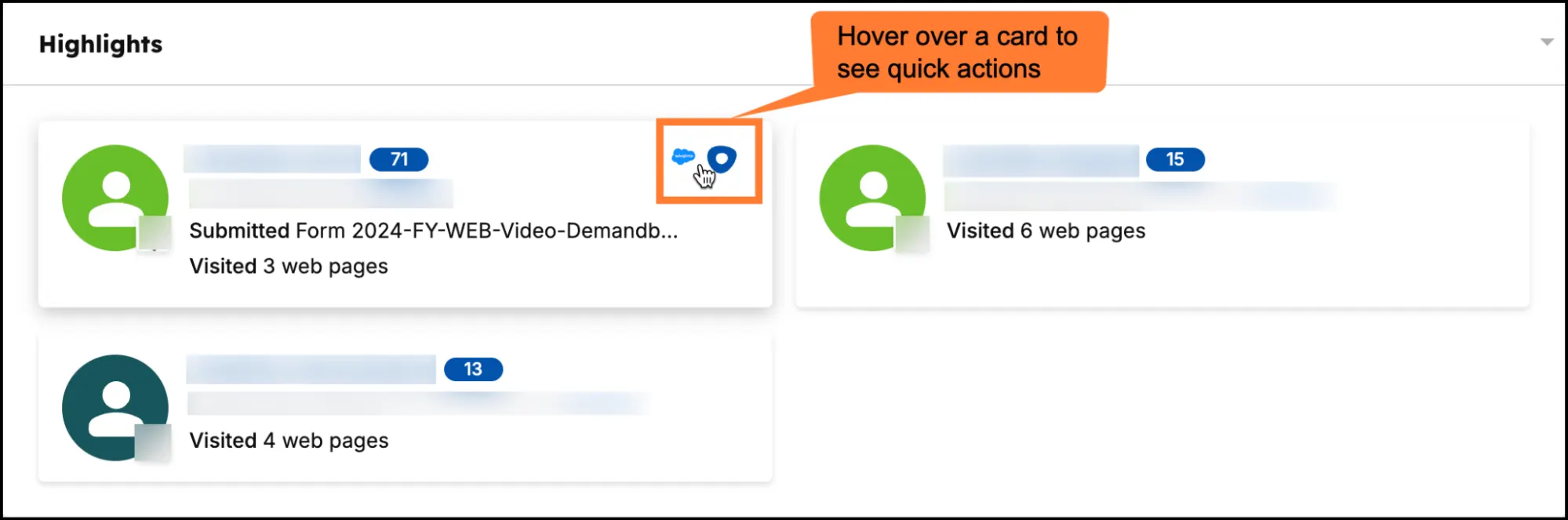
Key features:
- Buying group AI: Uses AI to analyse vast behavioural and engagement data sets to automatically identify the full buying group within target accounts. This includes roles, personas, influencers, and decision-makers.
- Selector (Dynamic audience builder): Allows you to accurately segment accounts and contacts using combined filters (firmographics, technographics, intent signals, account activity, buyer journey stage). This creates dynamic lists that auto-update as signals change.
- Pipeline predictive score: Applies machine learning to unified data (including CRM, engagement, web behaviour, intent) to produce a score (from 0 – 100). It tells you which accounts are most likely to convert or require attention, and when.
- Website personalization: Demandbase personalises the website experience based on account identity, intent stage, technographics or industry. You can adapt texts, images, video links, CTAs, and form behavior to match visiting accounts.
- Advertising module (AdsIQ included): This module supports account-based digital advertising, with AI-driven bid optimisation (via AdsIQ). It also comes with cross-channel media execution (display, search, video, CTV) and closed-loop pipeline attribution that ties ad spend back to revenue.
Why do customers prefer Demandbase?
- Jen Barry, Director of Integrated Marketing at DISCO.
“We actually didn’t really have our ICP and our TAL clearly defined until about a year ago. And so, once we got that defined, it was really important to add a tool to our tool belt that was going to be able to help us engage those customers and kind of meet them where they’re at. So that’s really what Demandbase has helped us with in our go-to-market strategy.”
- Kimberly Storin, Chief Marketing Officer at Zoom
“With Demandbase, we’ve been able to align marketing and sales around the right accounts, personalize engagement at scale, and dramatically accelerate pipeline growth. The insights and precision we’ve gained are fueling scalable growth and efficiency across Zoom.”
- Lindsay Hasz, Director of Insights and Optimization at SAP Concur
“Demandbase allowed us to create segments based on journey stage combined with our own first-party behavioral data.”
2. 6Sense
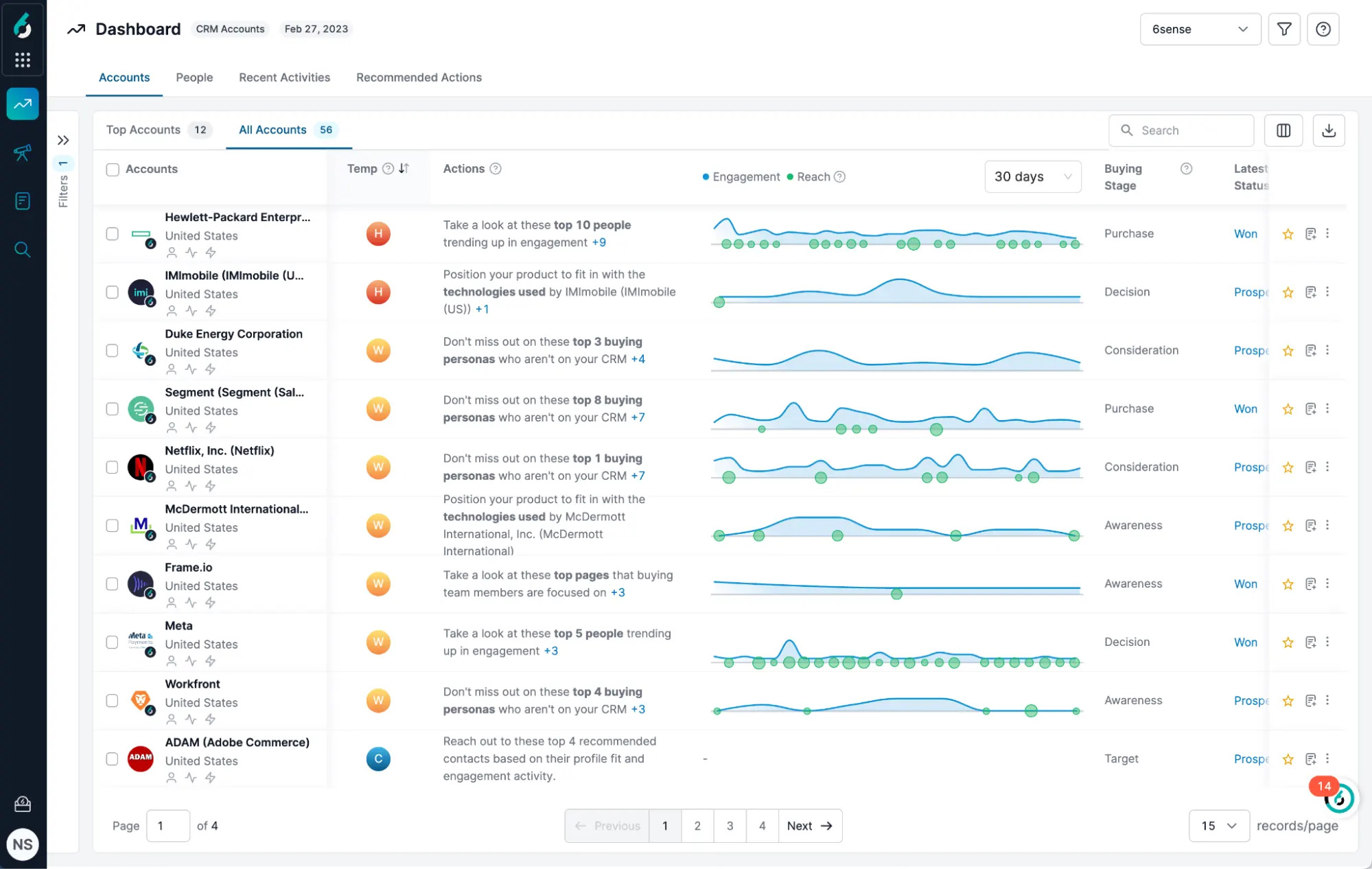
6Sense is an AI-powered revenue intelligence platform that helps organizations uncover hidden buying signals across the web.
It provides complete visibility into anonymous buying behavior, helping marketing and sales teams know who is in-market, what they care about, and when to engage them.
The platform’s ‘Revenue AI’ is the intelligence layer that powers the entire ecosystem. It combines advanced machine learning, natural language processing (NLP), and predictive modeling to analyze millions of buyer interactions and signals in real time.
Kea features:
- Signalverse: Ingests hundreds of billions of signals daily from web behaviour, search activity, third-party intent networks, then maps them to account profiles.
- Intelligent workflows: provides a drag-and-drop interface where you can map automated plays triggered by account signals.
- Sales copilot: Surfaces actionable next steps for sales reps, showing context-rich insights (which accounts are heating up, which contacts within the buying group to engage, recommended messaging) directly within their workflow
Pros:
- “6Sense makes it easy to identify which accounts are actively in-market and researching topics relevant to us. The intent data helps us prioritize accounts more effectively and align with Sales on where to focus our outreach.” (Read full review).
Cons:
- “Reporting in 6sense often feels too rigid. As a user, I want the flexibility to build highly specific, custom reports that align with my unique business metrics, not just what’s provided out-of-the-box.” (Read full review).
Related → 15 Best 6sense Competitors & Alternatives Right Now
3. HockeyStack
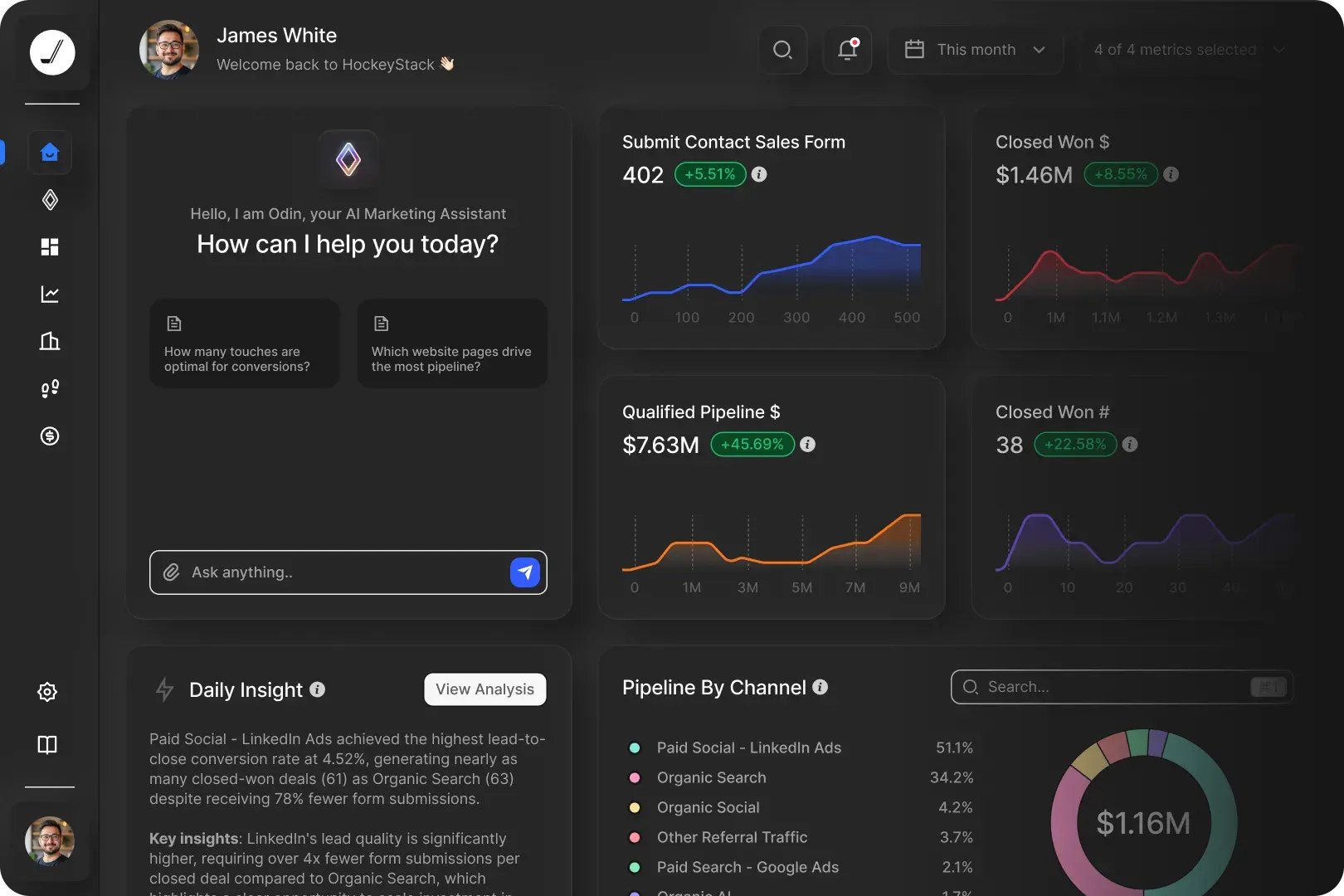
HockeyStack is a GTM intelligence platform that centralizes all customer data sources ( web analytics, CRM, ad platforms, product usage) to help revenue teams understand the impacts of their efforts on pipeline and revenue.
The platform tracks account-level journeys, mapping how buying groups interact with campaigns, content, and sales activities across multiple channels. It includes AI agents (e.g., “Odin”, “Nova”) that surface insights, recommend next actions, and identify high-intent accounts.
Users also ‘boast’ off HockeyStack’s no-code ability, which makes it easy to analyze funnel performance in real time without relying on analysts or SQL queries.
Key features:
- Odin (AI analyst): Conversational AI assistant that lets users ask questions in plain English (e.g., “Which campaigns drove pipeline this quarter?”) and immediately get insights, visuals and recommended next steps.
- Nova (AI sales rep assistant): Connects CRM, web-signals, engagement data and intent to surface the next best account, recommended outreach, stakeholder maps and tasks.
- Atlas (Data foundation layer): Ingests raw data from the full GTM stack, (CRM, ad platforms, website analytics) then deduplicates, resolves identity, categorises, and builds unified account profiles.
Pros:
- “What I like best about HockeyStack is that I was able to set everything up on my own with support from our CS rep. I didn’t need to involve our in-house data team and after learning the ropes, I’ve been able to continue building reports myself.” (Read full review).
Cons:
- “You need to buy the account intelligence platform separately which can be expensive for many teams.” (Read full review).
Inbound Marketing & Sales Hubs
These platforms provide a unified hub for generating pipeline from inbound activity. They focus on managing the end-to-end of the customer journey. In this case, drawing in prospects, nurturing them, and handing off qualified opportunities to sales.
They’re ideal when your organisation is focused on scaling inbound GTM strategies, and improving the transition from marketing-qualified lead to sales-qualified opportunity.
4. Breeze Intelligence (by HubSpot)
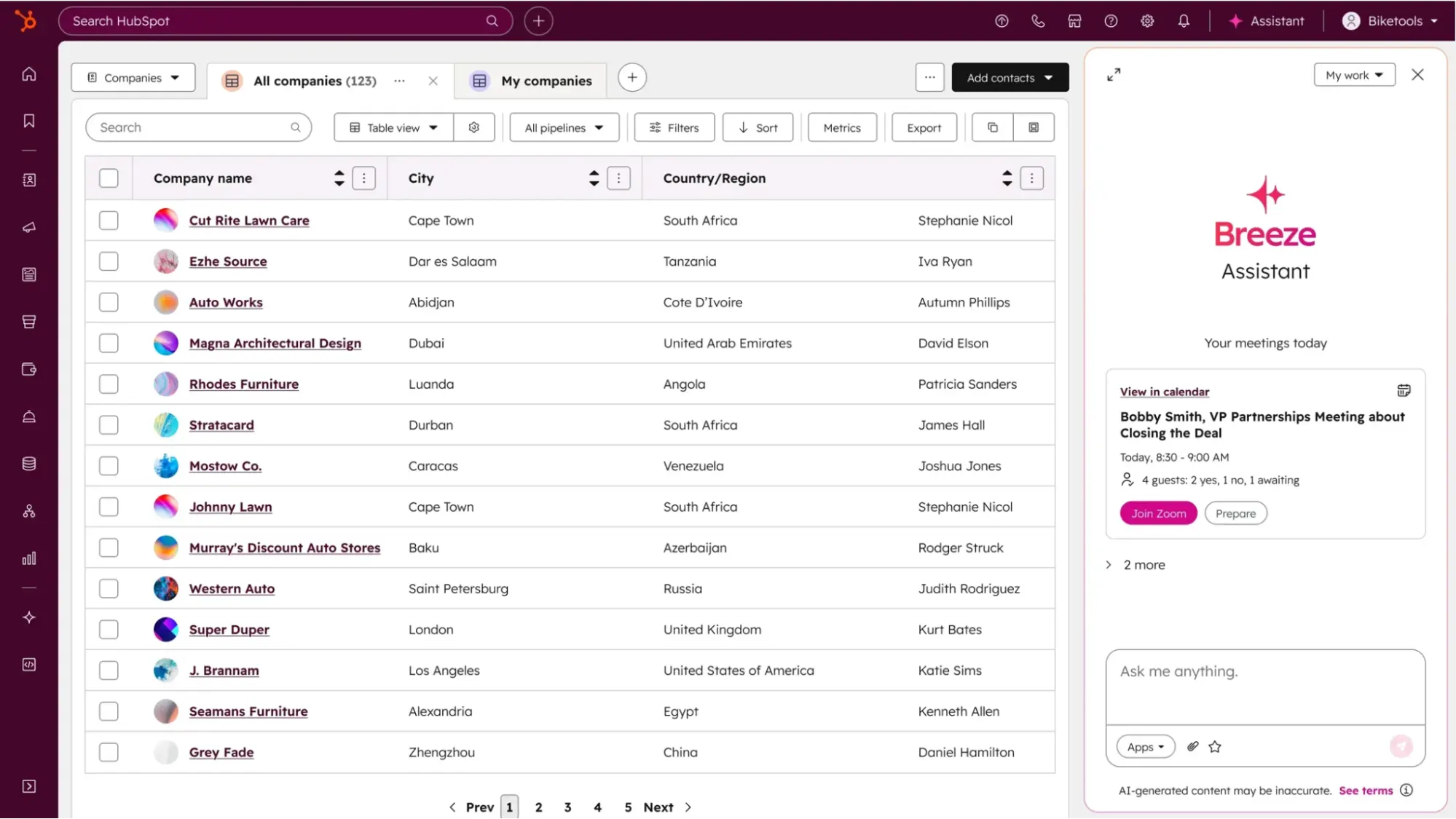 Breeze Intelligence (branded as ‘Breeze AI’) is a native feature of HubSpot’s CRM platform that provides built-in data enrichment, buyer intent detection and form-shortening capabilities.
It draws on a dataset of more than 200 million company and buyer profiles to fill in missing firmographic, demographic and technographic data directly in your contact and company records.
It’s a strong fit for organisations that already use HubSpot as their CRM and want to deepen data intelligence and conversion effectiveness without introducing a large new platform.
Key features:
- Visitor identification: Analyzes web-behaviour, enrichment data and fit criteria. It can identify which companies are visiting your site, what pages they are viewing, and assign intent scores or prioritisation flags.
- Data enrichment (Automatic and continuous): Automatically enriches contact and company records within HubSpot with attributes like industry, company size, revenue, technographics and social profiles. Also supports continuous periodic refresh of existing records.
- Smart properties: Updates key fields automatically (e.g., based on latest enrichment) and helps maintain data consistency across the CRM
Pros:
- “Most of the AI features need some work… but I really like the “Summarize this call” feature. The call summaries are awesome. To use them, you need to have a calling provider or the Zoom integration connected to HubSpot and have call transcripts turned on.” (Read full review).
Cons:
- “The “Copilot” is especially terrible, as you can have tons of conversations in a contact record and all it will want to tell you is the basics from a few properties and associated deals.” (Read full review).
5. Salesforce Einstein
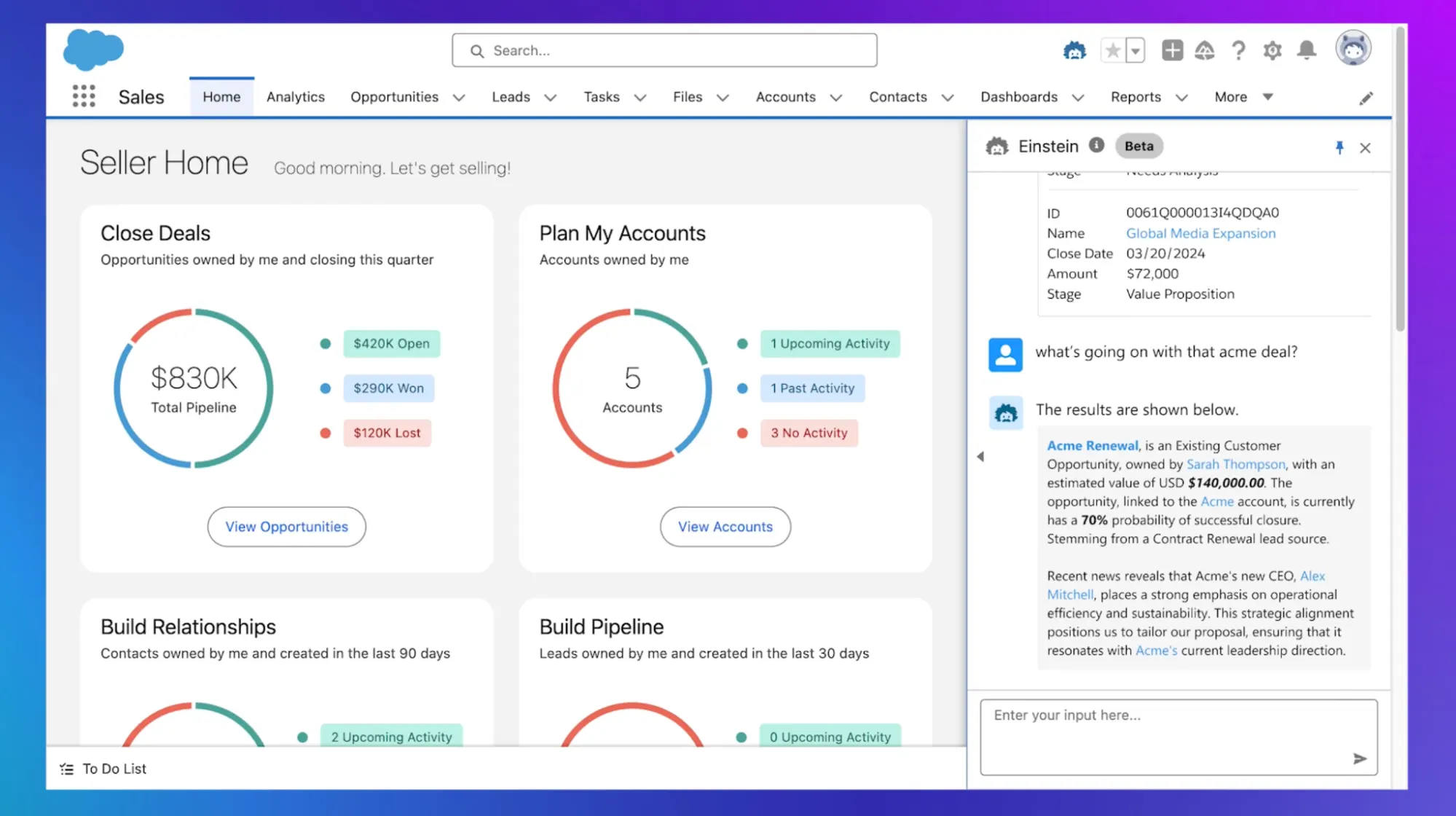 Salesforce Einstein is the embedded artificial-intelligence layer of the Salesforce CRM ecosystem, designed to bring predictive and generative intelligence into marketing, sales and customer-service workflows.
The platform can access CRM data (and optionally external data via integrations) to identify patterns and make predictions. For example it can score leads, forecast opportunity outcomes, identify churn risk, or even suggest next-best actions.
There’s also support for generative content creation (e.g., auto-generated emails, content, summaries) and conversational AI assistants (such as the Copilot or wizard-style prompts).
Key features:
- Next-best action: Einstein can recommend what sales or service reps should do next based on patterns, behavior, and predicted outcomes. For example, “this account shows buying behavior for X product; schedule outreach now”, or “this contact is likely to open this email; delay send.”
- Einstein GPT: Supports generative AI tasks such as writing emails, summarizing records, automating workflows through natural-language prompts, embedding AI assistants into workflows.
- Automatic contact creation: Connects email and calendar systems and automatically logs activities (calls, meetings, emails) into Salesforce, reducing manual entry and improving data accuracy.
Pros:
- “The functionality is so easy to navigate and to use (Tips, Suggested Searches, Recent Items and Suggested lists for example). The admin can control which objects the user sees. It can also be based on the user’s activities.” (Read full review).
Cons:
- “Its biggest handicap is that it does not allow for data storage or data migration. You can’t really input the data from Einstein into another platform. One does not have access to the data of employees that leave the organization. This is another huge issue because the sales department has a high employee turnover.” (Read full review).
6. Adobe Marketo Engage
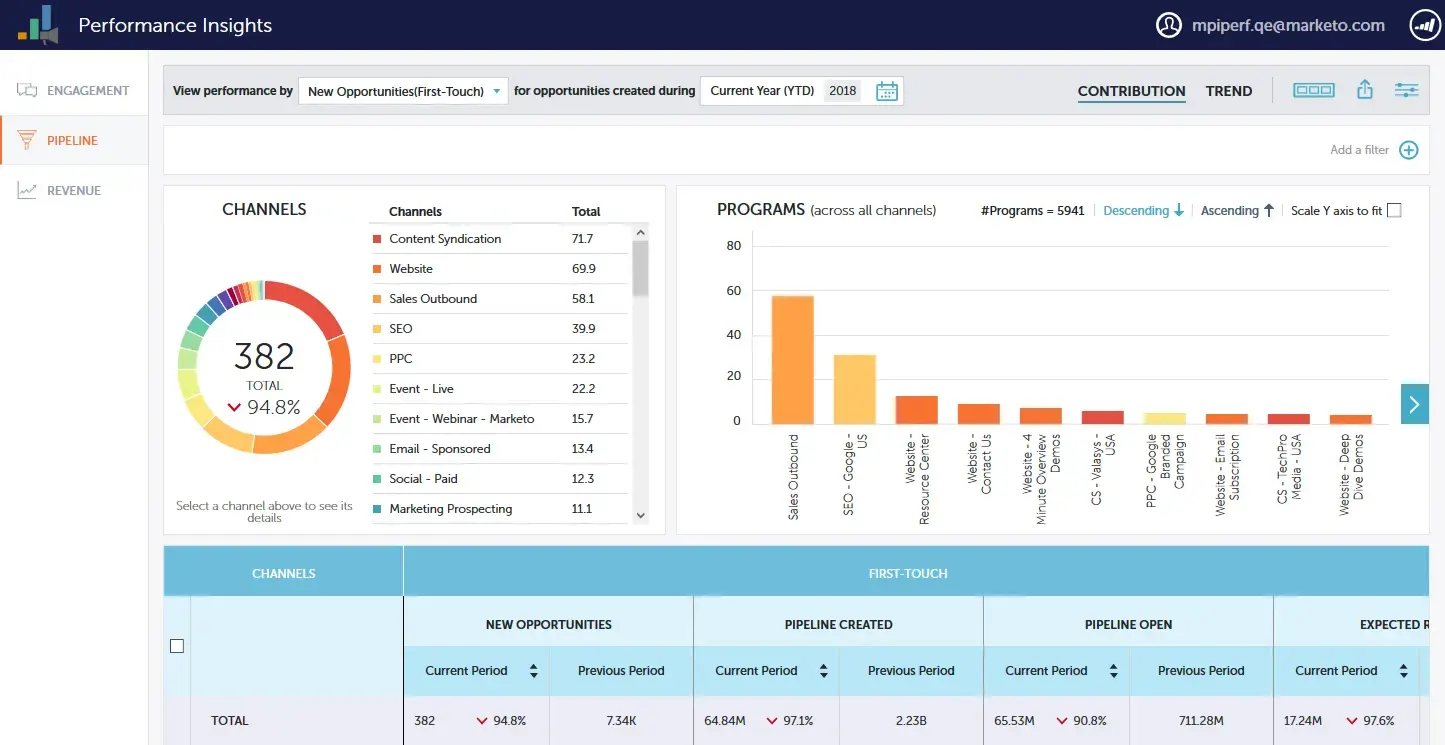 Adobe Marketo Engage is a marketing automation software for B2B (and also B2C) organizations to personalize, and measure marketing campaigns.
It provides a system for managing the entire customer journey from lead acquisition and nurturing to conversion and retention—across multiple channels including email, social, web, and paid media. It also provides tools for creating adaptive campaigns that react to customer behavior in real-time.
Key features:
- Profiles, segmentation and audiences: Allows you to build, maintain and enrich detailed audience profiles (leads, contacts, accounts). You can also segment and update them dynamically based on behaviour and data.
- Campaign operations: You can orchestrate campaigns across multiple channels (email, web, mobile, chat, events, webinars, advertising) and build multi-step nurture flows.
- Predictive content: Use machine‐learning to select and serve relevant content across channels, improving engagement and conversion.
Pros:
- “I love how it helps automate and personalize marketing at scale. The lead nurturing tools are spot-on, and the integration with CRM systems like Salesforce makes everything seamless.” (Read full review).
Cons:
- “I find the learning curve of Adobe Marketo Engage to be quite challenging. The interface is complex and not very intuitive, especially when compared to other platforms like HubSpot or Mailchimp. This complexity often demands technical expertise, which not all companies, including mine, have readily available.” (Read full review).
Revenue Intelligence & Forecasting Platforms
This category of tools use AI to analyze pipeline data, sales activities, and customer conversations from calls and emails. Their primary function is to improve sales forecasting accuracy, identify deal risk, and provide insights to sales leadership on team performance.
7. Clari
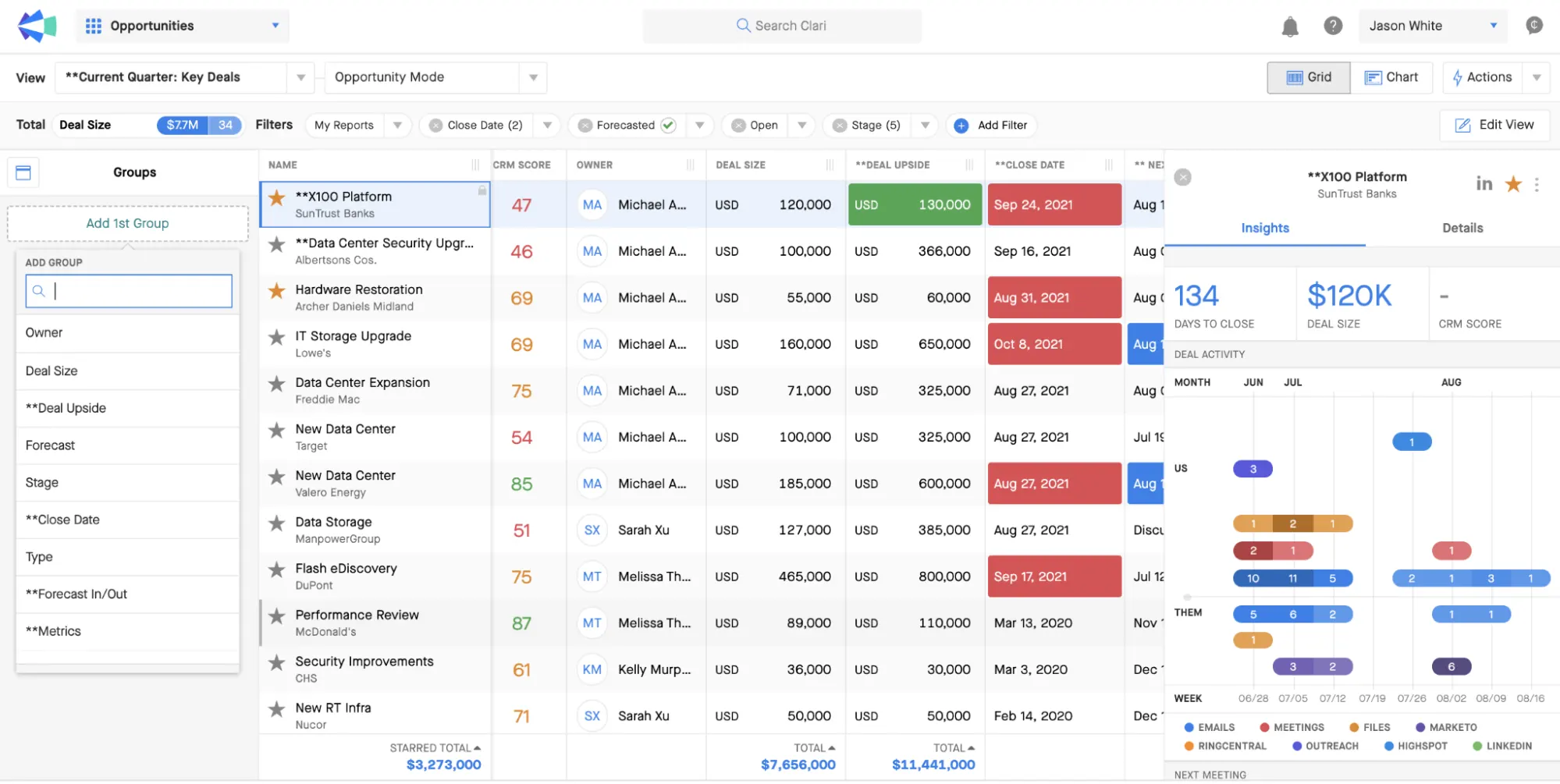 Clari is an AI-powered revenue orchestration platform that provides sales teams with full visibility and control over their revenue processes.
Via the RevAI, it connects to your existing systems (CRM, email, calendar activity, phone & call logs, customer success platforms) and ingests thousands of signals about deal activity, customer engagement, conversations, pipeline movements and account health.
With all this data it builds a Revenue Database (RevDB)— a purpose-built store of cleaned, enriched database that allows teams to run revenue workflows, analytics and forecasting from one unified system.
Key features:
- Revenue cadences: Enables revenue teams to embed structured, repeatable workflows. E.g., what should happen when a deal moves from discovery to proposal. This is to enforce consistent execution across teams.
- Smart chapters: Surfaces critical moments from calls and meetings (timestamps, topic summaries) so team members can glean insights without deep manual review.
- Pipeline inspection: Provides a clean view of pipeline coverage, deal progression, and health of each opportunity. This helps you spot “quiet” deals or stalled ones before they impact the quarter.
Pros:
- “Clari makes it simple to build, run, and optimize outreach sequences without feeling like I’m chained to a dialer or email queue all day.” (Read full review).
Cons:
- “I wish it were more organic and easier to record in-person meetings. At times, the inbound dialer can give me issues, which interrupts the flow of my work. Additionally, when multiple people are speaking on a call, the transcripts can get mixed up, making it harder to follow the conversation afterward.” (Read full review).
8. Gong
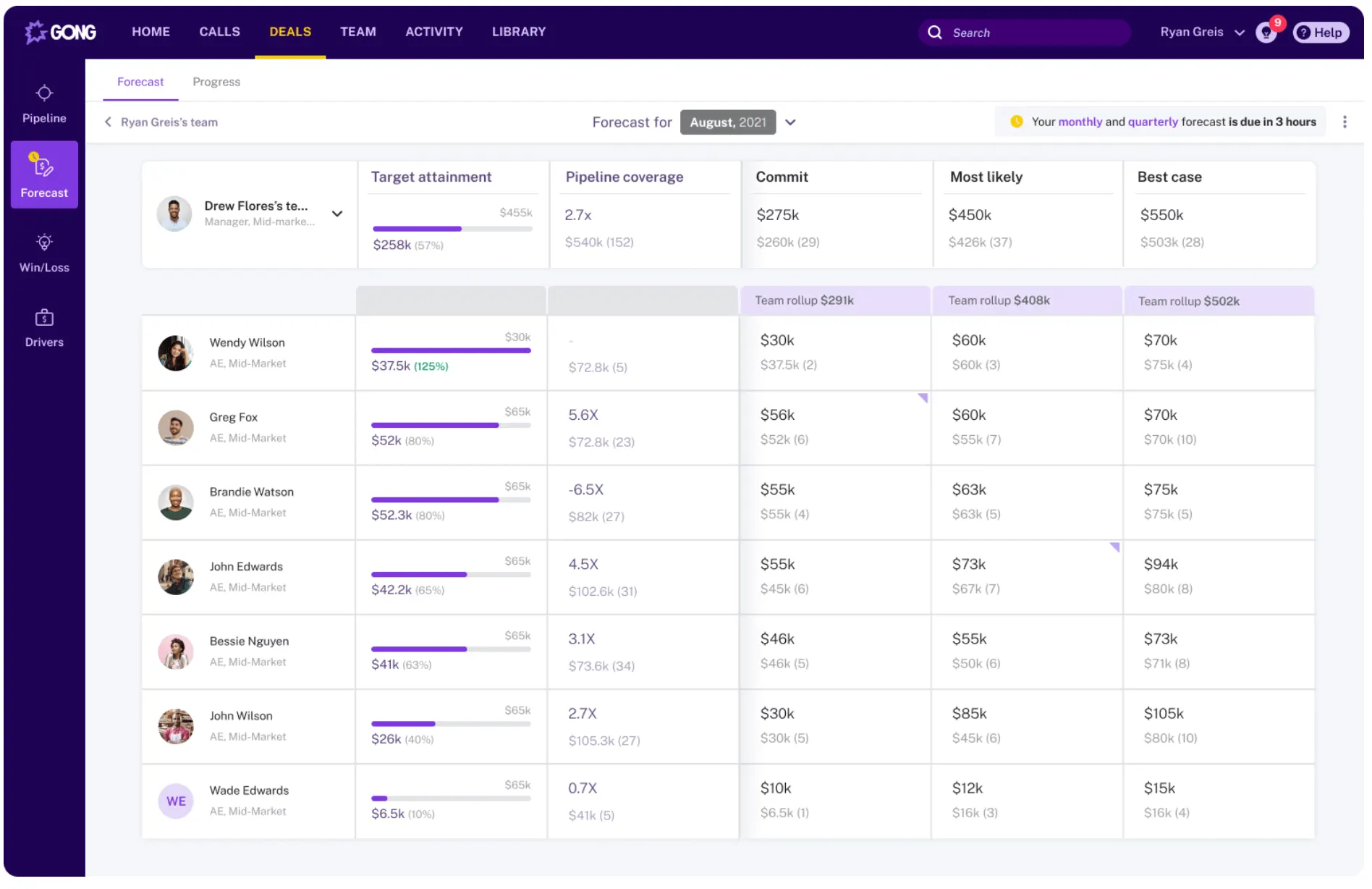 Gong captures, analyzes, and interprets every customer interaction (across calls, emails, and meetings) to give sales teams a complete, objective view of their pipeline and deal health.
It automatically records and transcribes conversations, then uses natural language processing (NLP) and machine learning to extract insights about deal progress, customer sentiment, and buying intent.
For example, if you connect Gong to Zoom (or Microsoft Teams, Google Meet) on a sales call, it can flag potential potential red flags such as lack of stakeholder involvement that might stall the deal.
Managers can also use Gong to coach teams by reviewing real examples from calls, spotting talk-to-listen ratios, objection handling, and follow-up patterns.
Key features:
- Gong agents: AI-agents surface next best actions, alert teams to account- or deal-specific risks/opportunities, and help reps prioritize what to do next based on patterns of success.
- Deal intelligence: Uses AI to flag at-risk deals, stalled opportunities or those lacking buyer engagement, and to highlight which deals should be pushed or dropped to maintain forecast accuracy.
- Sentiment analytics: Analyzes tone, talk/listen ratio, question/answer patterns, sentiment trends, competitor mentions, and aligns them with outcome-data.
Pros:
- “The onboarding process was smooth, with a dedicated Pro Team member available to guide me and answer any questions. The Customer Success Manager is also accessible to review account setup and provide best practice recommendations.” (Read full review).
Cons:
- “Sometimes the reporting features can feel a little complex and overwhelming to set up exactly what I need, making it take longer than expected to pull simple metrics.” (Read full review).
9. Chorus.ai
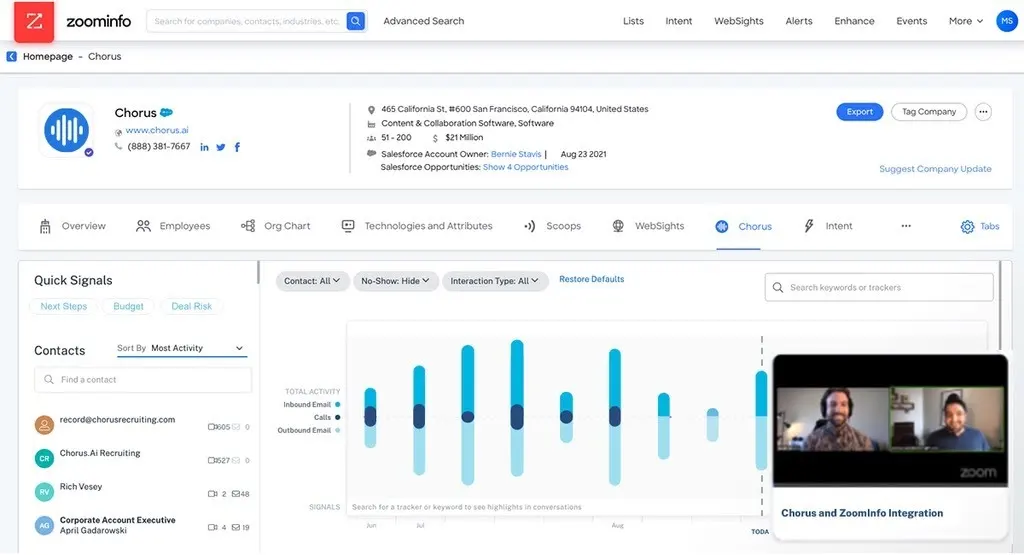 Chorus.ai, now part of ZoomInfo, also records, transcribes, and analyzes customer interactions to give revenue teams insights into their sales processes.
Once recorded, its AI models analyze tone, topics, speaking patterns, and engagement signals to identify key moments. For example, it can capture objections, competitor mentions, pricing discussions, next steps etc. These insights allow sales leaders to pinpoint what’s working in top-performing reps’ conversations and replicate those behaviors across the team.
Similar to Gong, Chorus also provides coaching capabilities. Managers can review actual call snippets, evaluate talk-to-listen ratios, and spot communication gaps that impact deal outcomes.
Key features:
- AI-generated meeting summaries: Uses generative AI to summarise meetings, extract action items and even draft follow-up emails.
- Opportunity mapping: Ties conversation-level data back to accounts via integrations with CRM and ZoomInfo’s data.
- Performance data: Provides dashboards with insights into win-rate drivers, cycle-time analytics, rep performance, engagement metrics and other important trends.
Pros:
- “I rely on Chorus daily to record and review customer calls. Its AI features, including email follow-up generation, call summaries, and action plans, are unparalleled by competitors, effectively eliminating small talk and internal chatter.” (Read full review).
Cons:
- “A lot of times there’s a lag. Also, the search function could be a little smarter in finding specific snippets across calls sometimes takes longer than it should.” (Read full review).
Signal-Based GTM Platforms
These tools specialize in identifying and acting on specific, high-value buyer signals. They capture signals such as behavioural, intent, firmographic and product-usage, score them, and activate them via plays.
10. UserGems
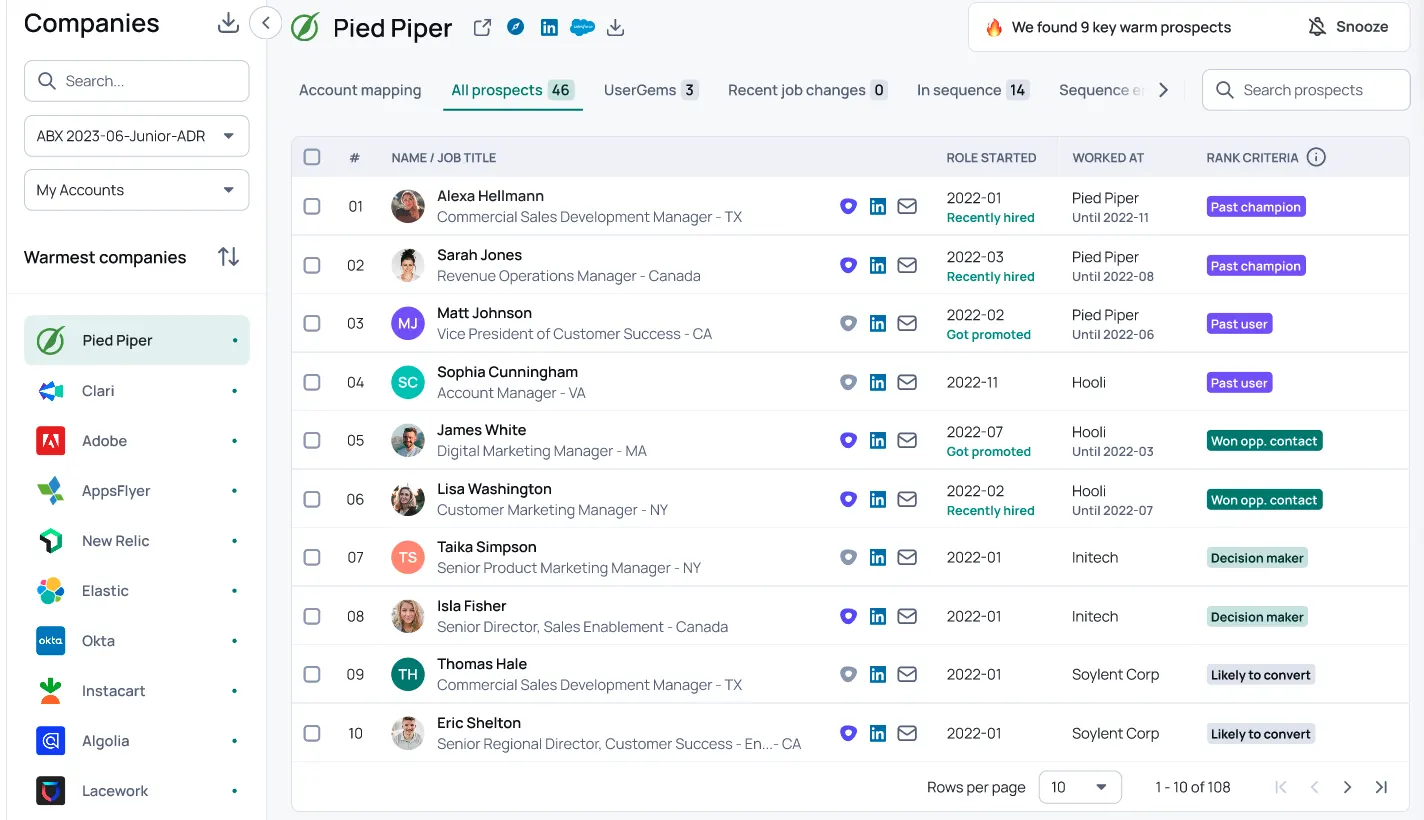 UserGems helps you generate quality pipeline by focusing on building sustainable relationships with high-value buyers.
It tracks job changes, role movements, and company transitions of key contacts, past customers, and champions. This is to help sales and marketing teams automatically reach out when someone familiar moves into a new target account or gains buying power.
UserGems continuously scans professional networks and public data sources to detect these changes in real time, syncing the insights directly into the sales team’s workflow.
Key features:
- Gem-E (AI outbound agent): Uses first-party data and buying signals to prioritize accounts and contact. It then crafts personalised email sequences, LinkedIn messages, call scripts, follow-up messaging etc.
- Signal library: A curated repository of trigger events (e.g., job changes, new hires & promotions, champion referrals) that indicate buying readiness or account movement. Teams can choose the signals most aligned with their GTM goals.
- Workflow builder: A no-code interface where GTM teams can link a chosen signal to a playbook (e.g., “New hire in ICP → send personalised email sequence”).
Pros:
- “Its intuitive AI-driven insights allow us to stay proactive in our outreach, ultimately driving more meaningful conversations and accelerating our deal flow.” (Read full review).
Cons:
- “Sometimes it can be a bit overwhelming with the amount of data, and it would be great to have more granular control over the search function.” (Read full review).
11. Warmly AI
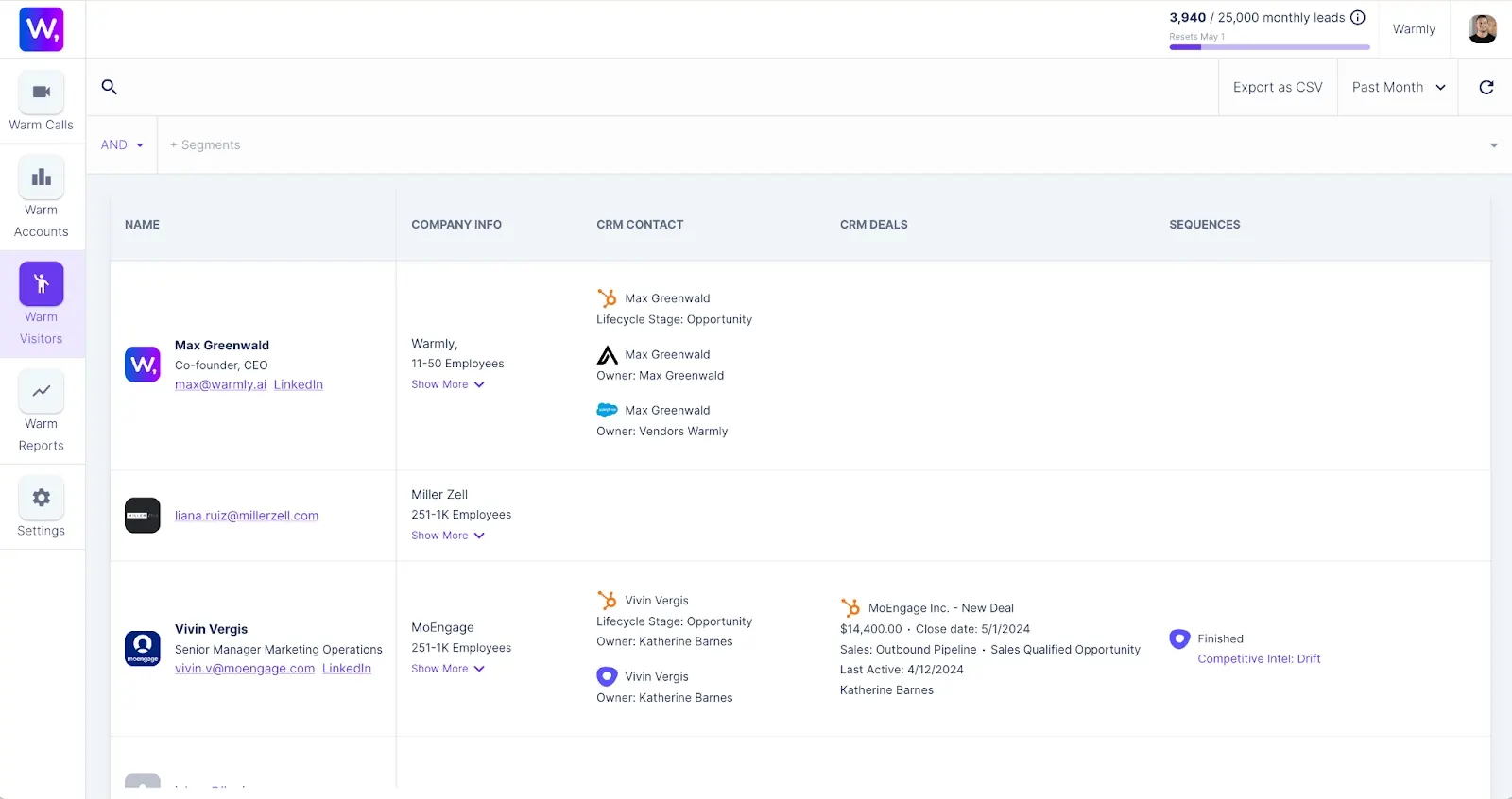 Warmly AI is a good option for buyer intelligence and meeting personalization—particularly before and during meetings.
The platform automatically identifies who’s joining a meeting and displays detailed prospect information directly on screen. Next, it uses AI to surface real-time insights about the attendees, such as their role, company background, recent activity, and potential buying intent.
Teams can also use Warmly to track buying signals by monitoring visitor activity on websites and mapping those engagements back to company accounts and decision-makers. For example, reps get automated alerts when key prospects show intent behaviors like repeated site visits or event participation.
Key features:
- Website visitor de-anonymization: This is a lightweight script tag added to your site. It enables Warmly to identify the companies (and in some cases contacts) visiting your site, enrich their profile, and surface them to your GTM teams.
- AI orchestrator: No-code orchestration tool that allows you to define triggers and then automate a sequence of actions.
- Signal-based ranking: Scores accounts based on fit, intent, and engagement. For example, a contact from a target account who visited the pricing page and whose company changed tech stacks may be flagged as “high readiness.”
Pros:
- “What I like best is the integration part with the website, just by adding the code in the header section provided by the team it integrates quickly and provides results within 24 hours.” (Read full review).
Cons:
- “I found the setup process of Warmly to be difficult and funky, as it seems like the platform is new with lots of bugs. These bugs hindered the initial experience and made the onboarding process cumbersome.” (Read full review).
Data Enrichment & Workflow Automation
These platforms specialise in enhancing and maintaining the quality of GTM-data (contacts, accounts, behaviours) and automating the workflows that act on that enriched data (lead routing, segmentation, scoring, triggers).
12. Clay
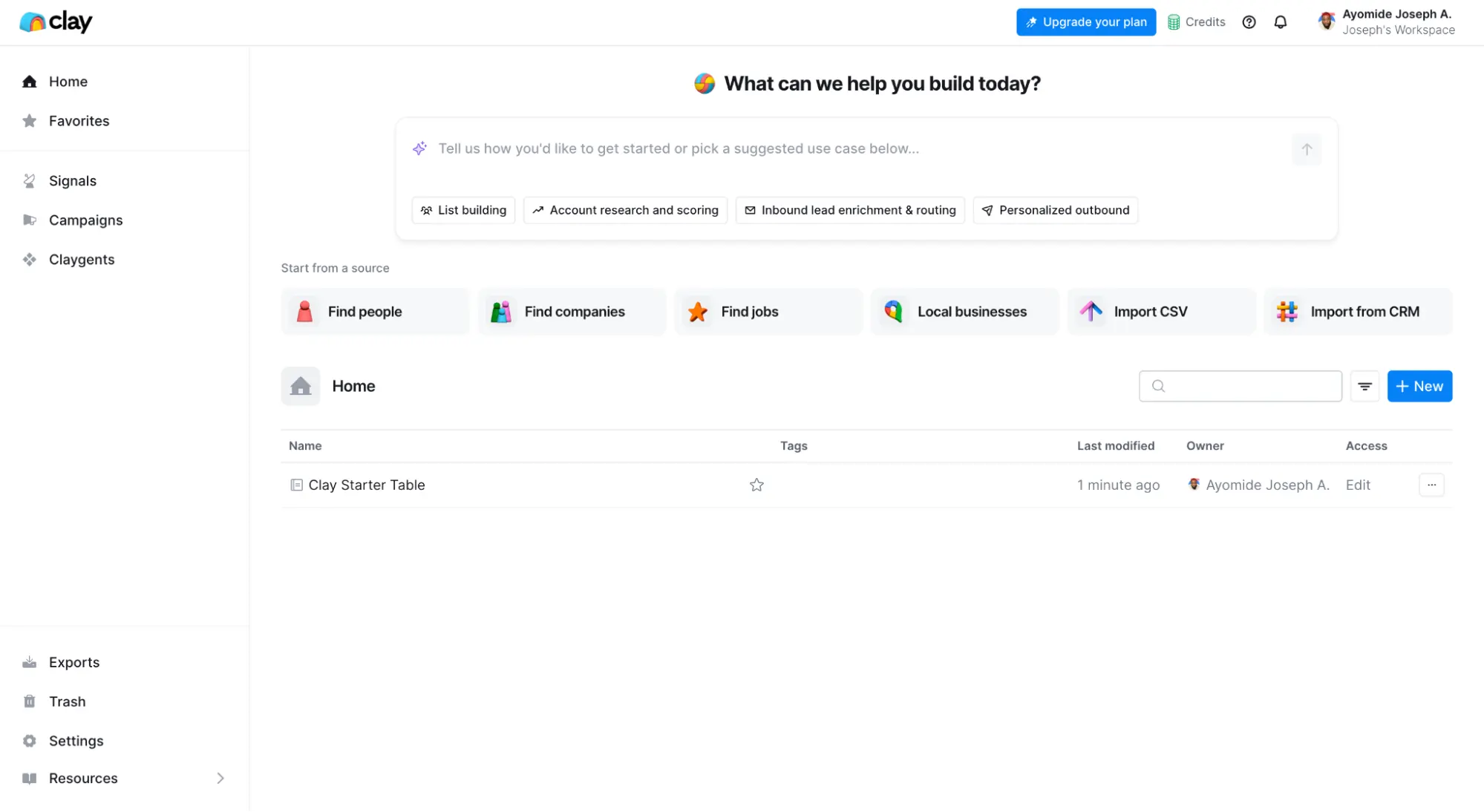 Clay is a data enrichment and prospecting platform that helps go-to-market teams build, update, and personalize lead lists. It allows users to discover high-quality prospects and instantly generate personalized outreach using live, verified data.
Users can define criteria such as industry, revenue, tech stack, job titles, or recent funding events, and Clay automatically compiles lists that meet those conditions.
Once you have a list, its AI engine enriches each record with accurate emails, social profiles, and contextual insights. This enables teams to send highly targeted and relevant messages instead of relying on generic outreach.
Clay also connects to 100+ data sources including LinkedIn, Crunchbase, Clearbit, Apollo, and company websites—to continuously pull real-time information about people and companies.
Key features:
- Claygent: An AI-agent that can do advanced research: scrape websites, parse PDFs, gather non-standard data points, and pull them back into your workflow.
- Waterfall enrichment: Clay supports a “waterfall” method of data enrichment. When you’re missing a data point (e.g., work email, phone, tech stack), Clay goes sequentially across multiple providers’ databases until it finds a valid result.
- Custom filters: Allows you to build curated lists or segments (“companies of size 1K-5K employees using tech X and recently got funding”) by combining enriched fields and signals
Pros:
- “Clay is hands-down the most powerful data enrichment and outreach automation platform I’ve used. Its modular, spreadsheet-like interface is intuitive yet incredibly powerful.” (Read full review).
Cons:
- “There’s definitely a learning curve, especially if you’re not familiar with enrichment logic or building workflows. Some features aren’t always intuitive, and it takes experimentation to unlock its full value.” (Read full review).
13. Reply.io
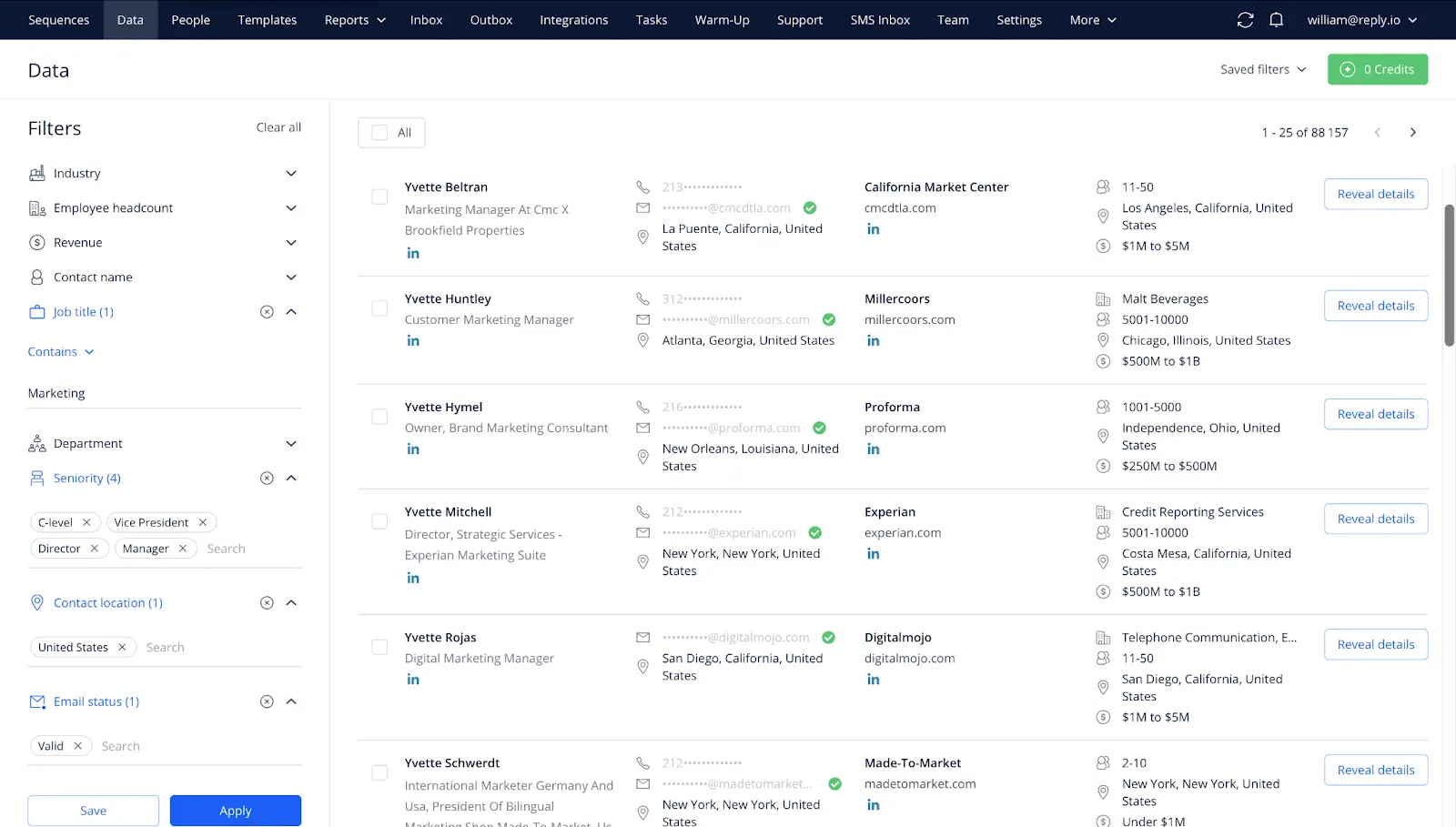 Reply.io is an AI-powered sales engagement platform that automates multichannel outreach while maintaining a personalized, human-like touch.
It’s designed to help sales teams scale prospecting, follow-ups, and customer engagement across email, LinkedIn, calls, and SMS. For example, you can create automated sequences that send customized messages to prospects at scheduled times.
Reply.io’s AI engine can also analyze prospect data, engagement history, and previous interactions to personalize subject lines, body text, and follow-ups automatically.
Key features:
- Multi-channel conditional sequences: Allows building sequences that span email, LinkedIn (connection + message), calls, SMS, WhatsApp, with branching logic based on responses or engagement.
- Cloud calls, SMS and unified inbox: Built-in voice calling via browser extension, SMS, WhatsApp messaging, and a unified inbox to manage responses across channels in one view.
- Deliverability kit: Built-in tools that validate email addresses and phone numbers, manage domain health and warm-up, and help ensure deliverability and sender reputation.
Pros:
- “Reply.io offers a wide set of outreach options across different channels. What our team values most is the ability to run automatic LinkedIn steps as part of a full multichannel sequence without disrupting anything.” (Read full review).
Cons:
- “Almost every feature malfunctions from time to time and it is super hard to spot. The support team does not warn you of bugs and issues. I had now for the 10th time had sequences go out wrong, with the wrong formatting, messages skipped, contacts skipped, days skipped, etc.” (Read full review).
14. Zapier AI
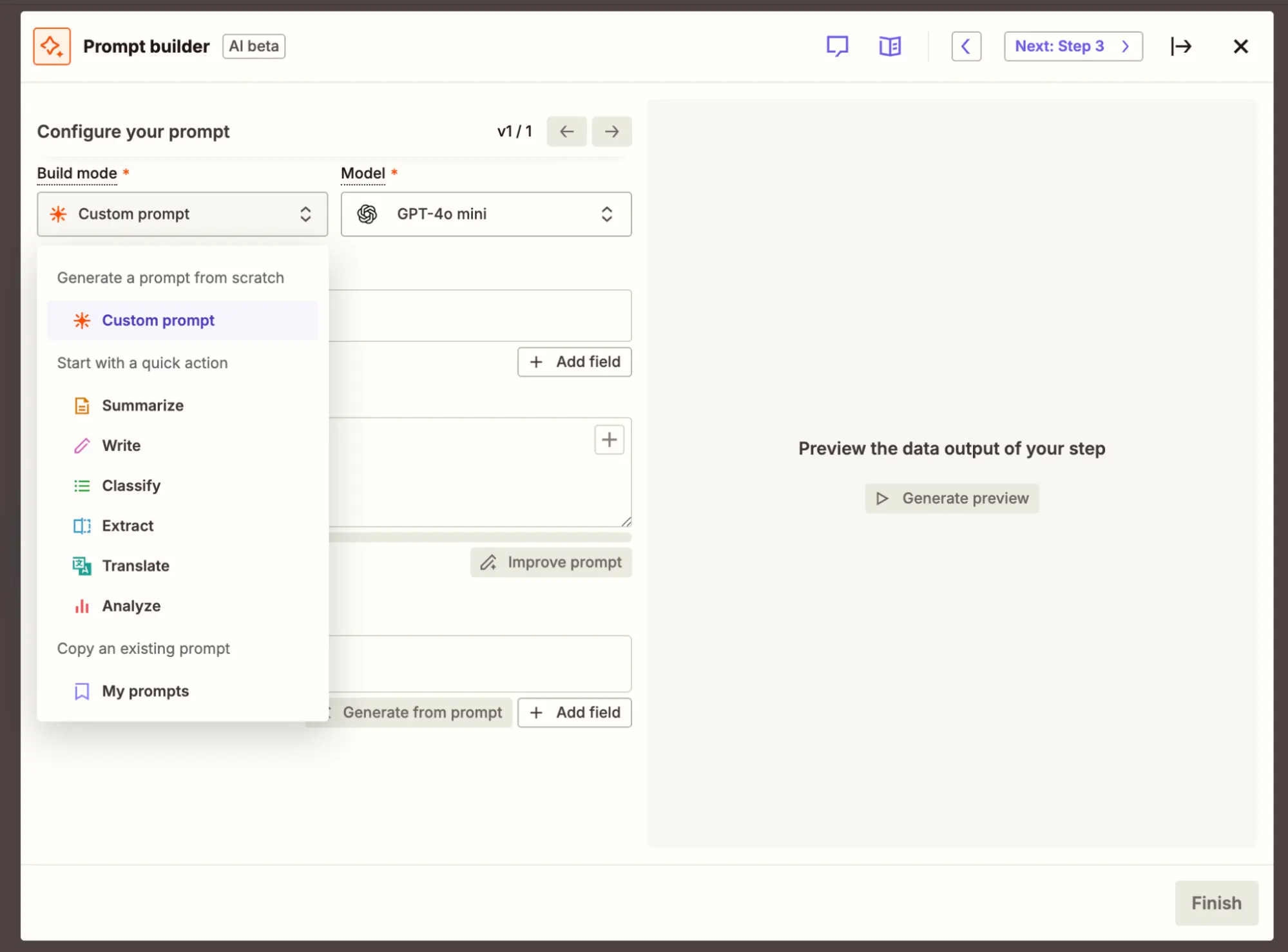 Zapier AI is an integrated intelligence layer built directly into the existing Zapier automation platform. It’s not a separate app you need to download or manage.
Instead, it enhances Zapier’s core workflow automation capabilities with generative AI, allowing users to create, modify, and optimize Zaps (automated workflows) using natural language.
In simple terms, it changes Zapier from a rule-based automation tool into a smart assistant that understands what you want to automate and builds it for you.
With Zapier AI, you can describe your workflow in plain English.
For example:
- “When a new lead fills out a Typeform, send their details to HubSpot and notify my team on Slack”.
The system will automatically create the Zap, select the right apps, and map the fields correctly.
In addition, the AI can refine and optimize the workflow by suggesting improvements, detecting errors, and adjusting logic based on usage patterns or missing data.
Key features:
- AI by Zapier: This built-in step lets you feed any piece of text, URL, email or document into an AI model inside the workflow, and receive quantified output (classifications, summaries, extracted fields). You simply choose the “Analyze & Return Data” action in a Zap.
- Multi-step Zaps: Drag-and-drop builders that allow you to design complex workflows that combine triggers, conditions, AI steps, data enrichment, CRM updates, alerts, and more.
- Prompt library: Ready-made workflow templates and prompt suggestions to accelerate setup (for example: “New lead enters → enrich record → score account → notify sales”).
Pros:
- “This tool has saved us a significant amount of time. It’s proven to be highly reliable when it comes to setting up integrations or experimenting with new ideas, all without requiring a major investment in programming.” (Read full review).
Cons:
- “Sometimes they change or remove features, and this can be annoying, especially if you have just built something and then have to rebuild it.” (Read full review).
AI Sales Agents & Assistants
This is a new and emerging category that includes platforms that focus on handling high-volume or repetitive workflows.
They support GTM teams with automating sales tasks, providing recommendations, engaging prospects and supporting customer reps by routing only high-priority requests.
15. Artisan (Ava)
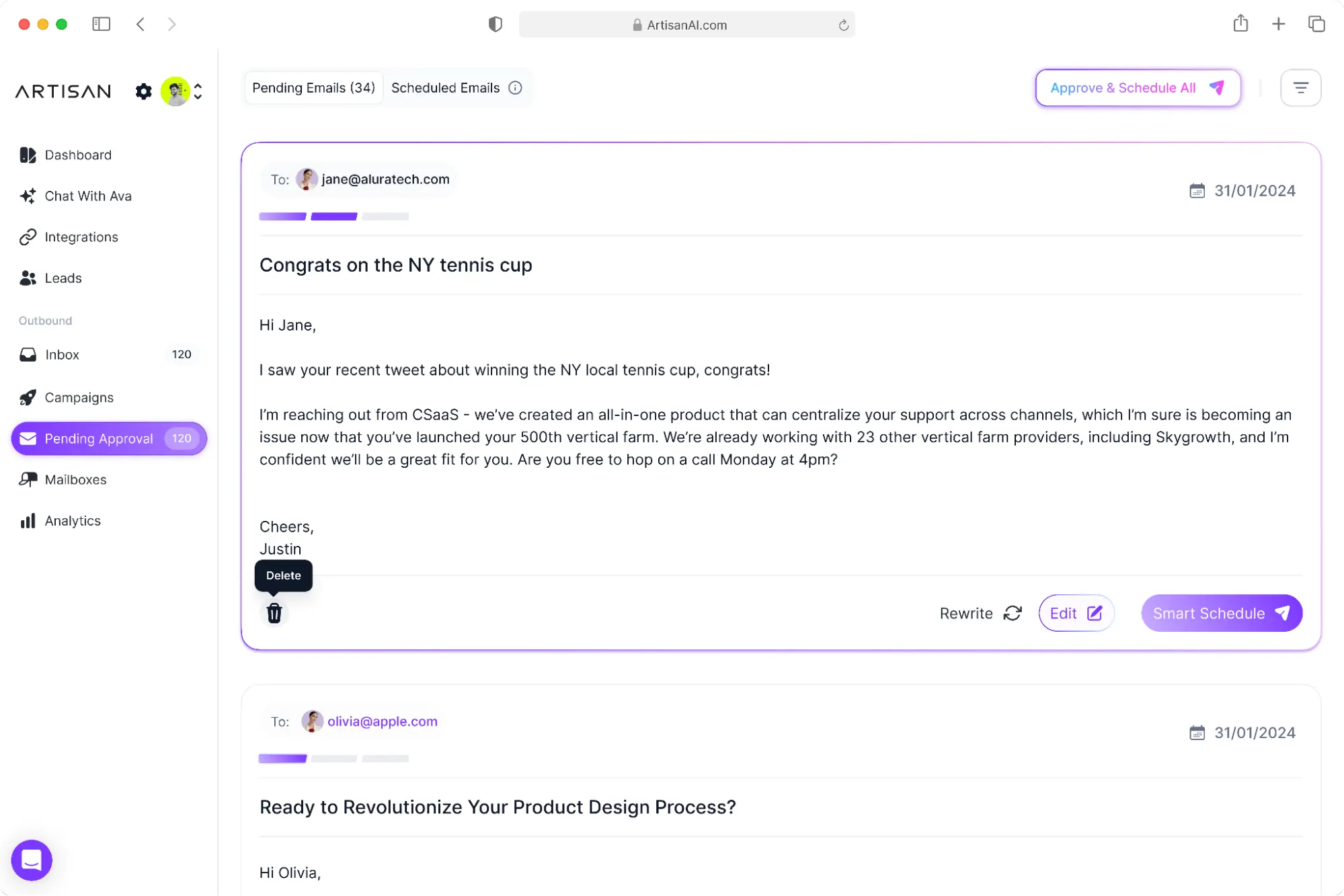 Artisan’s flagship AI sales assistant, Ava, is an autonomous ‘team member’ that handles prospecting, outreach, and lead nurturing on behalf of human sales teams.
Ava thinks, acts, and writes like your preferred SDR. She can run end-to-end outbound campaigns, including identifying target accounts, sending outreach, handling replies, qualifying leads, and even booking meetings directly into your rep’s calendar.
Ava tracks every interaction, syncs outcomes back to the CRM, and provides analytics that show which messages and sequences drive the best results.
Key features:
- Mailbox health: Artisan provides built-in capabilities for email warm-up, mailbox health monitoring, dynamic sending limits to optimise deliverability
- Personalization waterfall: Ava chooses the highest available layer of personalization (e.g., mutual job, recent funding, blog post by target) and builds outreach accordingly.
- Routing logic: When a prospect responds or meets certain criteria (e.g., high intent), routing rules direct the lead to the appropriate AE/BDR.
Pros:
- “Artisan significantly cut down the time we used to spend on outbound email campaigns. Managing multiple campaigns and handling the large volume would have been impossible for us if we were still doing everything manually.” (Read full review).
Cons:
- “The UI is a disaster and clunky, often not saving the work you do requiring you to constantly re-check to see it’s set up properly. The messaging is extremely bland and obviously AI. The extent of the personalization is scraping some small piece of info from the prospects LinkedIn/company url and mentioning they read it. Then going into a generic pitch based on your website.” (Read full review).
16. Jason AI SDR
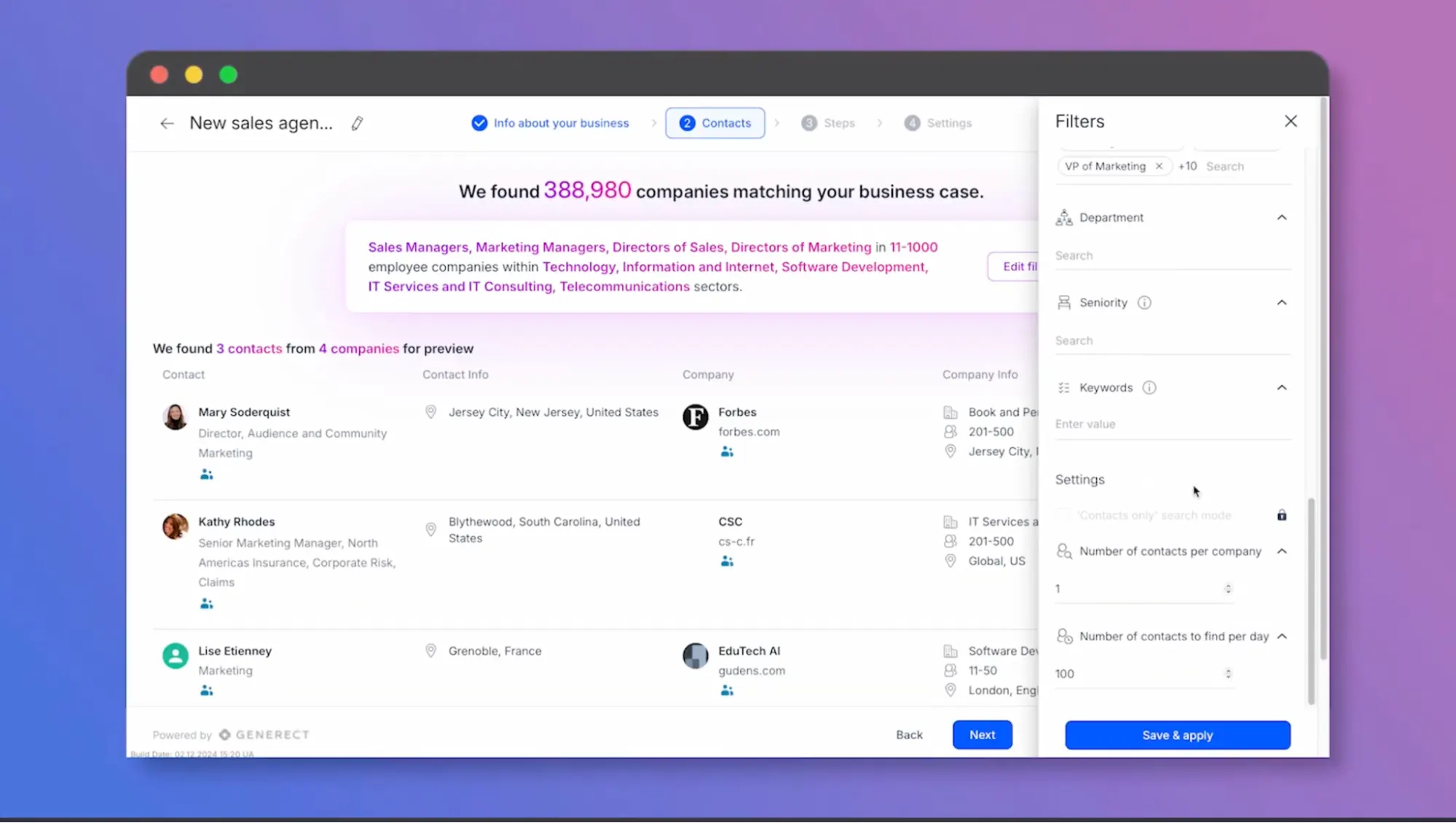 Jason AI SDR is an AI-powered sales assistant built into the Reply.io platform. It is designed to automate two-way prospect communication and handle the early stages of outreach on behalf of sales reps.
It analyzes each prospect’s replies for intent and context. With this, it can distinguish between interest, objections, or disqualification signals, and then craft appropriate follow-up responses.
For example, if a lead requests a call or demo, Jason AI integrates with tools like Calendly or Google Calendar to book meetings directly, syncing everything back to Reply.io and connected CRMs like HubSpot or Salesforce.
Key features:
- Evergreen mode: Keeps outreach sequences continuously active by adding new prospects matching your ICP in real time.
- Reply handling (autopilot and copilot modes): Jason can automatically respond to prospect replies (“Autopilot”), or you can review and approve responses (“Copilot”).
- AI-Generated outreach sequences: Jason builds personalized outreach flows based on your inputs (value propositions, offers, audience) and prospect data (company, role, recent activity).
Pros:
- “Honestly, the automation saves me so much time as I use Reply LOADS. I don’t have to worry about remembering who to follow up with or when; the sequences take care of it. Plus, everything’s in one place, so I’m not bouncing between tools.” (Read full review).
Cons:
- “I would say it’s definitely not for noobs, as the learning curve might be a little steep for most people, especially if you’re not in areas like IT or tech in general.” (Read full review).
17. Persana AI
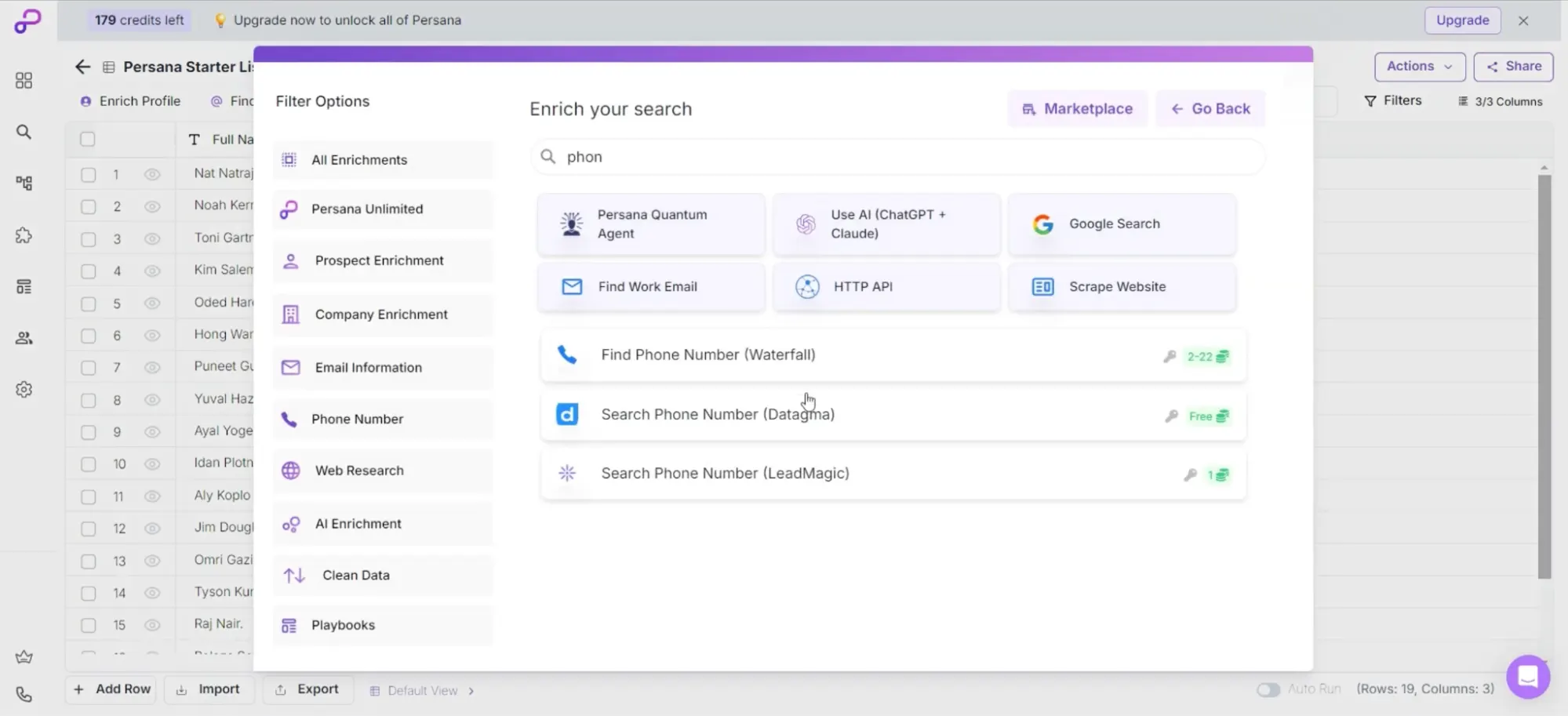 Persana AI is a generative AI-powered prospecting and personalization platform that helps go-to-market teams discover, enrich, and engage high-intent leads.
The platform continuously scans data across the web to identify prospects who match your ideal customer profile and are most likely to buy.
Once it finds this, Persana AI enriches them with accurate, up-to-date details such as company size, revenue, tech stack, and verified contact information.
Next, it crafts personalized email or LinkedIn messages for each lead, referencing relevant context like company milestones or job changes. Persana AI writes these messages in your brand’s tone, making them feel ‘genuine’.
Key features:
- Signal library: Persana captures 75+ signals and uses them to trigger workflows when prospects or accounts enter a high-opportunity state.
- PersanaVector: Uses semantic understanding of intent and firmographic fit to surface high-relevance accounts.
- AI sales agent “Nia”: The autonomous agent that runs prospecting, outreach and hand-off workflows.
Pros:
- “The platform enables us to execute account-based prospecting at scale, all within one solution. For a lean team like ours, that kind of efficiency is invaluable.” (Read full review).
Cons:
- “The Enrichment Lists are sometimes a bit bulky, and a lot of it is built like Excel with Smart Formulas, but what it doesn’t have is fields to mark things with certain data.” (Read full review).
Custom AI Orchestration Platforms
These platforms enable enterprises to build and configure AI-orchestrated workflows, agents, and pipelines that are tailored to their unique operations.
Instead of being pre-packaged for specific GTM tasks, they let you build yours. That involves allowing you to unify data, models, workflows, decisioning logic and actions into customised orchestration layers aligned with your GTM motion.
18. Microsoft Copilot Studio
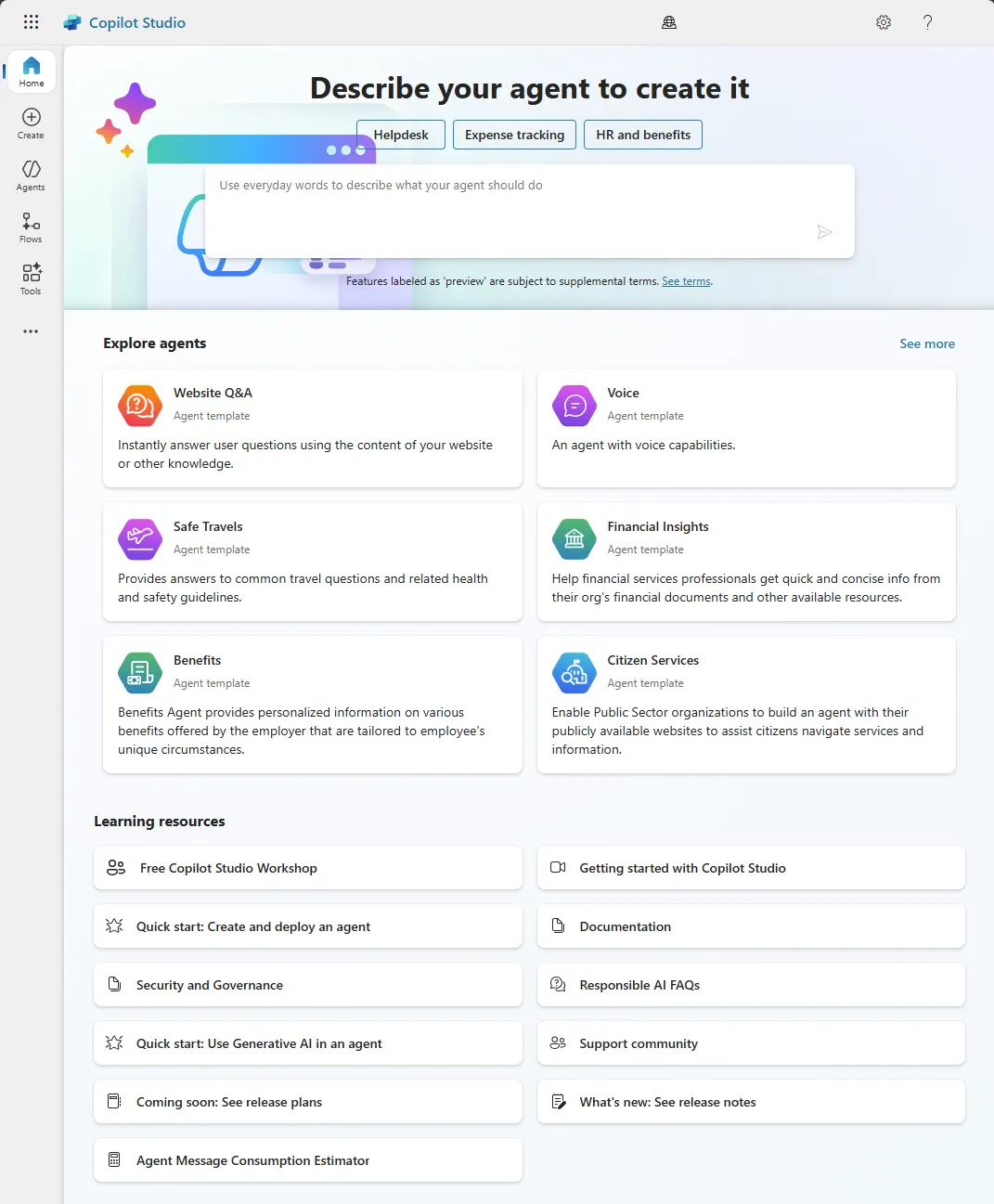 Microsoft Copilot Studio is a low-code AI development platform that allows businesses to build, customize, and deploy their own AI copilots and chat-based agents across Microsoft 365 and external applications. It provides a conversational interface where users define the scope of an agent.
For example: “Help sales reps find contacts and summarise meeting notes.” —then connect relevant data sources (CRM, SharePoint, Dataverse, external APIs) and define workflow steps.
Users can publish these agents into the Microsoft environments (including 365 Copilot, Teams, Power Platform) or as standalone web apps, enabling them to respond to users and execute actions.
Key features:
- Multi-agent orchestration: supports orchestrating multiple agents that work together (agent networks) and open protocols (Agent2Agent) to integrate with third-party agent ecosystems.
- Reasoning models: Embeds generative AI models and supports deeper reasoning. Agents can interpret user intents, provide recommendations, summarise complex data, and execute non-trivial logic.
- Lifecycle management: Built-in dashboards that allow you to track agent performance, user interactions, business impact, and manage the lifecycle of deployed copilots.
Pros:
- “I can quickly automate repetitive tasks, generate content drafts, and even get suggestions inside apps I already use, like Word, Excel, and Teams.” (Read full review).
Cons:
- “Sometimes the suggestions are too generic and require fine-tuning. For complex tasks, you still need to verify outputs carefully. Also, integration with third-party apps is still limited compared to Microsoft’s native ecosystem.” (Read full review).
19. IBM Watsonx Orchestrate
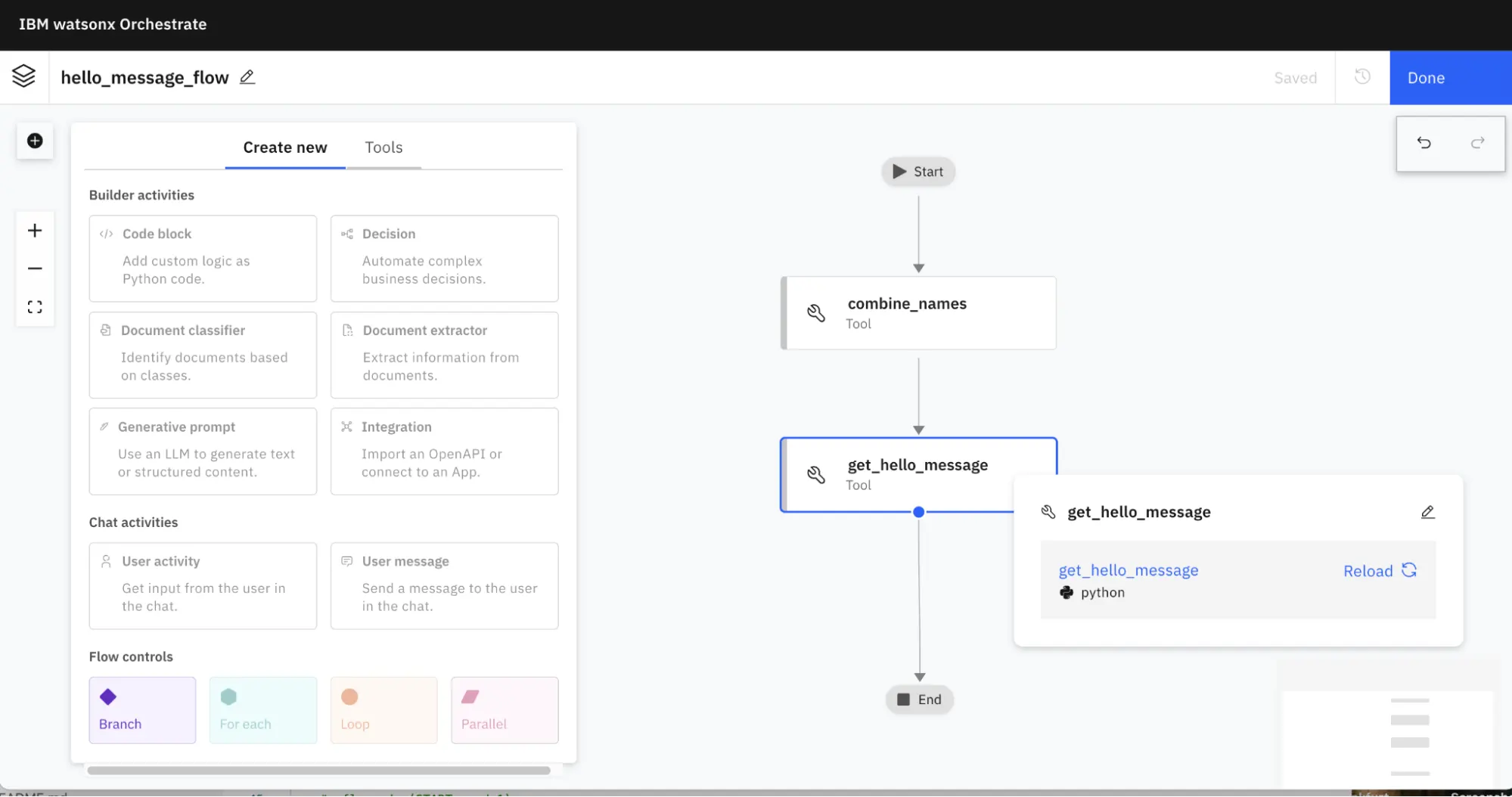 IBM Watsonx Orchestrate is a workforce platform that helps enterprises to automate complex workflows and tasks through intelligent virtual assistants.
It lets you create “skills” (automated tasks) and “apps” (collections of skills) which can execute actions (sending emails, updating records) either via chat or as part of an automated workflow.
For example, users can describe what they want — “find qualified candidates and schedule interviews” and the AI orchestrates the necessary steps by chaining multiple skills together.
There’s also governance and observability tools for IT and compliance teams to track AI decisions, monitor performance, and ensure secure data handling.
Key features:
- Decision-model studio: Includes a studio to model business decisions, workflows, skill sets and automation sequences. You can design how agents behave under different conditions.
- Skill catalog: The platform has a catalog of pre-built skills (actions) for common apps and functions, which you can reuse and customize.
- Data and app integrations: The platform supports connections to 400+ systems/apps, enabling agents to access CRM, MAP, email, chat, document stores, etc.
Pros:
- “The best thing about IBM watsonx Orchestrate is its incredible ease of use and powerful natural language processing. The platform is remarkably intuitive; we were able to get it up and running with minimal friction.” (Read full review).
Cons:
- “The response times are slow, and new features frequently arrive with bugs. For instance, it’s not possible to import a remote MCP through the ADK as intended; instead, I have to use the API to accomplish this.” (Read full review).
20. Beam AI
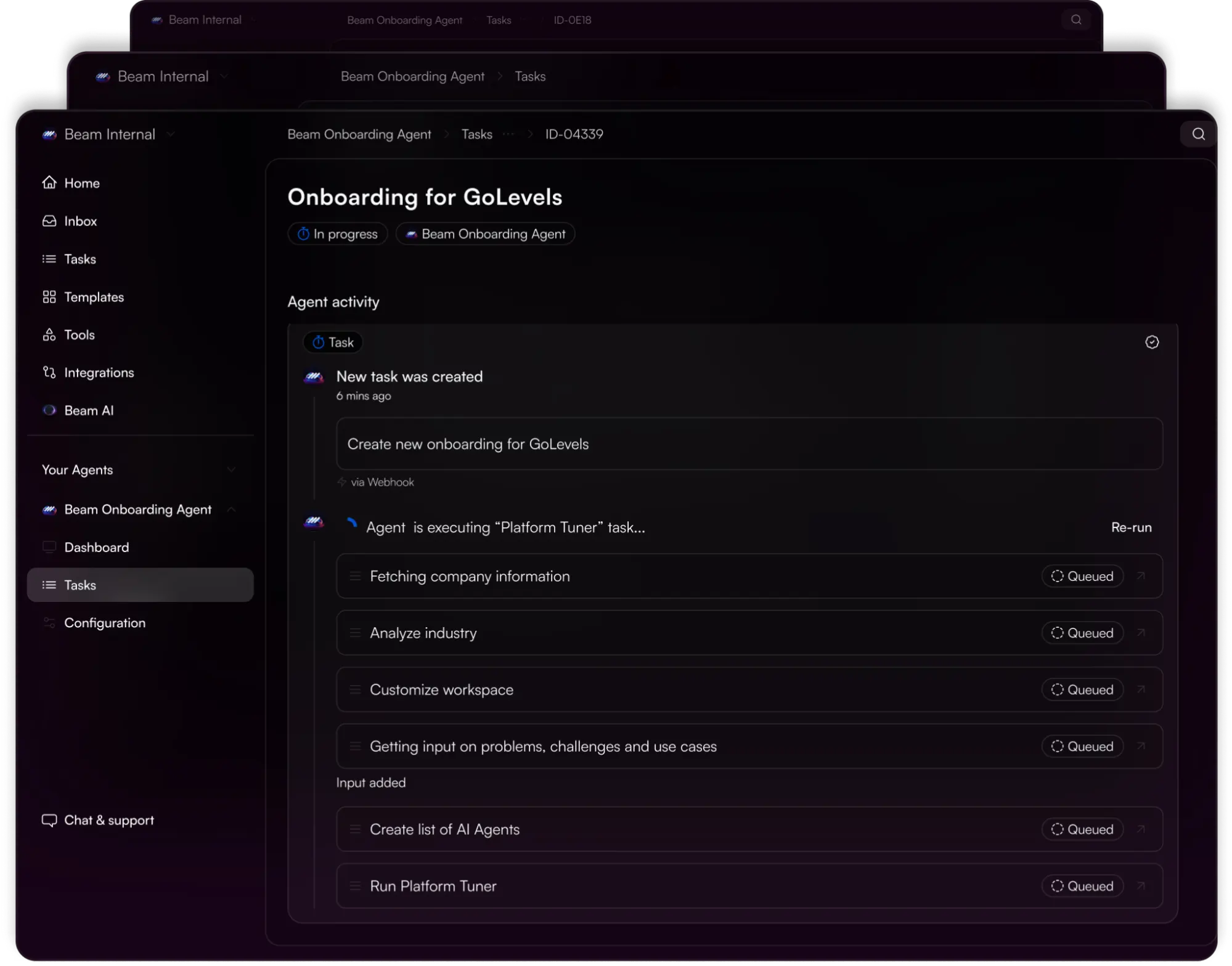 Beam AI is an enterprise-grade agentic automation platform designed to let organisations build, deploy and manage autonomous AI agents that run complex, multi-step workflows across systems.
The platform connects to an organization’s existing software stack, allowing AI agents to handle workflows like data entry, customer support, lead qualification, document processing, and reporting through natural language commands or triggers.
Key features:
- AI agent hub: A centralized dashboard to manage your deployed agents—e.g., view status, monitor performance, assign tasks etc.
- Workflow library: Prebuilt domain-specific agents (e.g., invoice-processing agent, order-fulfilment agent) and templates to speed up deployment.
- Custom agent builder: Business users can design, configure or fine-tune agents and workflows using visual tools, connecting data sources, triggers, conditions and actions.
Pros:
- “Using Beam AI has been a smooth and efficient experience, with simple navigation, reliable performance, and clear value in daily tasks.” (Read full review).
Cons:
- “Integration option It would be even better if there were broader integrations with other common platforms.” (Read full review).
Related → AI Agents & GTM Strategy: 5 Critical Pitfalls to Avoid
How to Choose the Right AI GTM Solution for Your Business?
Understand your GTM motion
Every business has a different system. Some run on high-volume inbound demand. While others rely on ABM precision, expansion cycles, or renewal motions.
That’s why you need to be clear on what kind of GTM motion you’re optimizing for.
For example:
- If your growth depends on long enterprise deals with complex buying committees, you need a platform built for signal detection, buying group intelligence, and orchestration across multiple teams.
- If you’re running a PLG or inbound-heavy model, you’ll prioritize real-time product signals, activation triggers, and usage-based scoring.
In this case, all you need to do is highlight your buyer’s end-to-end journey (from awareness → evaluation → purchase → onboarding → retention). Identify every touchpoint and which team owns it. Use this map to prioritise key use-cases for the AI tool.
Are you looking for a quick lift (weeks,months), or are you able to invest in a long-term transformation?
If your team is lean and you need fast wins, you’ll need a tool with simpler implementation rather than a highly custom platform.
Define the problem you’re trying to solve
Buying into a GTM orchestration platform to “improve efficiency” is vague. The ‘efficiency’ is not defined or tied to actual numbers that can be tracked.
You need to identify the friction points slowing your revenue cycle:
- Are you losing speed-to-lead because marketing signals don’t reach sales in time?
- Are you generating data from five systems but can’t tell which accounts are actually in-market?
- Are you unable to track engagement across the buying committee?
Once you identify the friction, frame it as a specific operational question:
For example:
- “How can we unify CRM, marketing automation, and intent data into a single, account-based system?”
- “How do we trigger the right cross-channel actions based on buying group signals, and not individual clicks?”
The AI GTM platform you’re going for should be able to answer those questions directly through its design.
Look at the data foundation
The intelligence of any AI GTM platform is only as good as the data model underneath it. If the data layer is fragmented, the orchestration layer will fail, regardless of how advanced the interface looks.
You’re looking for a platform that can:
- Unify all first- and third-party data into one account-centric view.
- Normalize and enrich data in real-time without duplication.
- Integrate deeply with your CRM, MAP, engagement systems and sync bi-directionally.
- Surface intent signals that are trustworthy and explainable.
- Ensures data governance, compliance, and security (especially for industries such as finance and healthcare under GDPR, HIPAA, or SOC2 standards).
Assess orchestration depth
You need an orchestration platform that ensures actions are sequenced, contextual, and aligned across your GTM teams.
Here’s what you should be looking for:
- Cross-channel coordination: Can it sync actions between ads, web, email, and sales engagement platforms without delay?
- Buying group awareness: Does it recognize that decisions come from groups, not individuals?
- Dynamic playbooks: Can it trigger adaptive workflows. E.g., if an account’s intent spikes, automatically notify the AE, personalize the ad journey, and enroll contacts in a nurture sequence simultaneously?
- Real-time alerting: Can it push contextual alerts where teams actually work (CRM, Slack, Outlook, etc.)?
Note: Avoid any platform that markets itself as “AI-powered orchestration” but can’t prove how signals lead to cross-functional action.
Evaluate vendor fit and compatibility
When comparing vendors, investigate how each one fits within your operational ecosystem and long-term GTM strategy.
Key criteria to look for:
- Integration capabilities: Does it natively connect with your CRM (Salesforce, HubSpot), MAP (Marketo, Pardot), or data warehouse (Snowflake, BigQuery)?
- Customization vs. simplicity: Can it be configured to your workflows without requiring months of engineering?
- Scalability: Does it support enterprise-level data volumes and multi-region teams?
- Support and onboarding: Does the vendor provide structured onboarding, training, and success management?
- AI transparency: Do they explain how their models make decisions (feature weighting, confidence scores, etc.)?
Run a pilot project and measure before you commit
Once you’ve selected a vendor, it’s time to run a pilot, measure against your success criteria, learn, and then scale.
Steps:
- Define pilot scope: Choose a limited segment. E.g., by region, product line, or sales team.
- Set success metrics: Tie them to quantifiable business goals like:
- Forecast accuracy improved by X%
- Sales cycle reduced by Y days
- Conversion rate increased by Z%
- Track both quantitative and qualitative metrics:
- Quantitative: pipeline progression, deal velocity, engagement lift.
- Qualitative: user satisfaction, usability, and perceived insight accuracy.
- Iterate: Adjust workflows, data sources, and triggers based on findings.
Once pilot results are positive, build the roadmap to expand use-cases, adopt across teams, and embed in processes. Also remember to evaluate your AI performance quarterly and retrain if data patterns shift.
How to determine if our company is ready for a GTM orchestration platform?
This checklist will help you determine if your organization is ready to take the next step:
- You have a clear ideal customer profile (ICP): You have identified your high-value accounts, understand their buying committees, and know the signals that indicate intent.
- You have the data, but insights are poor: You have plenty of information in your CRM and tools, but it’s scattered. However, you can’t easily see what’s driving pipeline or which efforts are working.
- You have executive buy-in: Leadership understands that this is more than a software purchase. They see it as a shift in how your revenue teams operate. Everyone’s on board to make it work.
- Your current channels are hitting a wall: Paid ads, outbound emails, and inbound campaigns are becoming less effective. You need a smarter, more connected way to create and capture demand.
- You have the operational maturity to execute: Your team has the basic RevOps foundation sorted out. That includes clean data, documented processes, and accountability structures.
If you can check most of these boxes, your company is ready for a GTM orchestration platform.
Demandbase: The All-in-One GTM Orchestration Platform
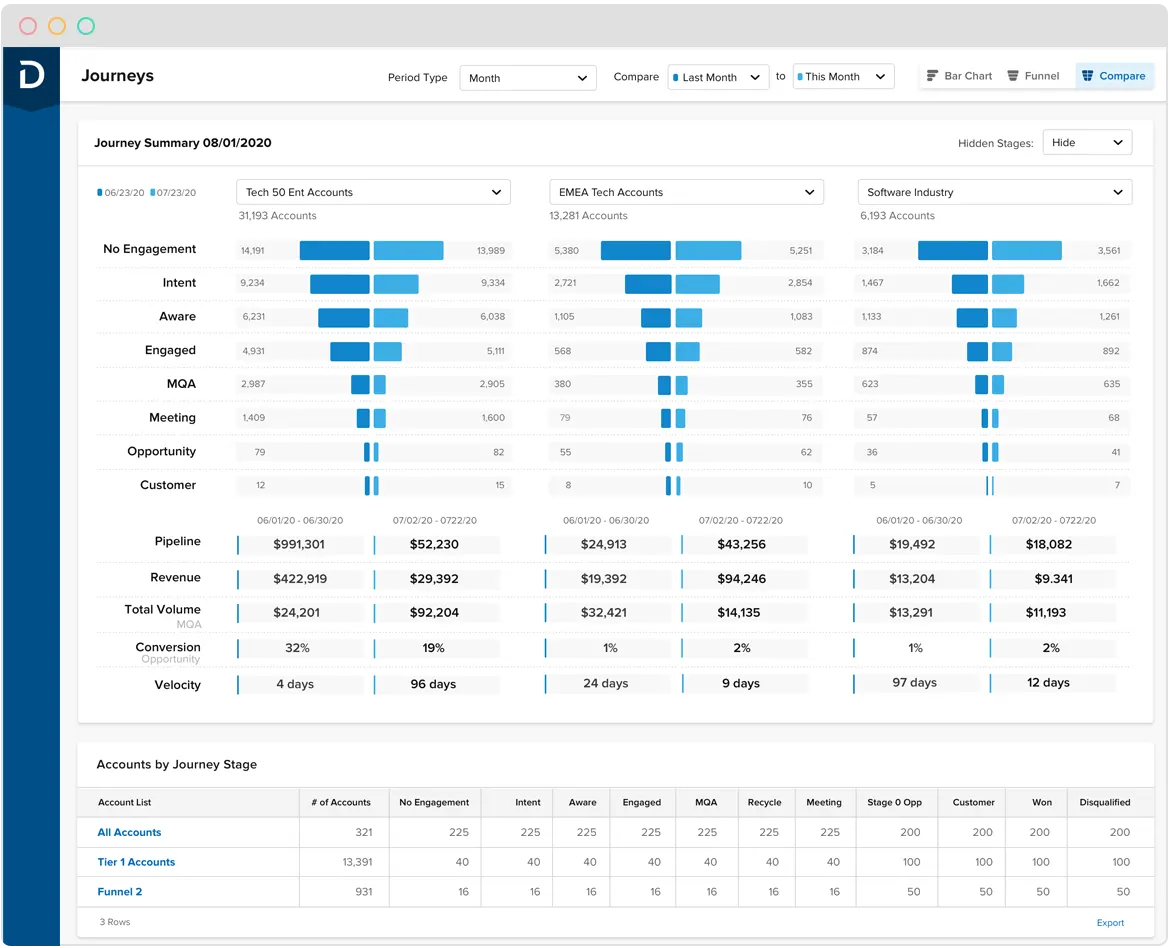 Demandbase brings every part of your go-to-market engine together (data, teams, and execution) into one connected platform. It replaces scattered tools and manual handoffs with a single system that shows who’s ready to buy, what they care about, and how to reach them.
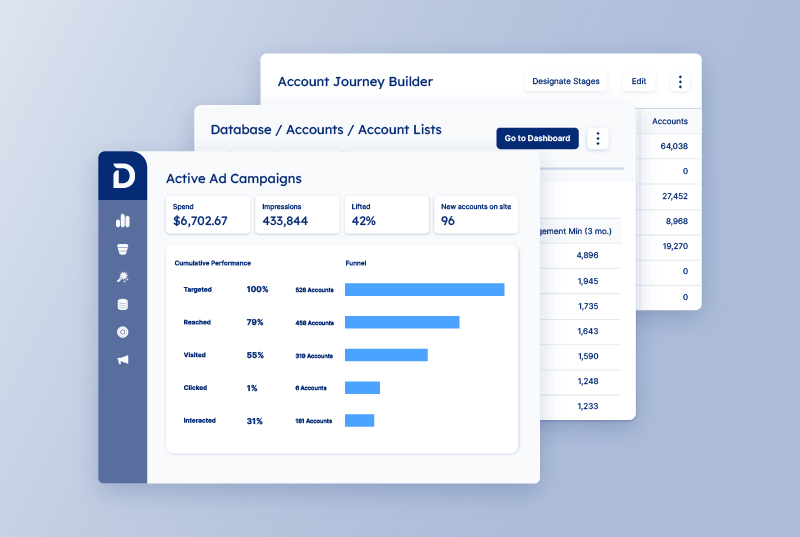
From marketing signals to sales actions, everything runs through one intelligent orchestration layer that keeps your entire revenue motion aligned.
That’s why leading B2B companies trust Demandbase to power their GTM engine. As Lauren Daley, Director of Marketing Operations at Palo Alto Networks, puts it:
“Demandbase has completely transformed the way we manage our leads with buying group signals. Leads are no longer stagnant; they’re activated, engaged, and moving faster through our funnel. The level of alignment we’ve built between our marketing and sales teams has set the benchmark for future initiatives.”
Whether it’s identifying high-intent accounts, unifying engagement data, or automating personalized outreach, Demandbase is where it all happens.



We have updated our Privacy Notice. Please click here for details.